63
2
Processing Documents by Retrieving a Saved JOB
3
Basic Operations
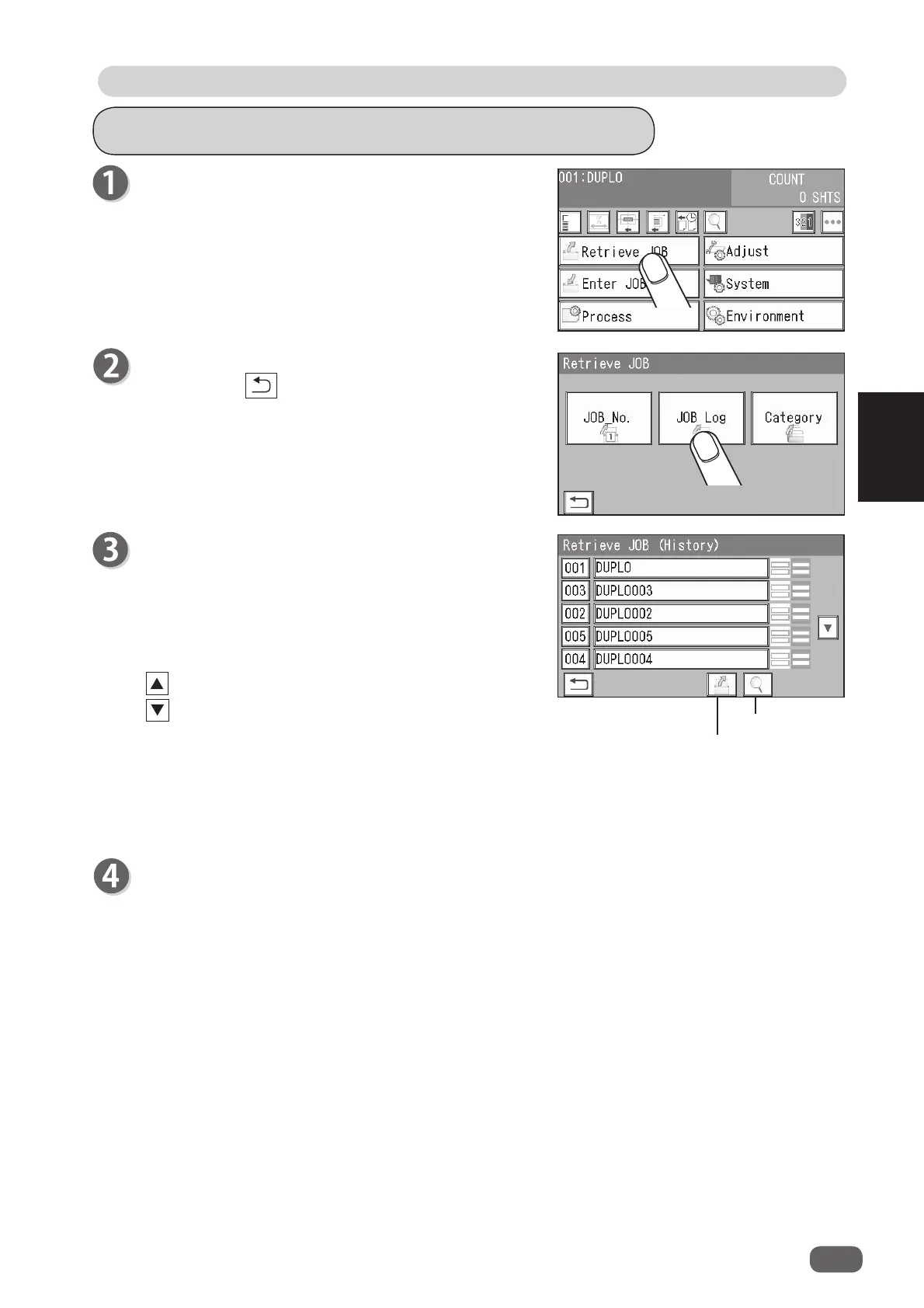
Retrieving a Saved JOB by JOB Log
Touch
JOB Log
.
Touching the
return
icon returns to the
standby
screen.
: Five JOBs behind are displayed.
: Five JOBs ahead are displayed.
• Touching the
JOB name
and then the
details
icon displays the
JOB *** Details
screen.
You can check the details of the JOB selected.
(→ p.58 Retrieving a Saved JOB by JOB No. (step 3))
Make sure that the
standby
screen is displayed on
the
touch panel
, and then touch
Retrieve JOB
.
For the procedures for setting after this, follow step 4 and the subsequent steps. (→ p.61
Details
Retrieve JOB
The
Retrieve JOB (History)
screen appears.
The latest 10 JOBs processed are displayed.
Touching a JOB name and then the
retrieve
icon
selects the JOB and returns to the
standby
screen.
One touch on a
JOB number
selects the JOB and
returns to the
standby
screen.



 To Next Page