13
Chapter 1 Before Operation
Copyright © 2019 Duplo Corporation All Rights Reserved
6. Screen Configuration
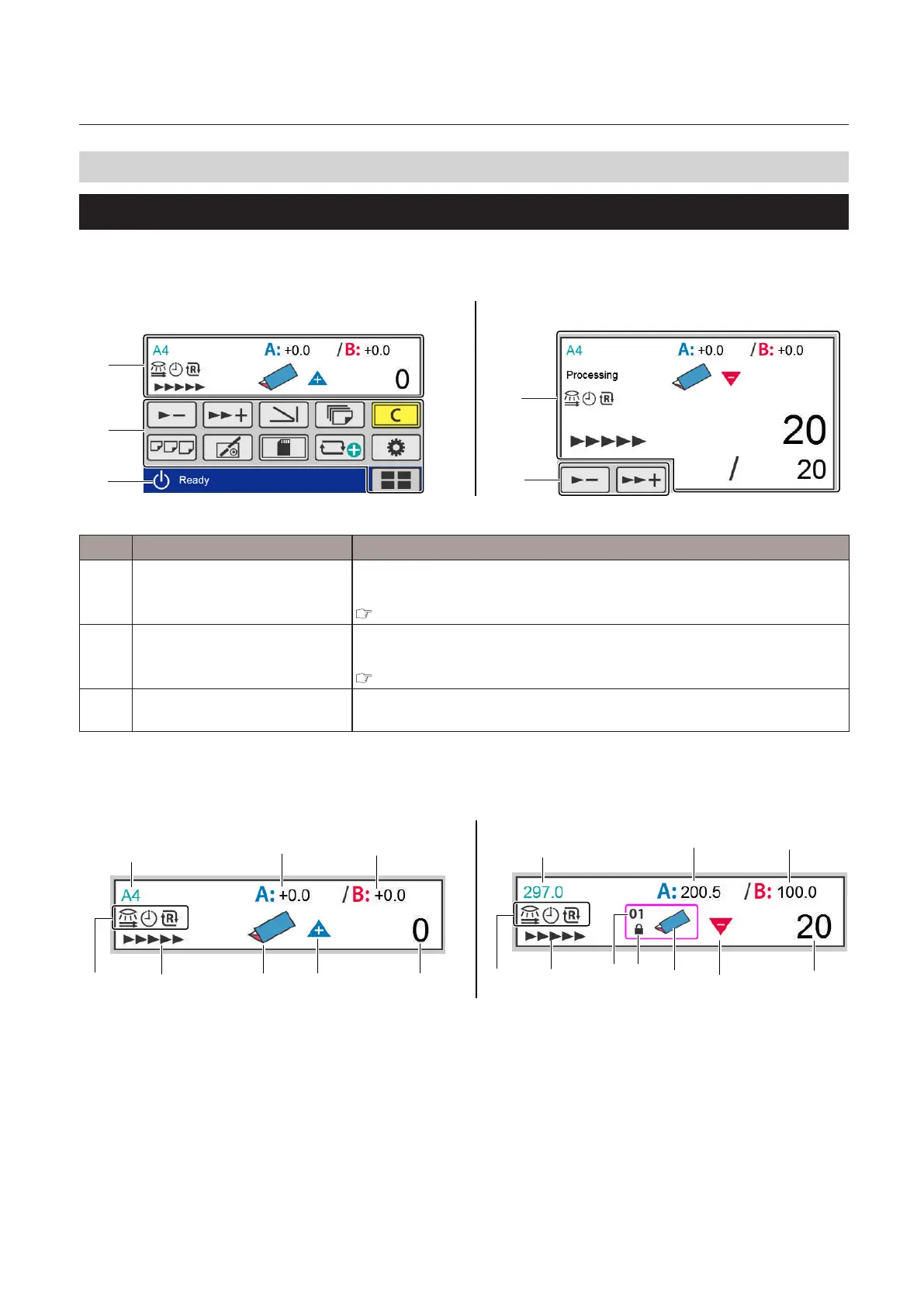
6-1. [Ready] screen/[Processing] screen
Thefollowingistherstscreendisplayedwhenthepoweristurnedonandtheprocessingscreen.
Whenthe[Initial]settingisotherthan[Ready],thescreenthatyousetisdisplayed.
[1]
[2]
[3]
[1]
[2]
[Processing] screen[Ready] screen
No. Name Function
[1] Touch panel display Icons and numerical values of set contents are displayed, such as the paper
sizeandfoldingmode.
“6-1-1. Touch panel display” (p.13)
[2] Touch panel operation section Contains keys to change settings such as processing speed and folding
mode.
“6-1-2. Touch panel operation section” (p.16)
[3] Page name The name of the displayed page. The name is displayed on all the screens
except the screen when an error occurs and the processing screen.
6-1-1. Touch panel display
[Ready] screen [Ready] screen (custom fold)
[10]
[1]
[4]
[5]
[6]
[7][8]
[8]
[9]
[1]
[2] [3]
[5]
[6]
[7]
[9]
[10]
[4]



 To Next Page