20
Chapter 1 Before Operation
Copyright © 2019 Duplo Corporation All Rights Reserved
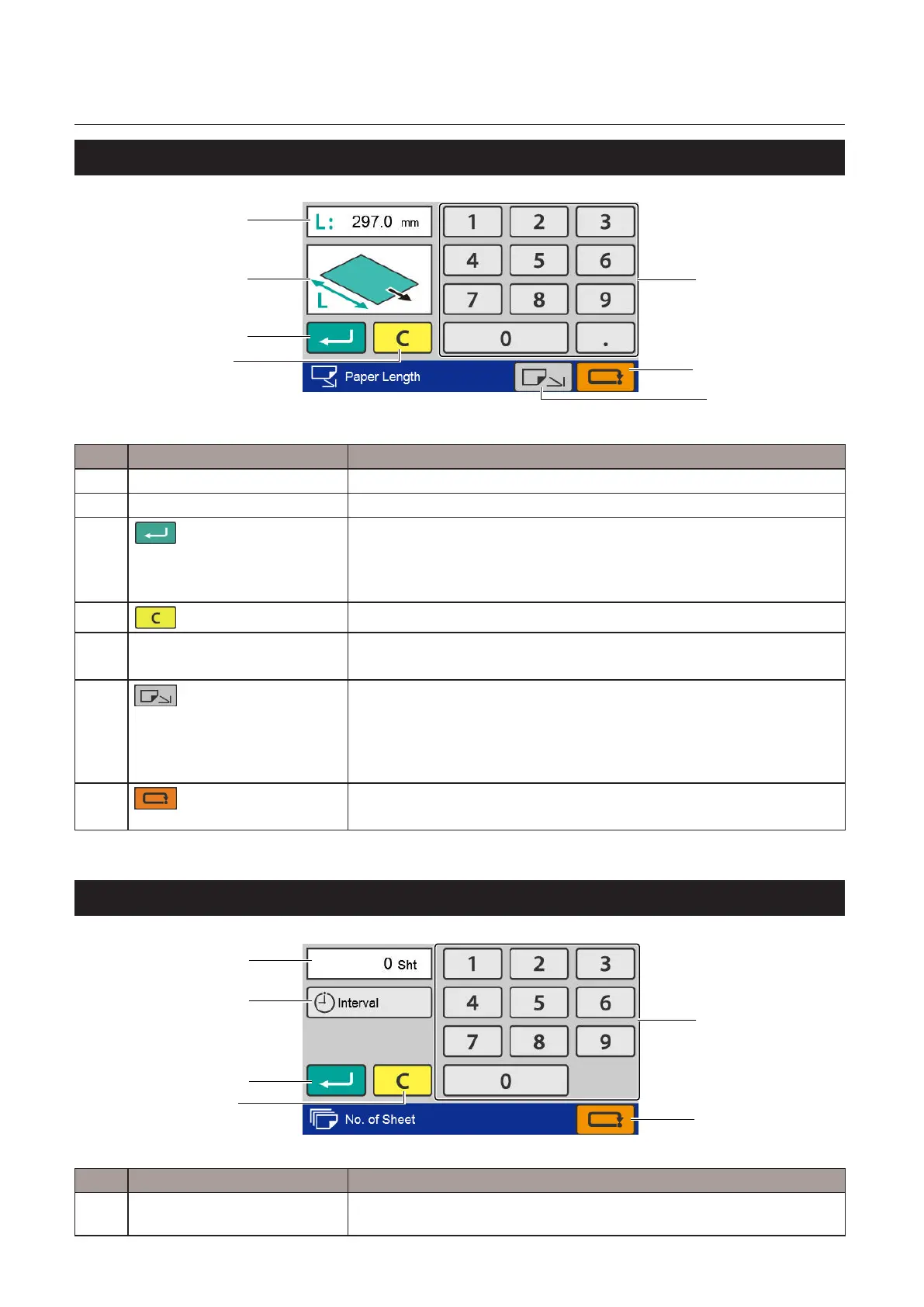
6-5. [Paper Length] input screen
[1]
[2]
[3]
[7]
[5]
[6]
[4]
No. Name Function
[1] Paper length setting value Displays the currently set paper length.
[2] Preview screen Displays the position of the input value.
[3]
(Return)key
Saves the input value and transits to the next screen.
Whenyoutouchthekeywhiletheinputvalueisoutsidethespecication
range, the value within the range that you can input is displayed on the
preview screen.
[4]
(Clear)key
Sets the input value to "0".
[5] Numerickeypad Inputs the value.
Settingrange:105.0to457.2mm/4.13to18.00inches
[6]
(Standardsizeswitching)
key
DF-999/DF-999A:Displayseitherthestandardpapersizeselectionscreen,
[Ready]screenorcustomfoldeditingscreen.Thedisplayedscreendiers
dependingonthescreenbeforetransition.Whenthekeyisgrayedout,it
cannotbeoperatedbecauseastandardpapersizeisnotdetected.
DF-990/DF-990A:Thestandardsizeselectionscreenisdisplayed.
[7]
(Cancel)key
Returns to the previous screen without saving the input content.
Pressandholdtoreturntothe[Ready]screen.
6-6. [No. of Sheet] input screen
[1]
[2]
[3]
[6]
[5]
[4]
No. Name Function
[1] Sheets to be folded setting
value
Displays the currently set number of sheets to be folded.



 To Next Page