18
Chapter 1 Before Operation
Copyright © 2019 Duplo Corporation All Rights Reserved
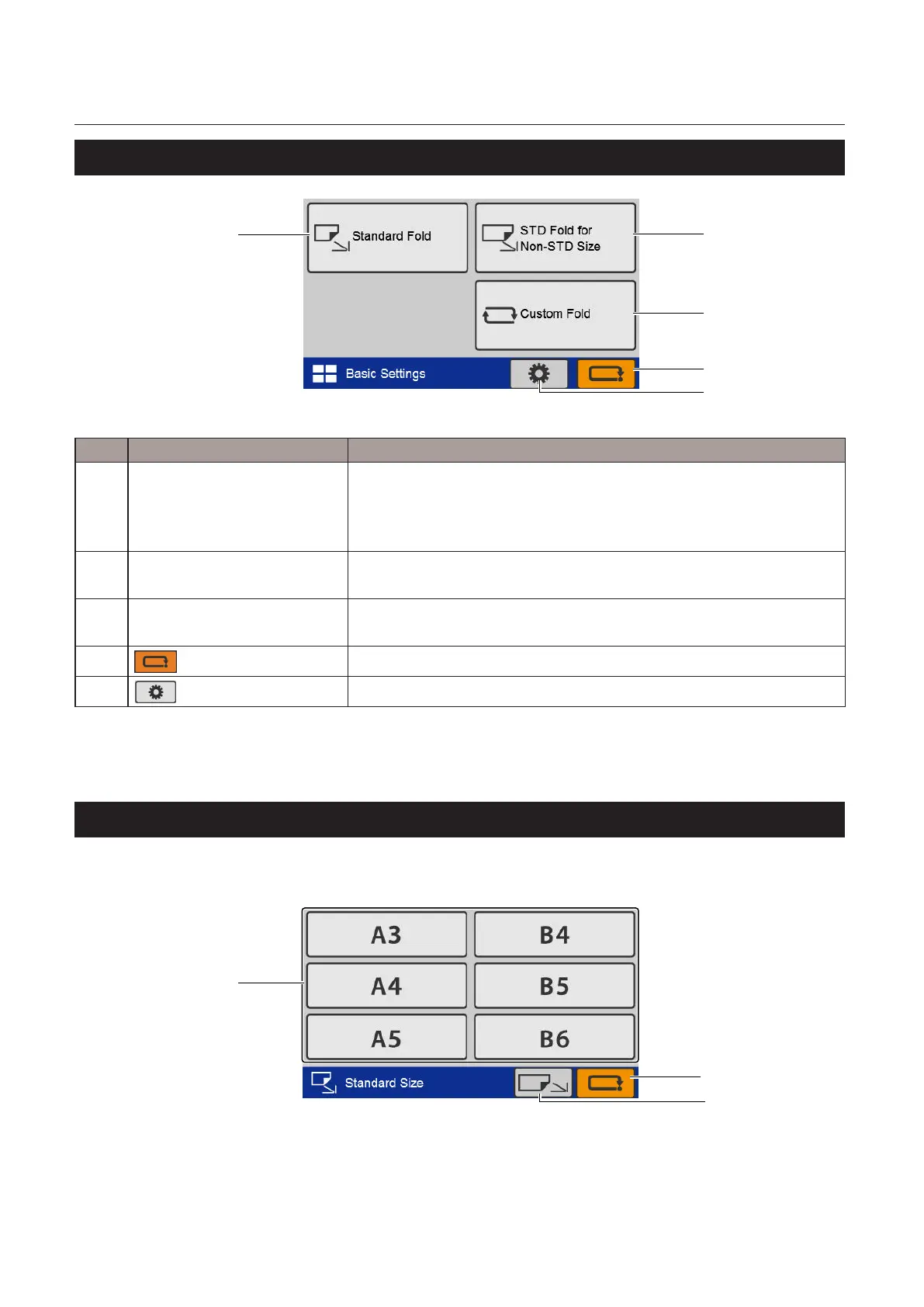
6-2. [Basic Settings] screen
[1]
[2]
[3]
[4]
[5]
No. Name Function
[1] Standard Fold Sets the standard folding mode.
The[FoldingMode]screen(*1)or[StandardSize]screen(*2)isdisplayed.
However,the[FoldingMode]screenisnotdisplayeddependingonthe
content to be set.
[2] STDFoldforNon-STDSize Setsthestandardfoldingmodefornon-standardpaper.
The[PaperLength]inputscreenisdisplayed.
[3] Custom Fold Sets the custom folding mode.
The[CustomFold]screenisdisplayed.
[4]
(Cancel)key
Returns to the previous screen.
[5]
(Functionsettings)key
The[FunctionSettings]screenisdisplayed.
(*1) DF-999/DF-999A
(*2) DF-990/DF-990A
6-3. [Standard Size] select screen
DF-990/DF-990Adisplaysthisscreen,butDF-999/DF-999Adoesnotdisplaythisscreensinceithasapaper
sizedetectionfunction.However,whenautomaticpapersizedetectionisturnedo,itwillbedisplayed.
[1]
[3]
[2]



 To Next Page