19
Chapter 1 Before Operation
Copyright © 2019 Duplo Corporation All Rights Reserved
No. Name Function
[1] Standardpapersizekey Setthestandardpapersizetobeused.
Depending on the set mode, there are restrictions on the paper that can
beused.Inthatcase,keysofstandardpapersizesthatcannotbeusedare
grayed out and cannot be operated.
[2]
(Non-standardsize
switching)key
The paper length input screen is displayed.
[3]
(Cancel)key
Returns to the previous screen.
Pressandholdtoreturntothe[Ready]screen.
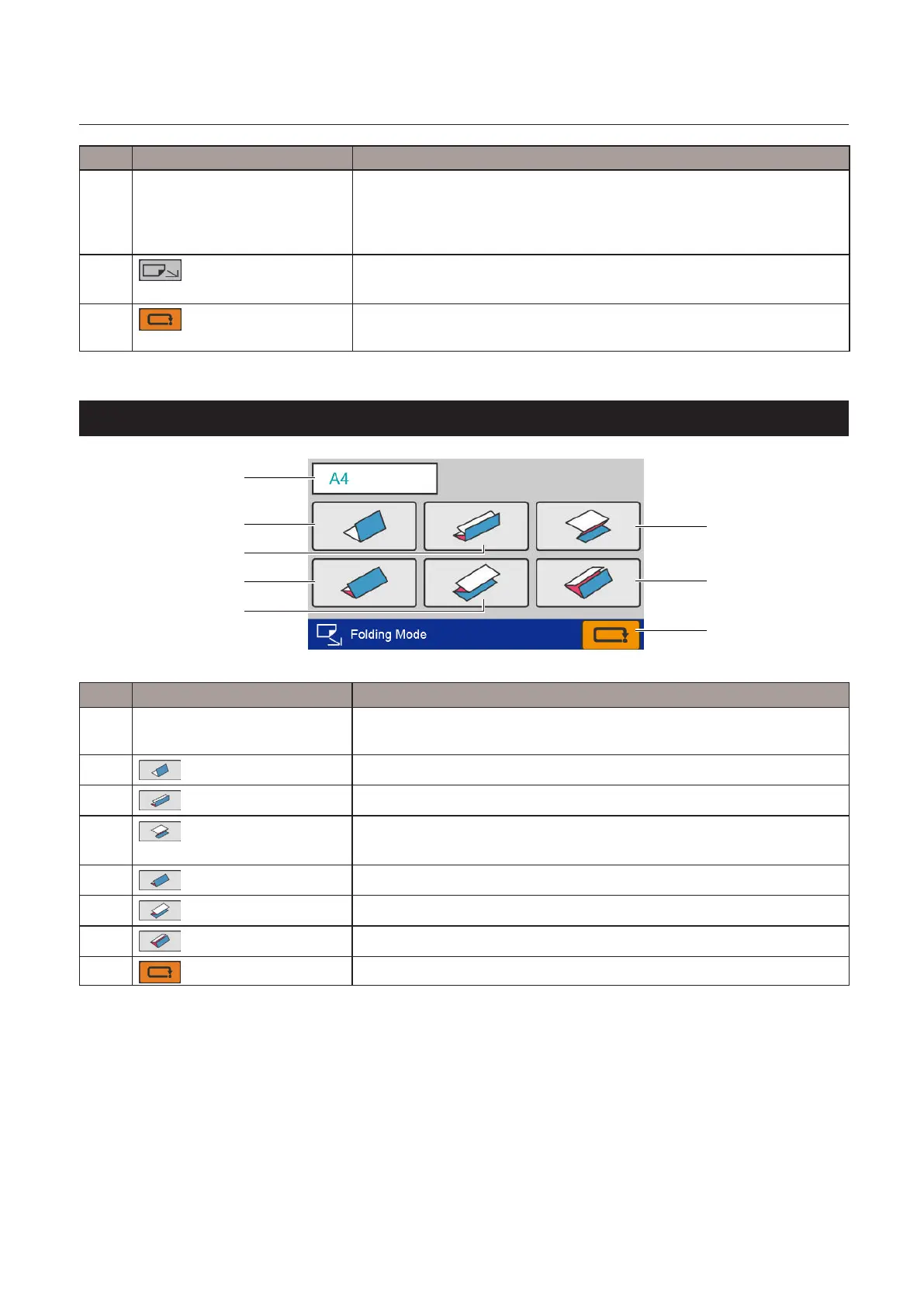
6-4. [Folding Mode] select screen
[1]
[2]
[5]
[3]
[8]
[4]
[7]
[6]
No. Name Function
[1] Papersizedisplay Displaysthecurrentlysetstandardsize.
Whennon-standardsizepaperisset,thepaperlengthisdisplayed.
[2]
(Singlefold)key
Set the folding mode as single fold.
[3]
(Doublefold)key(*)
Set the folding mode as double fold.
[4]
(Irregularaccordionfold)
key(*)
Setthefoldingmodeasirregularaccordionfold-out.
[5]
(letterfold)key(*)
Set the folding mode as letter fold.
[6]
(Accordionfold)key(*)
Setthefoldingmodeasaccordion-fold.
[7]
(Gatefold)key(*)
Set the folding mode as gate fold.
[8]
(Cancel)key
Returns to the previous screen without saving the input content.
(*) Dependingonthepaperlengththatyouset,thekeysthatcannotbeusedaregrayedoutandcannot
be operated.



 To Next Page