27
Chapter 1 Before Operation
Copyright © 2019 Duplo Corporation All Rights Reserved
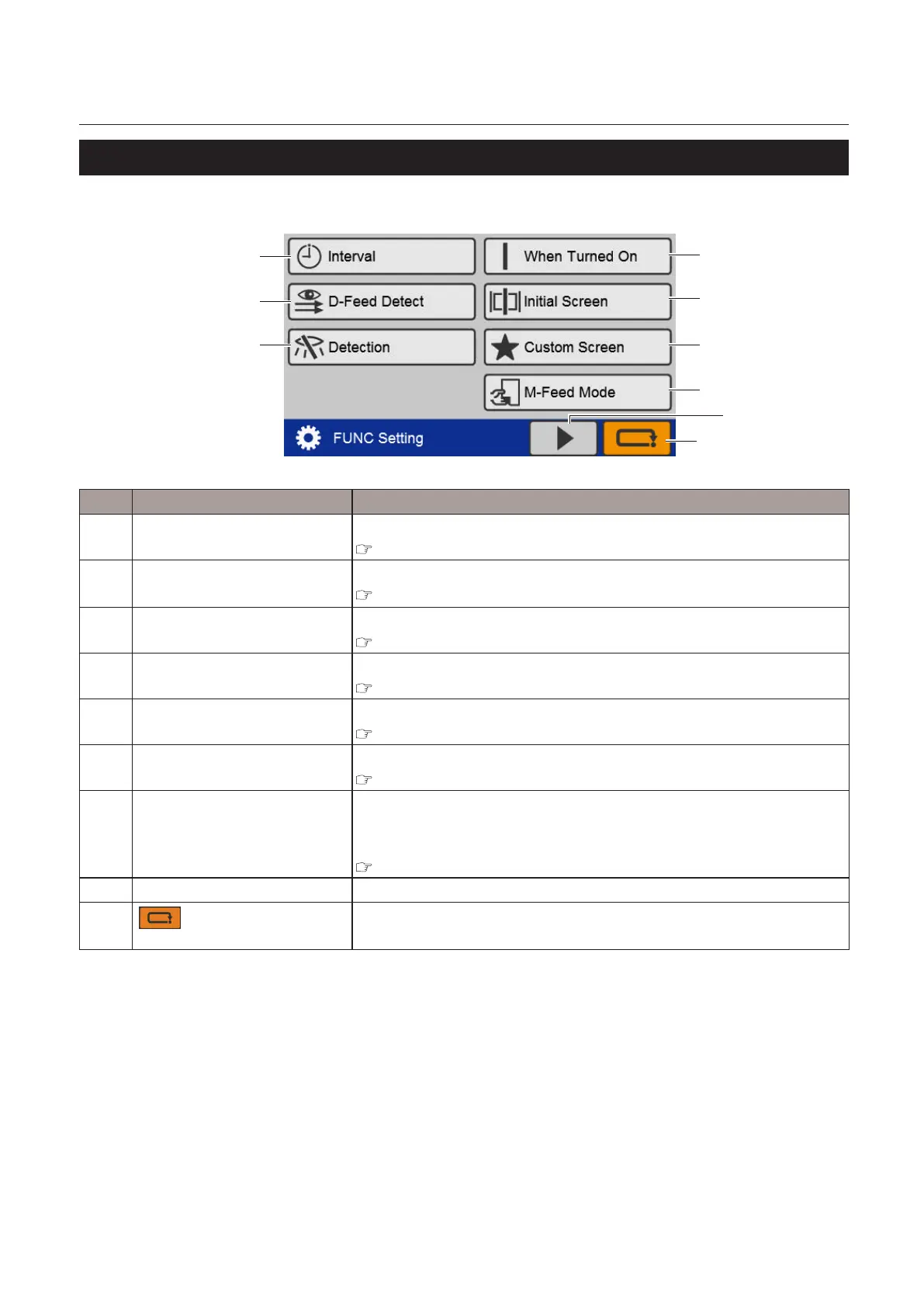
6-11. [Function Settings] screen
Selection screen 1
[6]
[7]
[9]
[8]
[1]
[2]
[3]
[5]
[4]
No. Name Function
[1] Interval Setswhethertousetheinterval(division)functionornot.
Chapter 3 “8-3. Interval function” (p.61)
[2] D-FeedDetect
(DoubleFeedDetect)
Sets whether to perform double feed detection or not.
Chapter 3 “8-4. Double-feed detection” (p.63)
[3] Detection Setswhethertoperformpaperstacked/standardsizedetectionornot.
Chapter 3 “8-5. Detection” (p.65)
[4] WhenTurnedOn Sets the operation mode when the power is turned on.
Chapter 3 “8-6. Initial” (p.65)
[5] Initial Screen Sets the initial screen when the power is turned on.
Chapter 3 “8-7. Initial screen” (p.67)
[6] Custom Screen Sets a custom screen.
Chapter 3 “8-8. Custom screen” (p.68)
[7] M-FeedMode
(ManualFeedMode)
Sets whether to use manual feed mode.
DisplayedonlywhentheDFHANDFEEDKITisregisteredasanoptional
item.
Chapter 4 “3. Manual Feed Mode Setting” (p.77)
[8] Display screen switching key Touching this key switches the screen to the 2nd page.
[9]
(Cancel)key
Whentouched,thedisplayreturnstothe[BasicSettings]screen.
Pressandholdtoreturntothe[Ready]screen.



 To Next Page