19
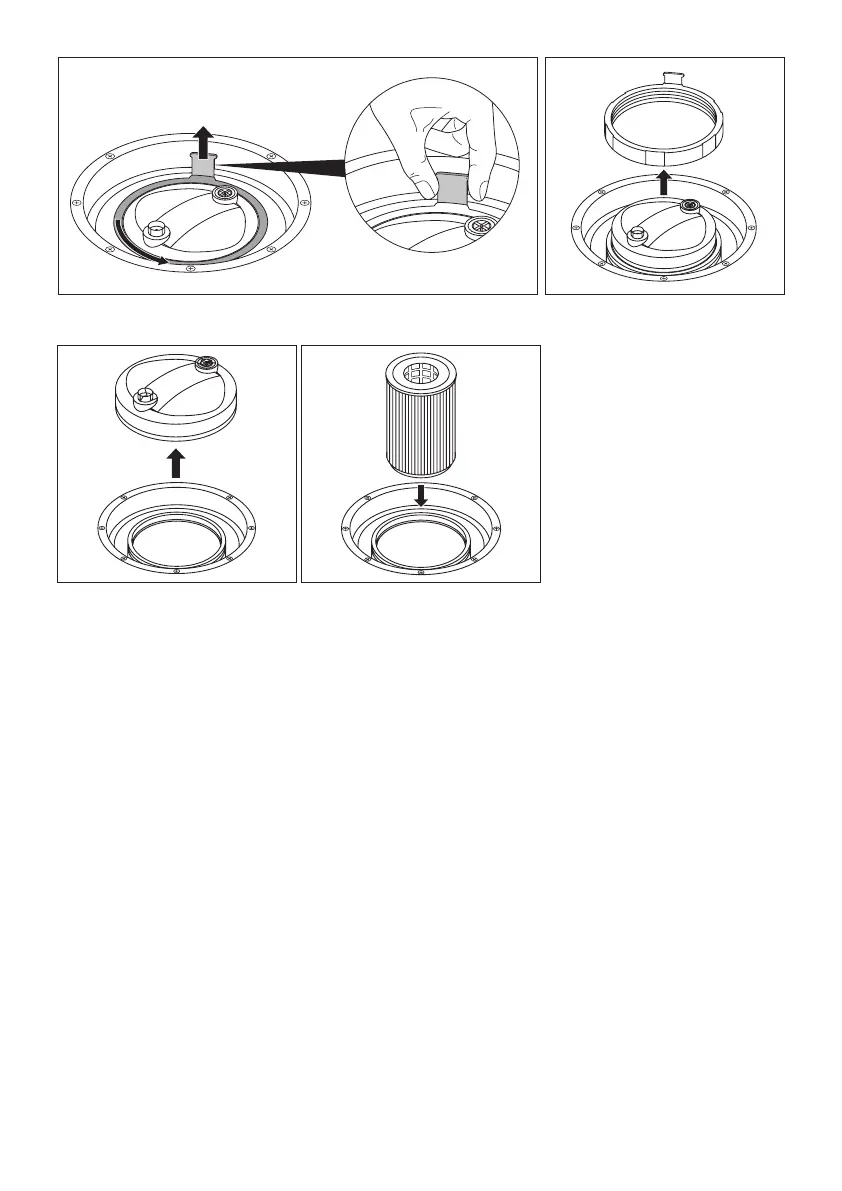
Fig. 1 Fig. 2
Fig. 3 Fig. 4
Step 3: Configure operator's panel
> Switch on the main switch.
A list of languages is displayed on the panel.
Select language
> Press the
“Off” button until the required language is visible.
> Press the
“OK” button to activate the language.
“Time h” is displayed on the operator's panel.
Set time
> Press the
“Off” or “On” button until the current hour is displayed.
> Press the
“OK” button to set the hour.
“Time m” is displayed on the operator's panel.
> Press the
“Off” or “On” button until the current minute is displayed.
> Press the
“OK” button to confirm the time.
“Units” is displayed on the operator's panel.


 To Next Page