34
ture circuit (this will start again automatically after one hour).
> The
“Hygiene” button flashes.
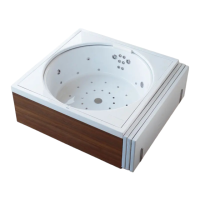
> Remove the acrylic/wooden liner (6 - Blue Moon) and/or the padded cover (Sundeck).
> Remove the white cover located over the fine filter (5).
> Pull the tab upwards and turn the screw of the fine filter (5) in anti-clockwise mo-
tion (Fig. 1; Chapter 5) and remove it. (Fig. 2; Chapter 5)
> Remove the cover completely. (Fig. 3; Chapter 5)
> Remove the fine filter cartridge (cf. Fig. 4; Chapter 5) and wash it under running
water.
> Clean the fine filter housing (5) with a damp cloth.
> Re-insert the fine filter cartridge.
> Close the fine filter (5).
> Press the
“Hygiene” button on the operator's panel.
The
“Hygiene” button lights up, the hygiene and temperature circuit starts.
10.4 Acrylic
Cleaning
> Clean acrylic with a soft, damp cloth. particularly the surfaces under the liner (Blue
Moon) or the overflow channel (Sundeck).
> Use the Duravit Maintenance Set for Acrylic Surfaces for the occasional thorough
cleaning and for removing stubborn spots.
> Remove extensive soiling with warm water and a liquid detergent, dish washing
liquid or soap suds.
> Rinse after cleaning the pool carefully so that all detergent residues are removed.
Damage
> Remove scratches and surface damage with the Duravit Acrylic Surface Maintenance
and Repair Set.
10.5 Stainless steel
NOTICE
• Do not use metal items to remove scaling.
• When using cleaning sponges ensure that the scrubbing side does not contain metal
particles.


 To Next Page