UFM2/UBT User Manual
Page 12 Issue 1.1b July 20
2.3.2 UBT
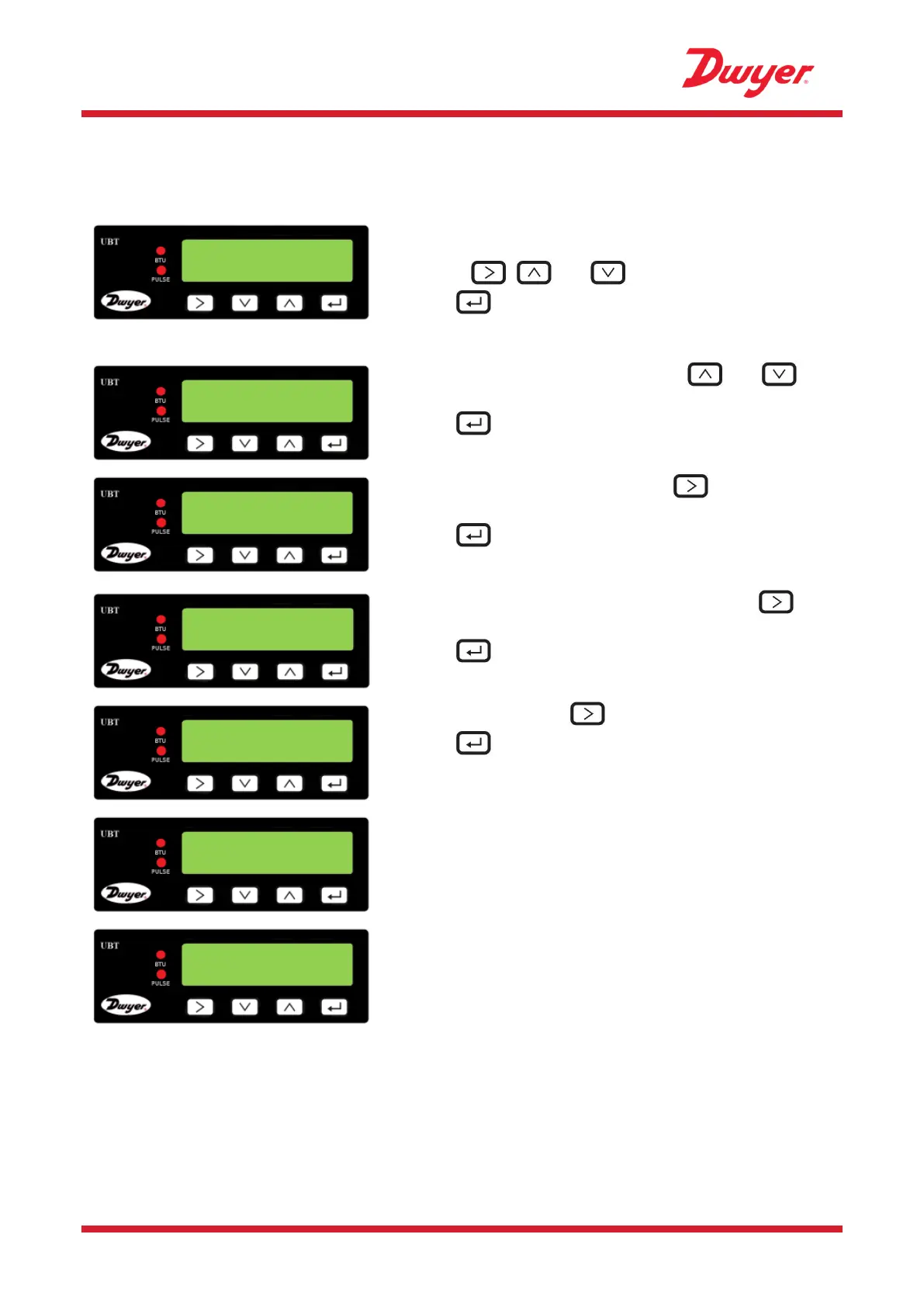
Switch on the power to the Electronics Module. A start-up screen is displayed for 5 seconds
followed by hardware and software version information.
You are then prompted to enter the internal diameter of
the pipe:
Use the , and keys to change the value.
Press to confirm the value.
Select the pipe material by using the and
keys to scroll through the list.
Press to confirm the material.
Select the instrument setting using .
The unit is preconfigured for Heating applications.
Press to confirm the setting.
Select which side the unit is installed on using .
The unit is preconfigured for Return.
Press to confirm the setting.
Select the fluid using .
Press to confirm the fluid name.
If the fluid temperature is in the range 36°F to 104°F
select “COLD”. If the fluid temperature is in the range
104°F to 185°F select “HOT”.
The unit now shows the correct flow sensor separation
(in this case, “B-2”) for the chosen values of pipe ID,
pipe material and fluid.
Make a note of the separation code.
All subsequent start-ups will use the same configuration.
Continue with the installation of the Sensor Assembly (see page 13).
Enter Pipe ID :
1.969 inches
Instrument Type:
Heating|Chiller
Instrument Side:
Return|Flow
Instrument Fluid
Glycol|Water
Set Temperature:
HOT | COLD


 To Next Page