UFM2/UBT User Manual
Issue 1.1b July 20 Page 27
3.8 Diagnostics Menu
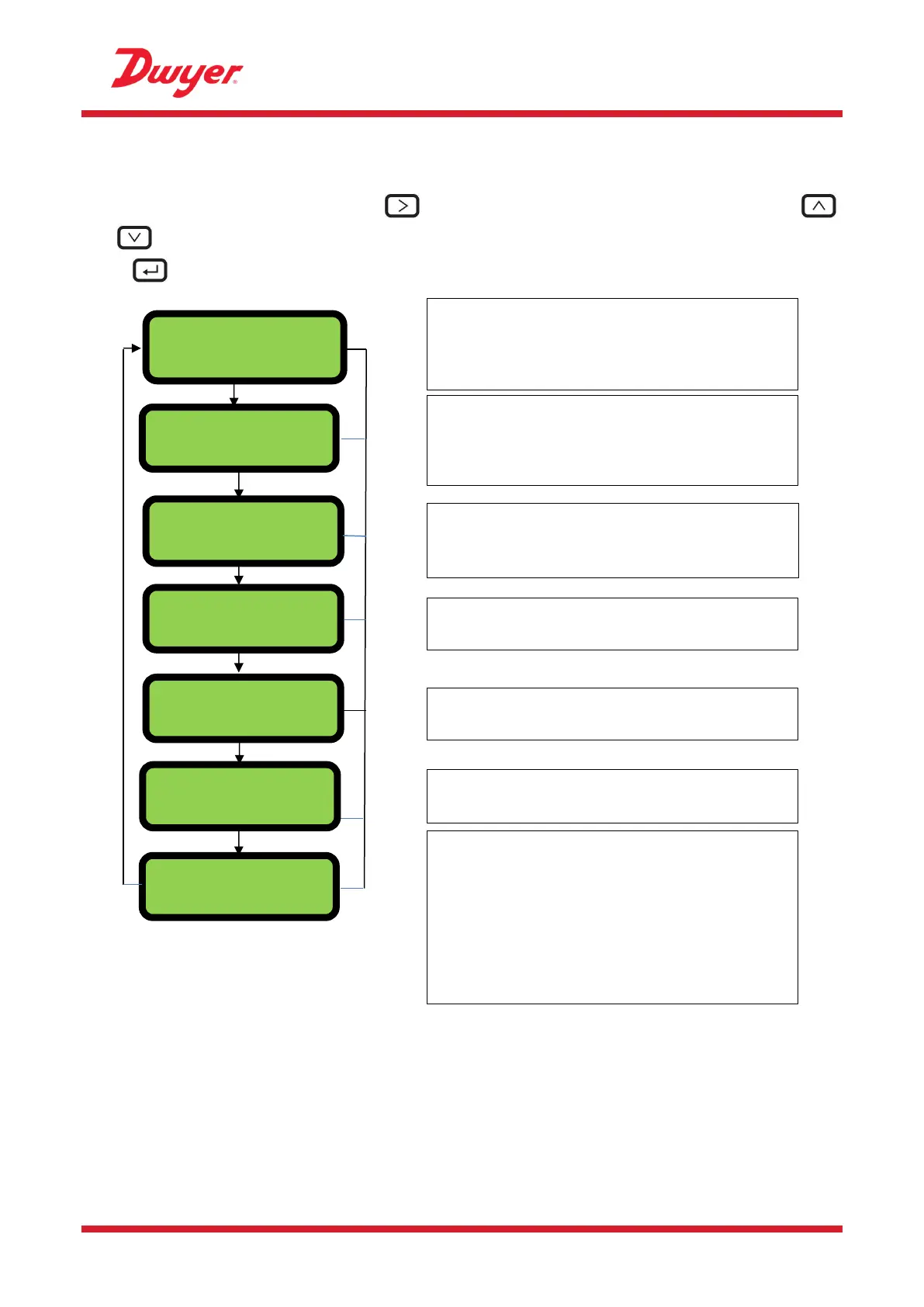
The diagnostics menu provides some additional information about the flowmeter and its setup. The
menu can be accessed by pressing the key from the main flow-reading screen. Press the
and keys to move between the diagnostics screens.
Press to exit the Diagnostics menu.
RTD Connected
01-01-01-00
Est.TA 85.64
Act .TA 86.77
The Estimated TA (Time of Arrival) and Actual TA
show the theoretical and measured transit times. If
the actual value is displayed as 9999.99 then a
usable signal could not be detected.
Displays the pulse status (for example):
Deactivated, Volume 0.000 litres, Signal Loss,
Alarm(On) 500.0 USgal/min, Alarm(Off) Signal
Loss, Frequency 100.00 Hz.
This screen will display the Errors. A number
between 0-255 will be displayed. If no errors
reported “None” is displayed.
The flow board’s software version is shown on the
upper line. The lower line shows its status.
The unit’s software version is shown on the upper
line. The lower line shows the unit’s serial number.
Gain – a decibel number between -5dB and 80dB
– lower is better, should be around 40dB or below.
Above 60dB need to question the installation.
Signal/Noise ratio in dB, scale is 0 to 80dB
– higher is better. Below 20 question the
installation.
The lower line shows the current time differential
between the upstream and downstream signals.
The RTD board’s software version is shown on the
lower line. The upper line shows its status.
Gain 81dB SNR 11dB
DT 0.000 ns
20.00.16.02.01
S/N: XXXXX
TOFM Connected
5060-01-01-01-03


 To Next Page