PFD Operation
SkyView SE Pilot’s User Guide - Revision I 4-9
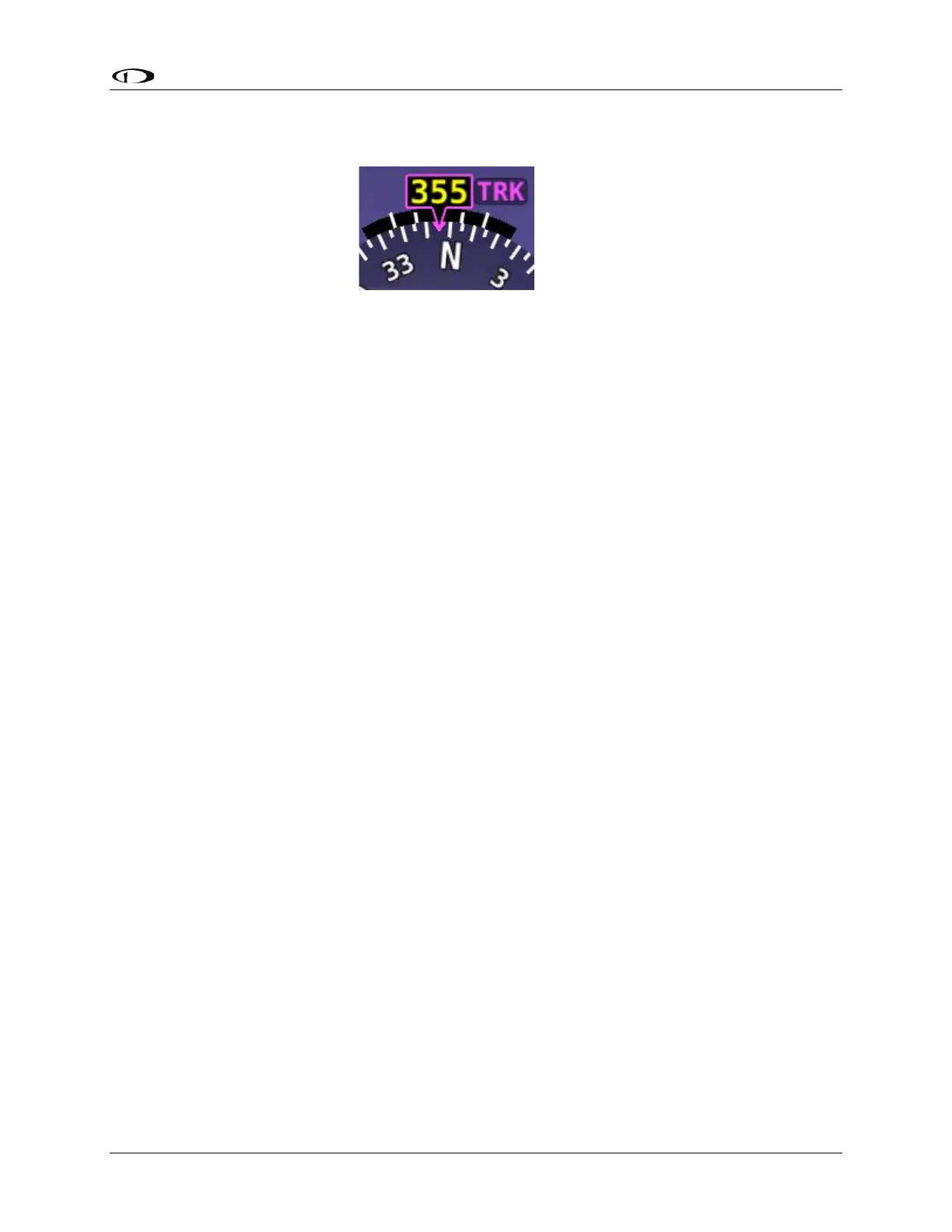
magnetic heading. If magnetic heading is unavailable, for example due to a remote
magnetometer failure, GPS ground track is displayed at the top, as shown in the figure below.
The turn rate indicator is displayed as a curved magenta bar along the top, outside curve of the
compass rose. The bar grows in the direction that the aircraft is currently turning and is
anchored at the arrow of the numeric display. The minor tick marks to the immediate right and
left of the numeric display arrow represents a half-standard-rate-turn. The major tick marks to
the left and right of the minor tick marks represent a standard rate turn of 3 degrees per
second.
The ground track GPS pointer is displayed as a magenta triangle on the inner edge of the
compass rose.
Heading/Track Bug
If your SkyView SE system includes an autopilot, the heading (HDG) bug is replaced by a track
(TRK) bug when the autopilot is flying in GPS ground track (TRK) mode. The bug is displayed in
cyan on the inner edge of the compass rose. The digital display of the bug is displayed to the
lower left of the compass rose.
To set the heading/track bug:
1. Enter the Joystick Function Menu.
2. Move the joystick up or down to highlight (HDG) or (TRK).
3. Click the joystick or move it left or right to close the menu (this is optional).
(HDG) or (TRK) will now display just above that joystick. The heading/track bug setting on the
PFD will be outlined to signal that it is selected. Turn the joystick to adjust the heading/track
bug. Note that while the heading/track bug is changing, its display window lights up in cyan to
draw your attention to it.
You can synchronize the heading/track bug to the current heading or track by pressing and
holding the joystick to the left or right for 2 seconds or middle (½ second click).



 To Next Page