2388-MANUL-V10.00.00-UTP2 Operating Manual
Page 29 of 74
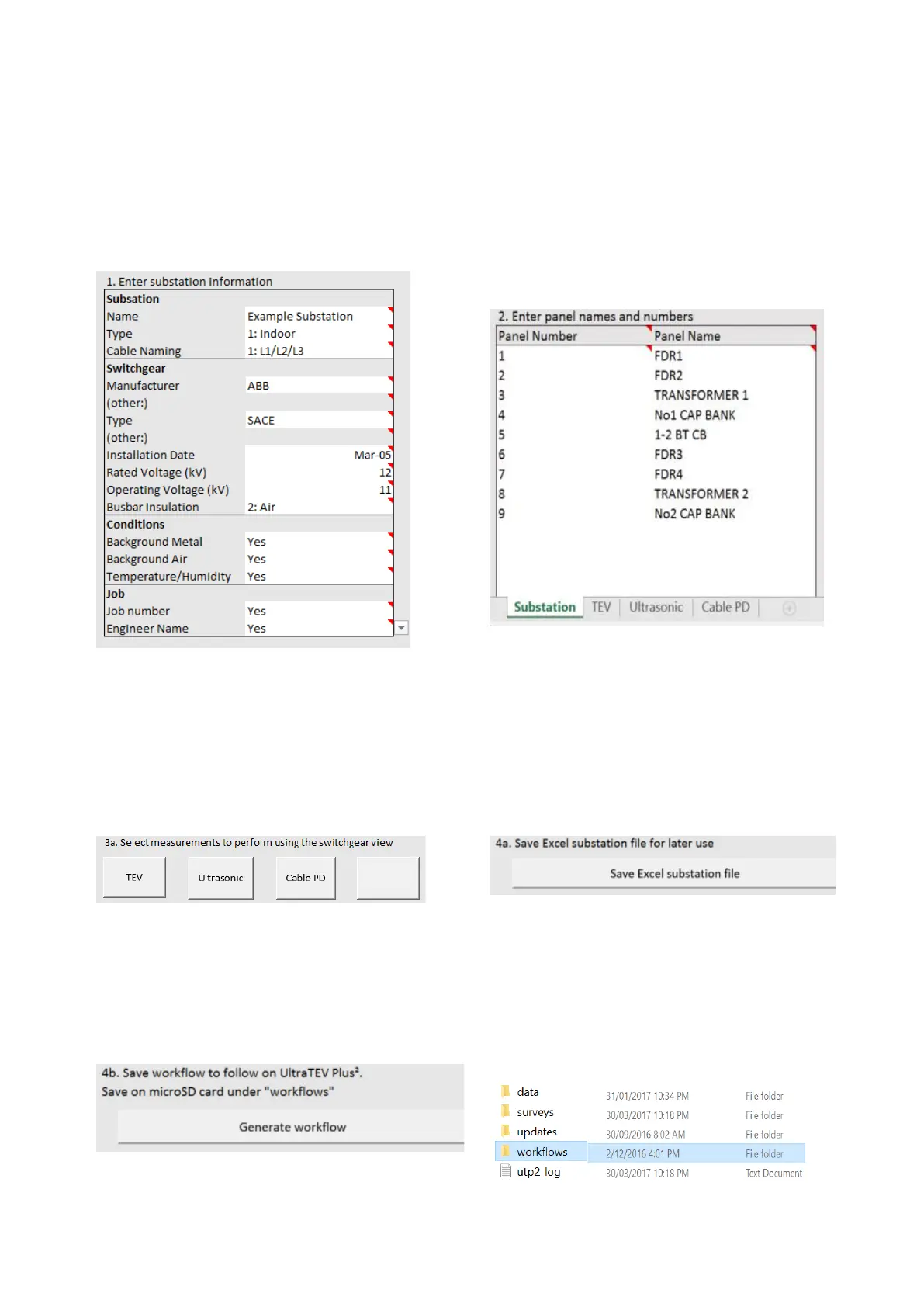
1. Enter substation information
Pre-defined fields for Manufacturer and Type, or
customise to suit by selecting ‘Other:’.
We recommend selecting ‘Yes’ in Conditions/Job
fields. ‘Yes’ will request that they are
measured/entered during PD survey.
2. Enter Panel Names and Numbers
Maximum of 63 panels.
We recommend panel number 1 through to
required number in sequential order.
Panel names must be unique and are case
sensitive.
3. TEV, Ultrasonic or Cable PD Locations
Pre-determined locations for TEV, Ultrasonic, Cable
PD or UHF can be designed into the substation
layout.
This information is reviewed using the ‘View
Progress’ screen within the UTP2.
4a. Save Excel Substation File
Save the Excel Substation File for later use.
This allows for any changes to be made to
Substation details or layout in the future
The name of the Excel file will be
‘substation-
name.xlsm’.
4b. Save Workflow to PC
Save the workflow file so that it can be used in the
UTP2 during a PD survey.
The file will be saved as
substation-name
.json.
4b. Save Workflow to SD card
Save the workflow file or
substation-name.json
file
under the folder ‘workflows’ in the UTP2 microSD
card.
If this folder does not exist, it must be created
(case sensitive).



 To Next Page