2388-MANUL-V10.00.00-UTP2 Operating Manual
Page 30 of 74
3.15.2 Creating a Workflow for an Existing Survey
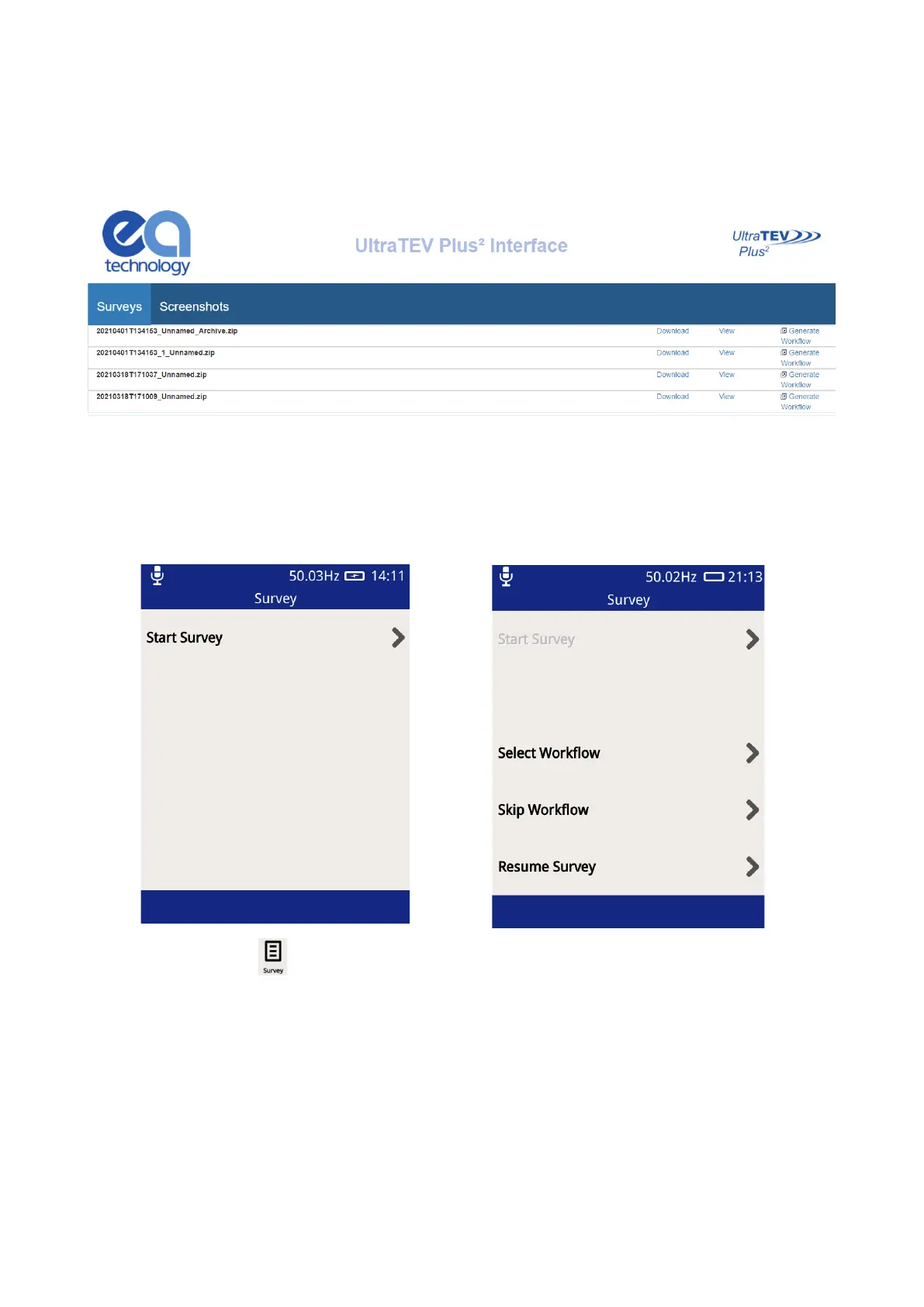
When not in Survey Mode, a Workflow can be created for an existing survey by connecting to the UTP2 via
Hotspot or USB (see section 3.17). Click on Generate Workflow for each survey file that is saved on the UTP2.
3.15.3 Starting a Survey
There are two ways to start a survey; either by going through the Survey display off the Main menu, or by starting
a data capture from any measurement screen.
Pressing the Survey icon on the Main menu will display the Survey Mode display. This display allows users
to start, stop and view the progress of a survey.
To start a survey, press ‘Start Survey’ on the display. Doing this will show two options to select from; Select
Workflow or Skip Workflow.



 To Next Page