2388-MANUL-V10.00.00-UTP2 Operating Manual
Page 38 of 74
3.15.13 Adding Media to a Survey
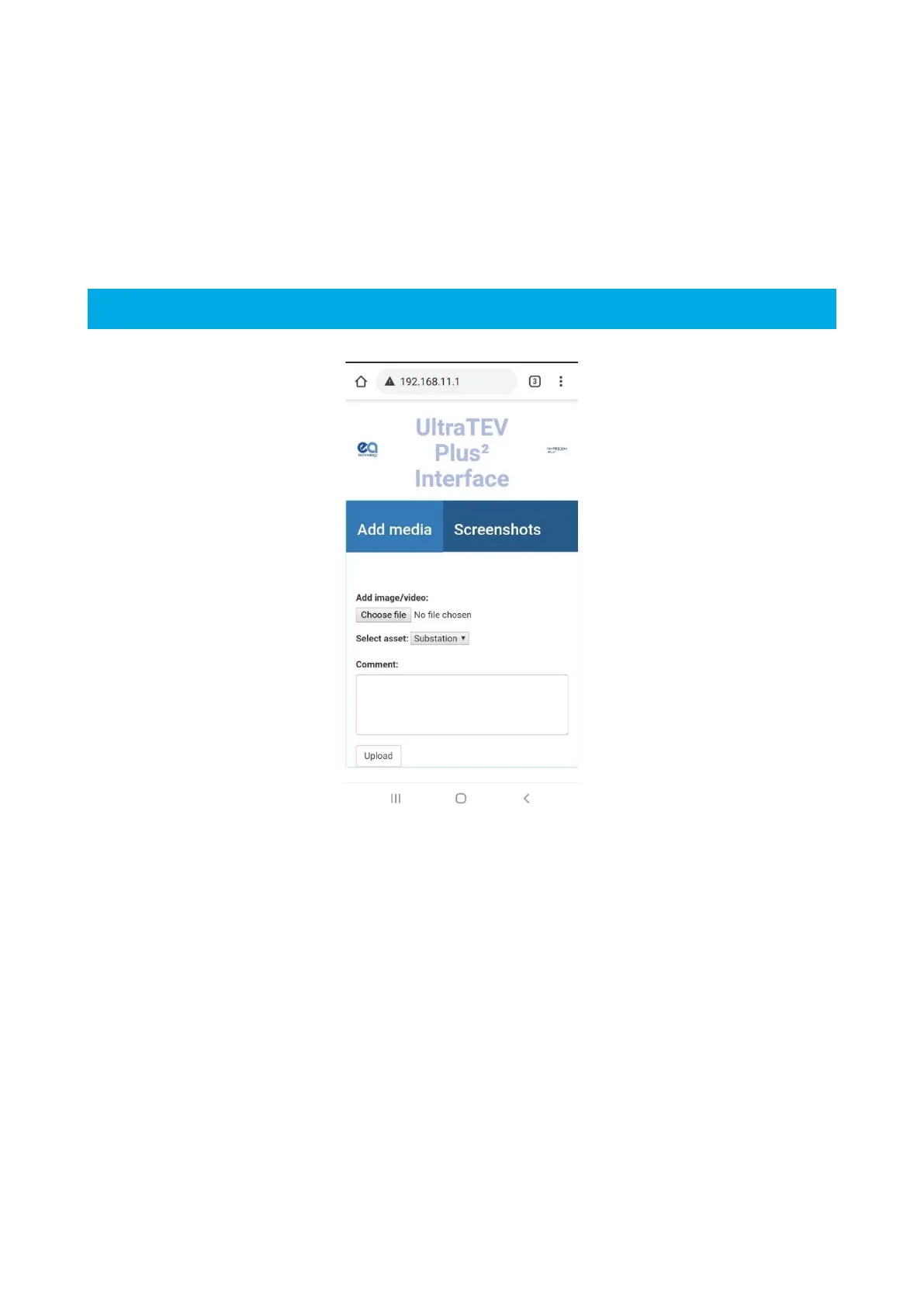
A photograph or video can be added to the survey file by connecting your smart device to the UTP2, via the
Hotspot function, see section 3.17.1. To add an image or video, open the UTP2 interface by entering
http://192.168.11.1 to your web browser and select ‘add image/video’. These can be viewed alongside other
measurement data using the web-based reports, see section 3.17.
3.15.14 Completing a Survey
A survey can be completed at any time by going to the Survey Menu and pressing the “Stop Survey” button.
Upon completing a survey, a summary of the survey is written to the survey directory and the entire directory is
archived into a zip file for safe keeping. If a large amount of data has been recorded, archiving the data can take
up to a minute. Once archiving is completed the notification bar will return to its blue colour indicating that a
survey is now no longer in progress.
3.15.15 Resuming a Survey
A survey can be resumed after it has been stopped. This feature is only available for surveys originally started
in the last 12 hours, on the same UTP2 instrument, running the same firmware version. To resume a survey
Press Survey, Start Survey, Resume Survey and select a survey to resume. The top menu bar will turn green to
indicate a survey is in progress.



 To Next Page