2388-MANUL-V10.00.00-UTP2 Operating Manual
Page 37 of 74
Different data is recorded for the different measurement modes as summarised below:
TEV recorded data
When recording data in any of the TEV modes, the following data is recorded and stored:
• Event data including phase angle, cycle count, amplitude, pulse width and rise time
• TEV Waveforms
• TEV audio
Cable PD recorded data
When recording data in any of the Cable PD modes, the following data is recorded and stored:
• Event data including phase angle, integral, pulse width and rise time
• Cable PD Waveforms
Ultrasonic recorded data
When recording data in Ultrasonic measurement modes, the following data is recorded and stored:
• Raw Ultrasonic audio
• Heterodyned Ultrasonic audio
• Processed Ultrasonic audio
The volume that the UTP2 is set to is also the volume that is recorded in the survey file.
3.15.12 Viewing Survey Progress
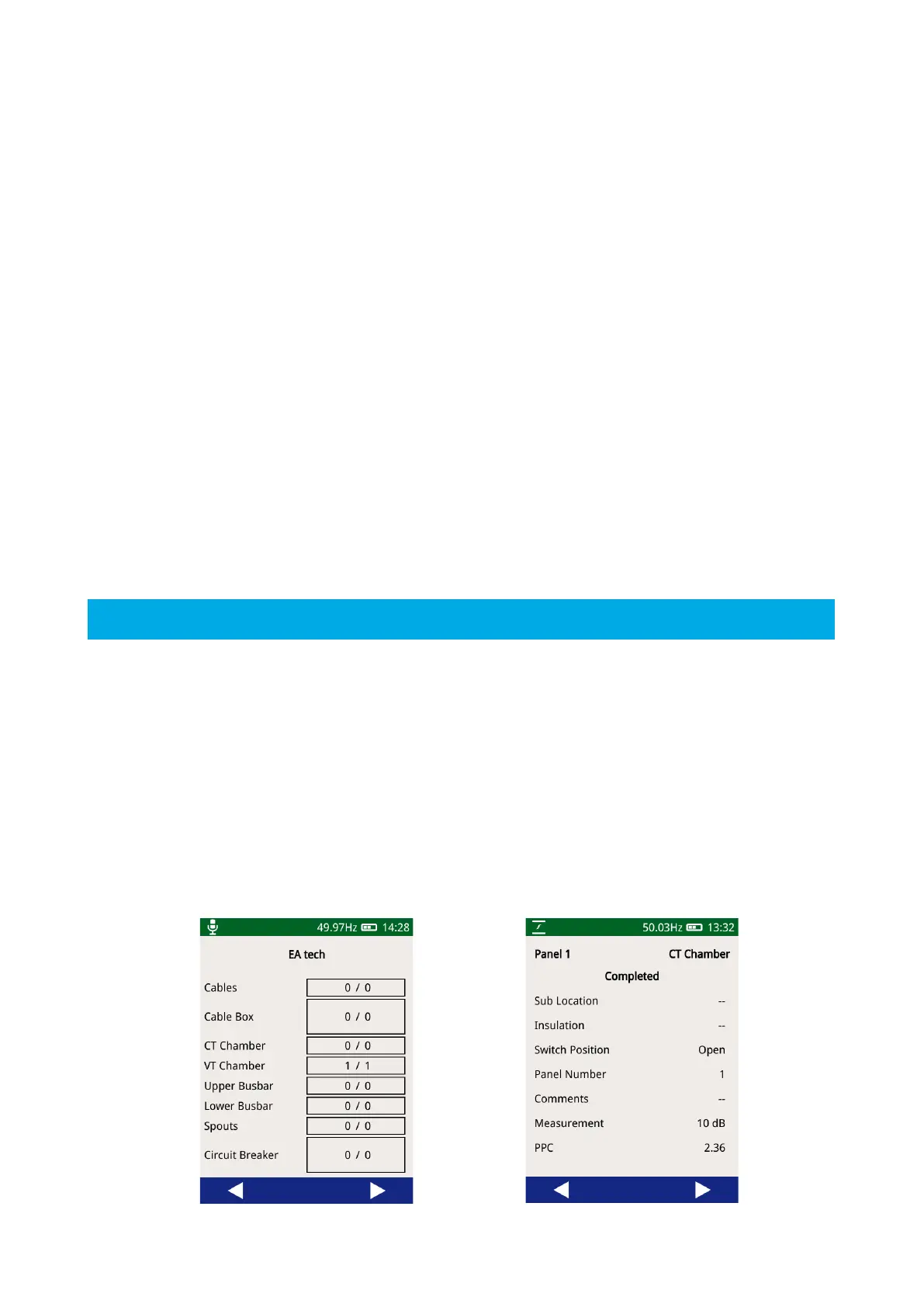
The progress of a survey can be viewed at by navigating to the Survey menu then pressing ‘View Progress’. The
view progress display shows a top view of a switchgear panel with the different components making up a panel
separated out. Each component shows the total number of measurements taken on that component against
the number of expected measurements. The expected measurements are only applicable to surveys which are
following a workflow, which sets out the measurements that should be taken as part of that survey. Using the
left and right buttons on the menu bar, other panels within the survey’s progress can be viewed.
Pressing any component on the panel view will display details of the measurements on that component,
including the measurement location, sub-location and average measurement values.



 To Next Page