48
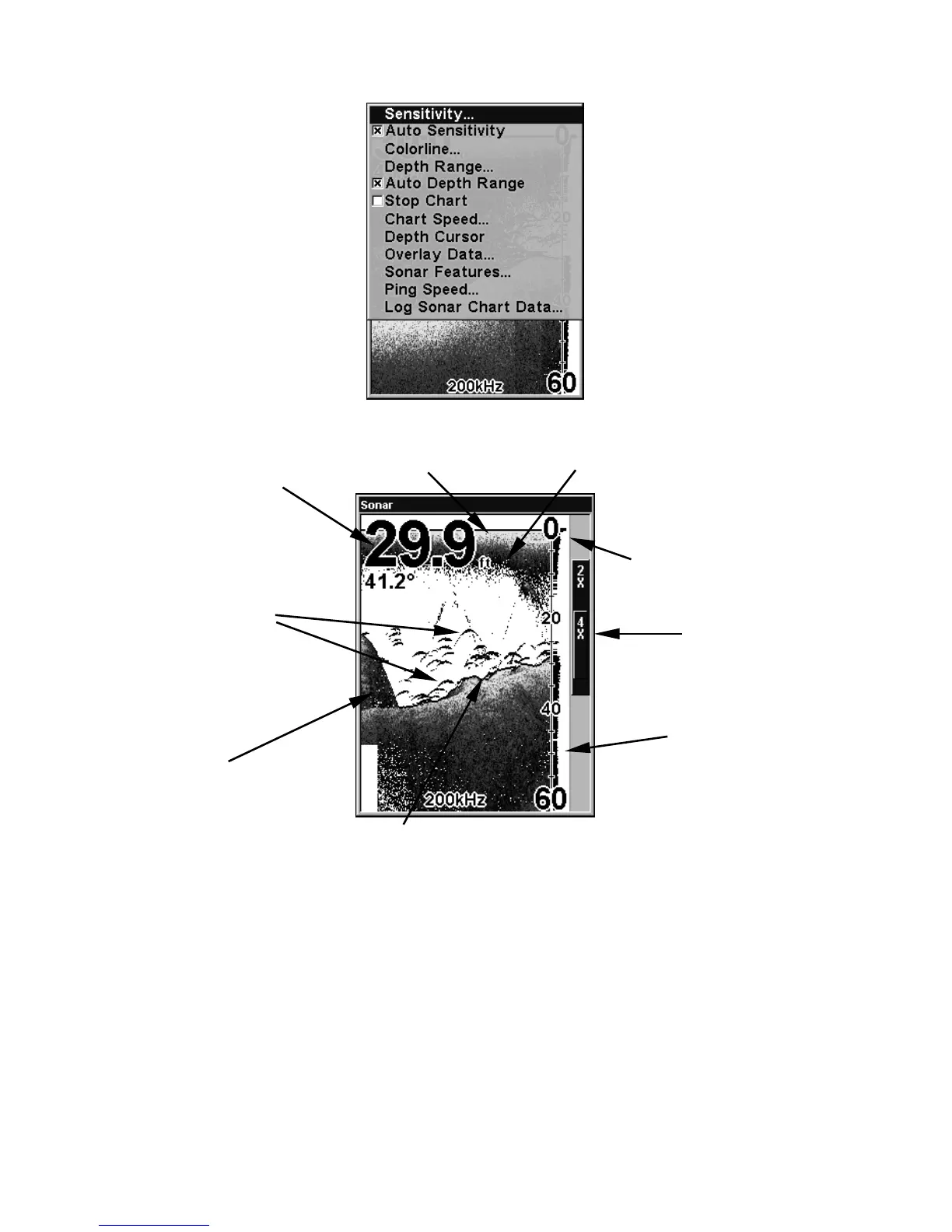
Sonar Page Menu. Most of these functions are discussed in Sec. 4.
Sonar Page, showing full sonar chart mode.
You can customize how the Sonar Page displays its pictures and other
data in many ways. Your unit also includes several special sonar features
and options that can help you better interpret the underwater scene.
We'll discuss all of those features and options in Sec. 4, but to show you
how easy this unit is to operate, the following page contains a simpli-
fied, 10-step quick reference that will cover most fish finding situations.
The quick reference describes how your unit will operate with all the
sonar features in their automatic modes, which are set at the factory.
Surface clutter
Structure
Bottom signal
Fish arches
Depth scale
Digital data
overlay
(depth &
temperature)
Surface signal
Zoom bar
FasTrack
bar graph













 To Next Page