Object Snap Functions
Use the object snap functions in order to choose geometry points precisely while drawing and constructing.
For example: for catching endpoints within lines, centres of circles, tangent points of circles.
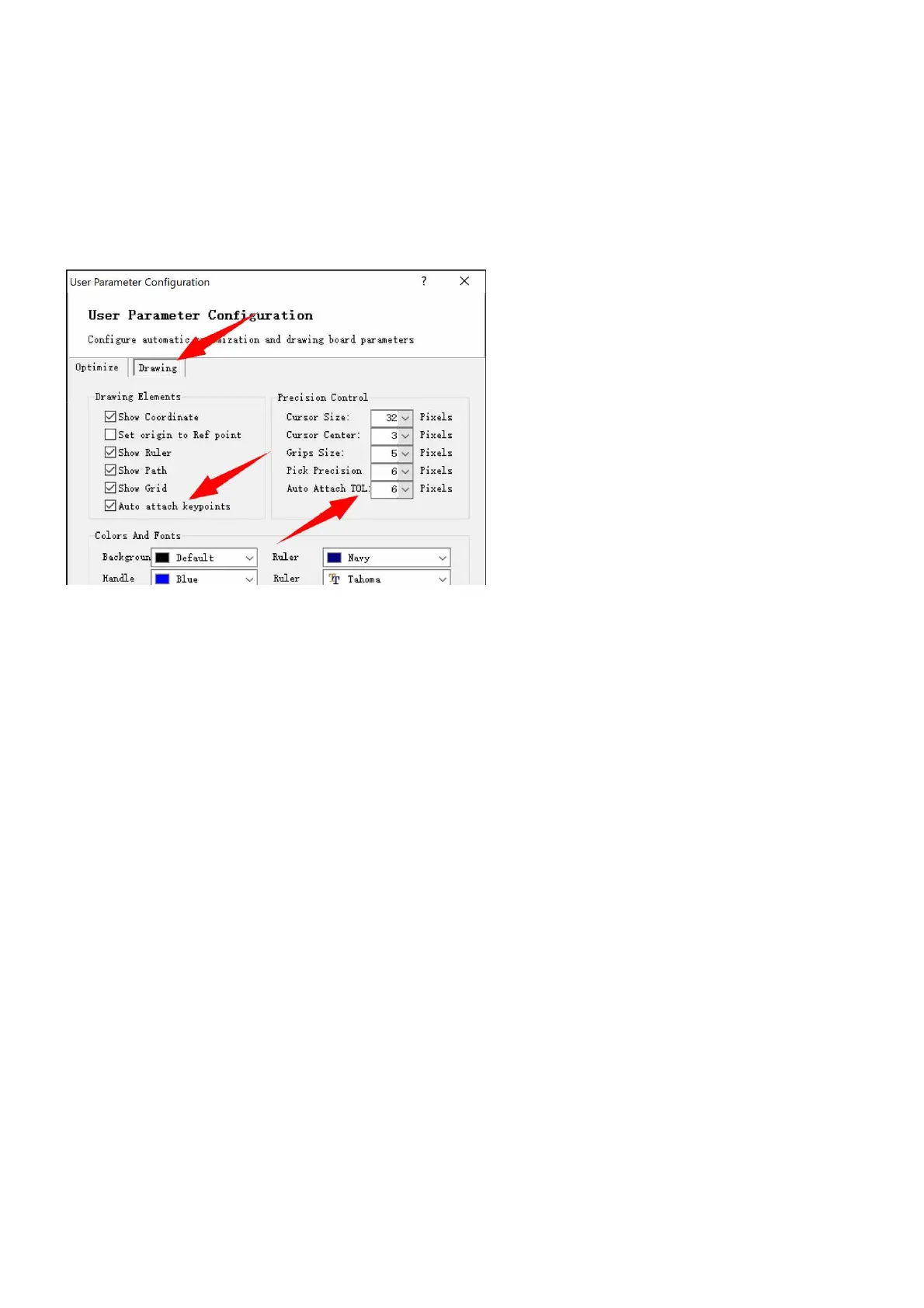
Object snaps can be enabled or disabled through the pulldown-menu File>User option>User parameters. In
the pop-up dialog, check the option Auto attach keypoints to enable the functions, change the value of the
option Auto Attach TOL to adjust how far the mouse cursor will be snapped to key geometry points.
When the functions are active, the assisting lines and tool tips will be displayed around the snapped geometry
points.



 To Next Page