SD Series Dry Cabinets Setup and Operation Manual | A62-3337-00 Rev: 1.0.0 Page 79
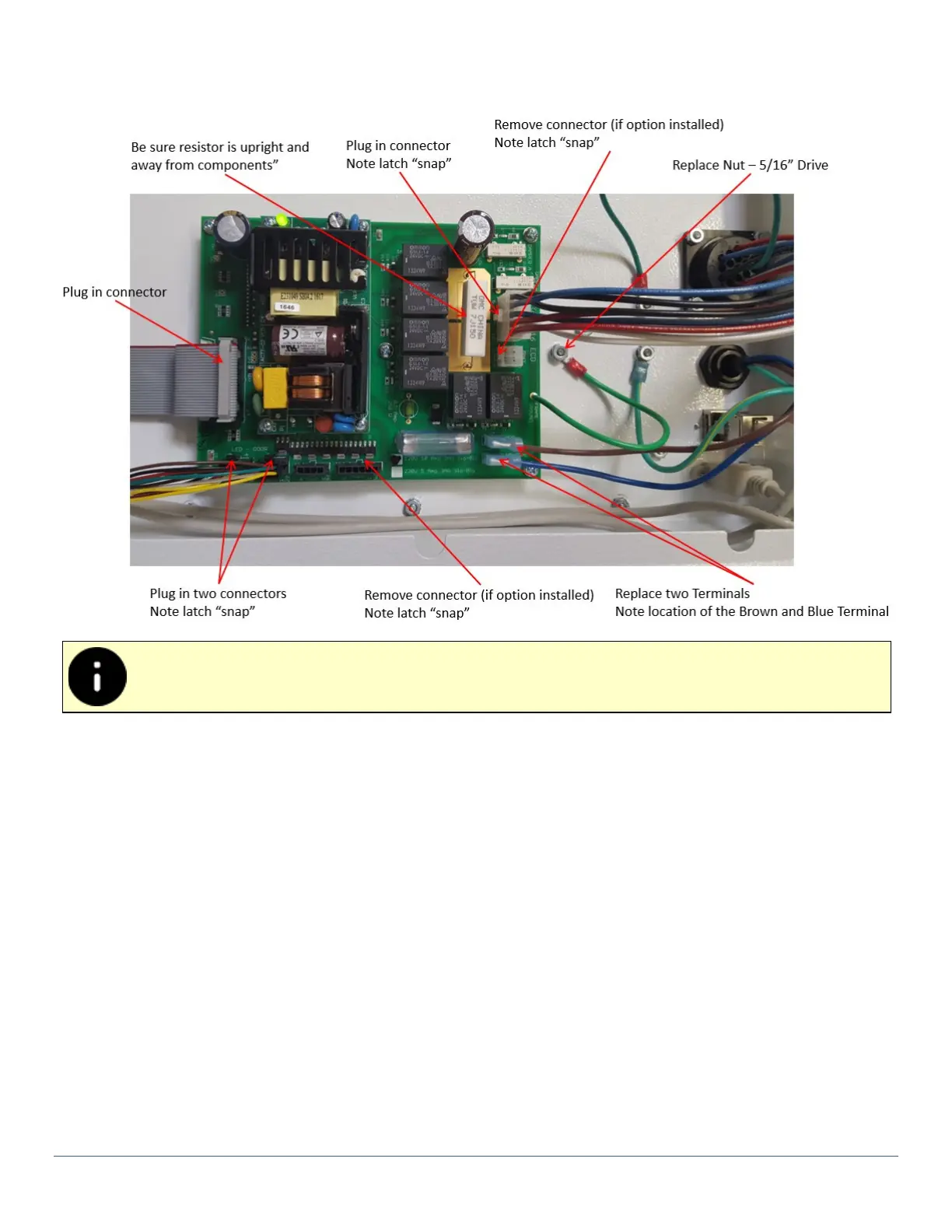
3) Reconnect all the wire harnesses. Connectors with the latch will “snap” into place when the connector
is correctly seated.
Make sure large resistor is upright away from components.
Step 3 - Final Assembly:
1) Replace the top cover:
• Lower the top cover and connect light tower option to J5 on Power Board, if included.
• Set the cover into the top slots.
• Slide the top cover forward about 2 cm (1/2”) to lock down in place.
• Replace the 4 to 6 screws (model dependent) on the back of the top cover.
2) Connect power to test.



 To Next Page