129
129
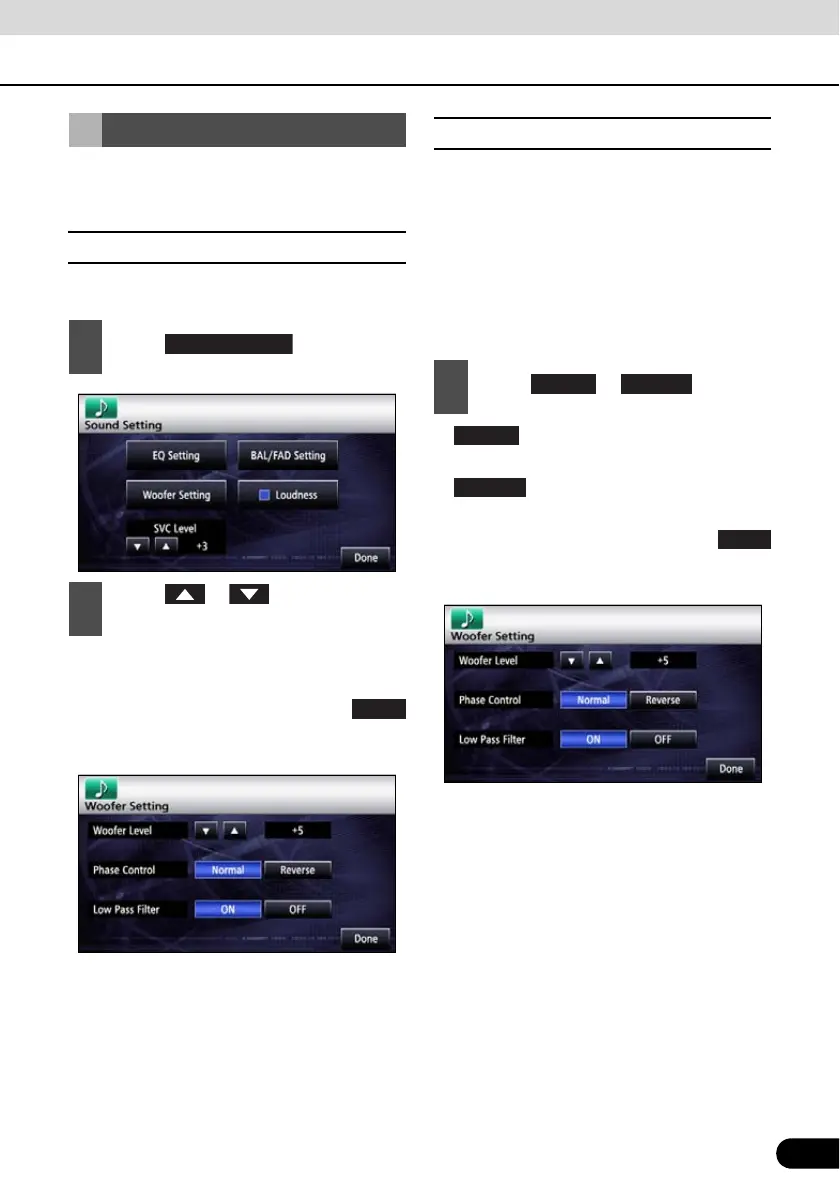
You can adjust the audio output when a sub-
woofer is connected.
■ Setting sub-woofer level
You can adjust the sub-woofer output level.
● You can set the output at any of 13 output
levels (+6 to -6).
● After completing the setting, touch
to store the setting and return to the
immediately preceding screen.
■ Switching the phase
The sound outputted from the sub-woofer
includes the same frequency bands as the
sound from the front/rear speakers, and
cancellation can occur under some in-vehicle
conditions. Switch the phase of the sub-
woofer to prevent this phenomenon. You can
set the phase in according to the in-vehicle
conditions.
● : Sets the output timing of the
speakers and sub-woofer to be the same.
● : Staggers the output timing of
the speakers and sub-woofer.
● After completing the setting, touch
to store the setting and return to the
immediately preceding screen.
Sub-Woofer Settings
1
Touch .
2
Touch or of the woofer
level.
Done
1
Touch or .
Normal Reverse
Normal



 To Next Page