196
196
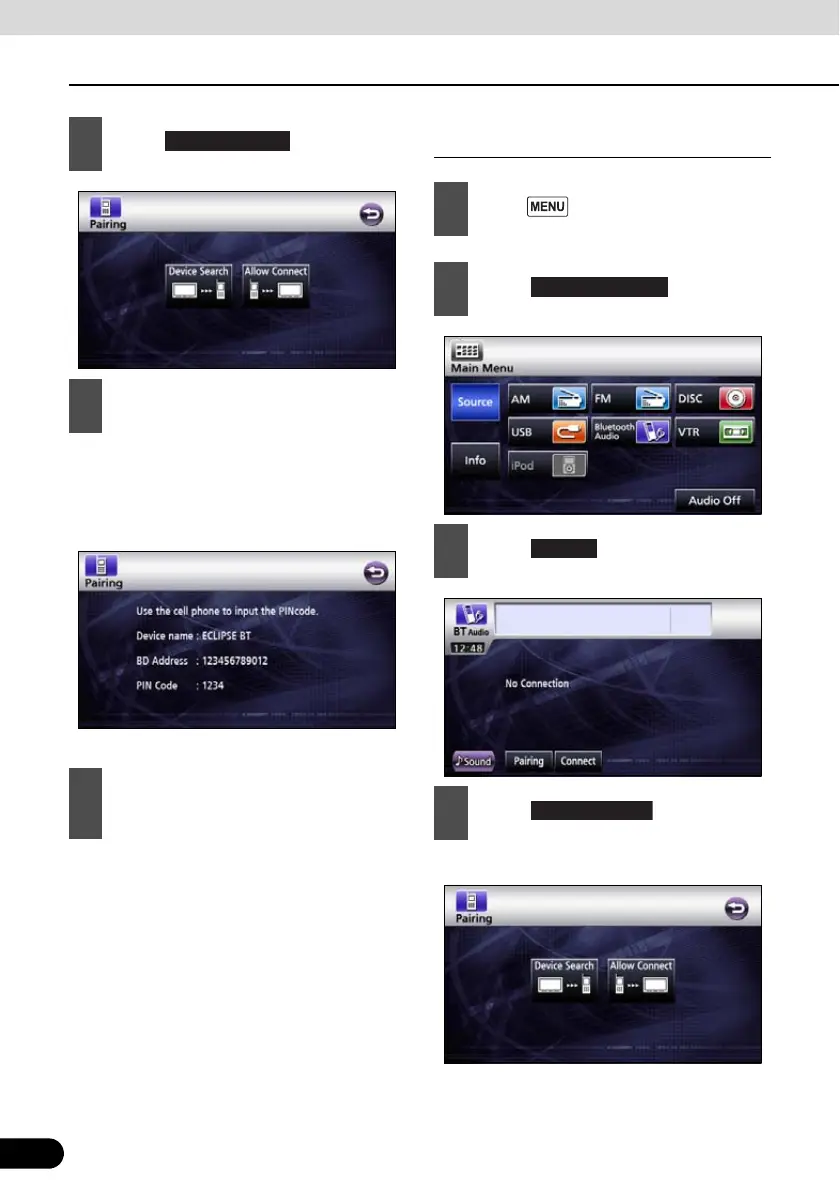
Using Bluetooth Audio
How to operate portable audio devices
● The default PIN CODE setting is 1234.
● Perform the portable device operations
with the Device information screen
displayed.
● Device information screen
● Registration of the portable device is now
complete.
Register by searching for a portable
device on this receiver
● “Searching...” is displayed.
4
Touch .
5
On the portable device, enter PIN
CODE for this receiver.
6
“Bluetooth Connection Successful” is
displayed on completion of
registration.
1
Press .
2
Touch .
3
Touch .
4
Touch .



 To Next Page