191
191
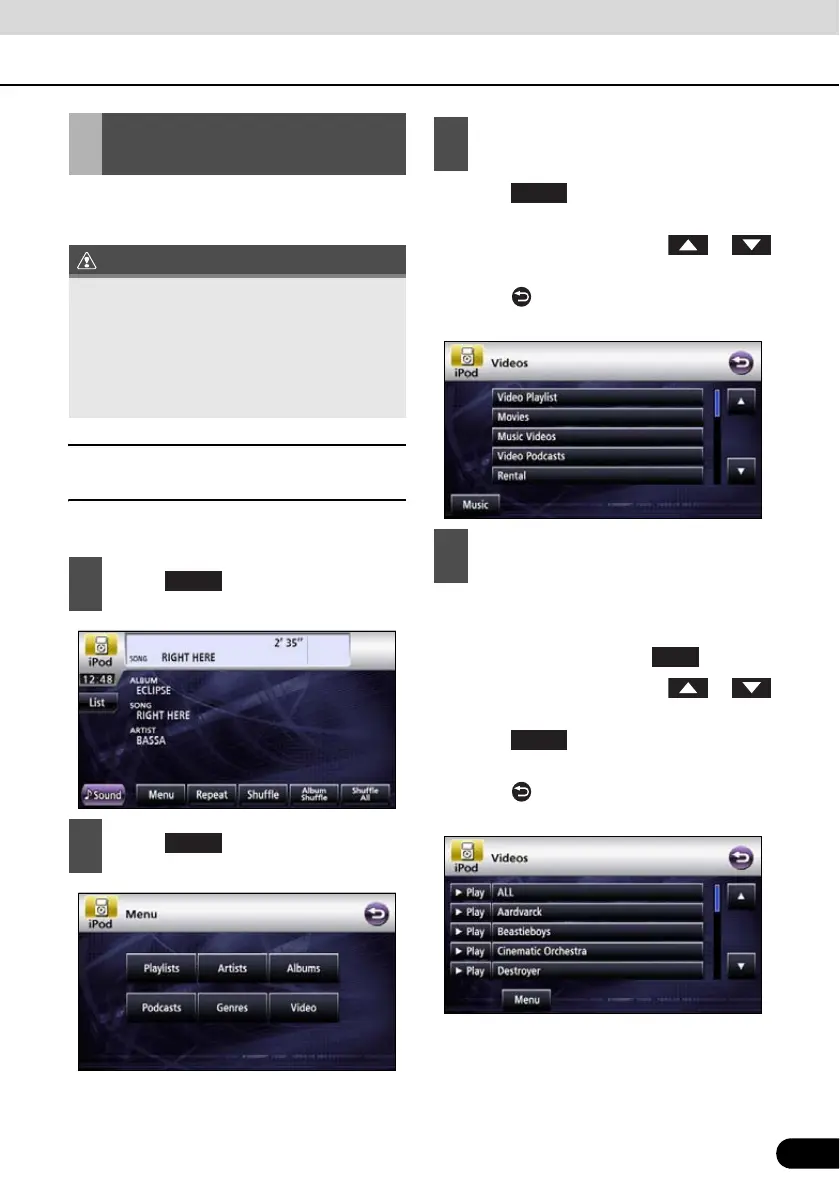
You can select and play a desired video file
from the iPod memory.
■ Select the video file to view from
the list
Video file to view can be selected.
● Touch and the menu screen is
displayed.
● Page will switch by touching or
if there is next page.
● Touch to return to the immediately
preceding screen.
● Repeat until the video screen is displayed.
● Video file in the list is played from the
beginning by touching the .
● Page will switch by touching or
if there is next page.
● Touch and the menu screen is
displayed.
● Touch to return to the immediately
preceding screen.
Setting to the iPod Video
Mode
● If the iPod is disconnected from this
receiver while playing a video file on the
iPod, you will return to the previously
selected mode.
● Depending on the model of the iPod, a
music list may be displayed on the video
list.
1
Touch .
2
Touch .
Menu
Video
3
Touch on the category to view.
4
Touch on the list to view.
Play



 To Next Page