182
182
Using the DivX Player
Visual operations
● Page will switch by touching or
if there is next page.
● Touch to return to the immediately
preceding screen.
● This plays the selected file.
● Page will switch by touching or
if there is next page.
● It will return to previous screen by touching
the .
■ Select from linked files
● Right: Advances to the next file.
Left (Press once.): Returns to the
beginning of the playing file.
Left (Press twice or more.): Returns to
previous files.
You can fast forward or rewind the currently
playing video.
● To the right:
Fast forwards a video.
To the left:
Rewinds a video.
It will fast forward (rewind) the video until
the switch is released.
● Repeat the file currently being viewed.
● Touch again to cancel repeating.
2
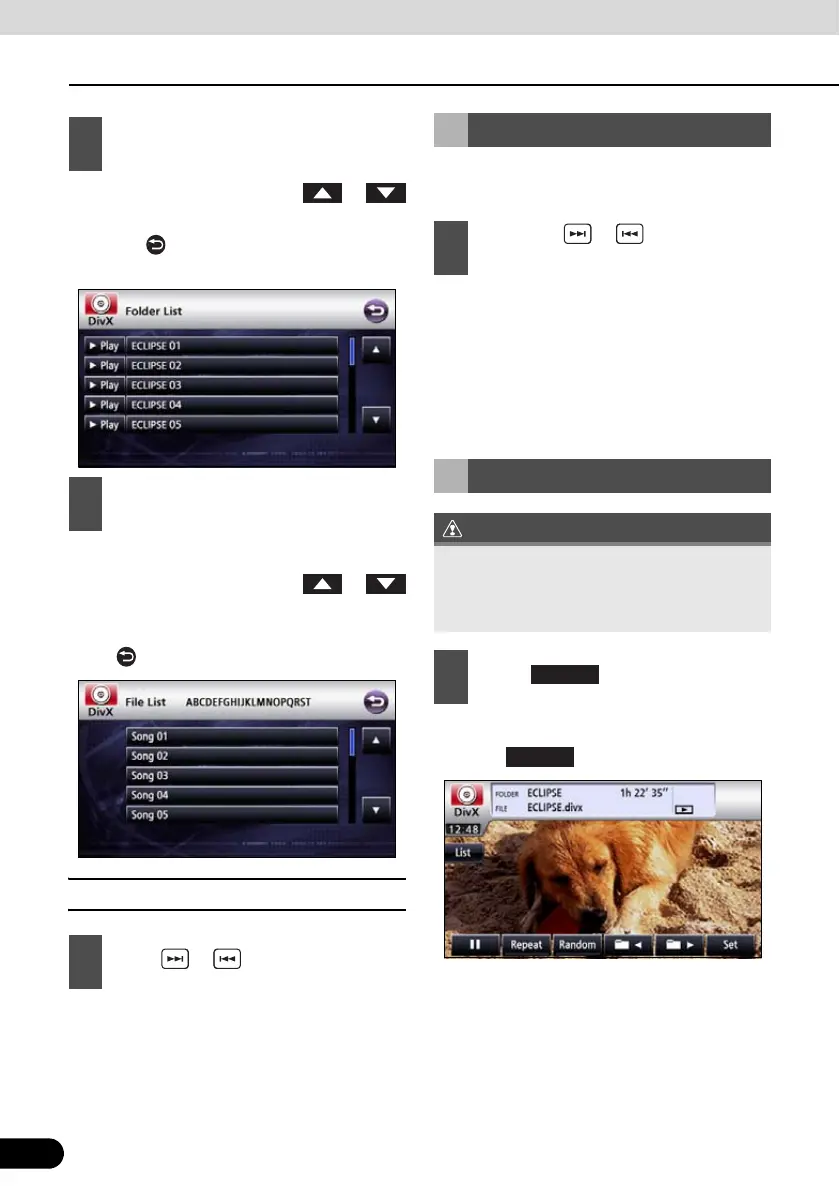
Touch on the folder to view.
3
Touch on the file to view.
1
Press or .
Fast Forward/Rewind
1
Hold down or for 1 or more
seconds.
Repeating a video file
When you select repeat, folder repeat,
random, or folder random, its function is
shown as Repeat, F.Repeat, Random, or
F.Random on the display.
1
Touch .



 To Next Page