177
Visual operations
177
Using the VTR
You can watch a video by connecting a
commercially available VTR. You cannot,
however, connect the iPod cable (video line)
and VTR together.
You can watch a video only when you have
stopped your vehicle and applied the parking
brake to secure safety while the engine switch
or ACC is turned on. (When the source is
switched to the VTR while the car is moving,
only the audio function becomes active.)
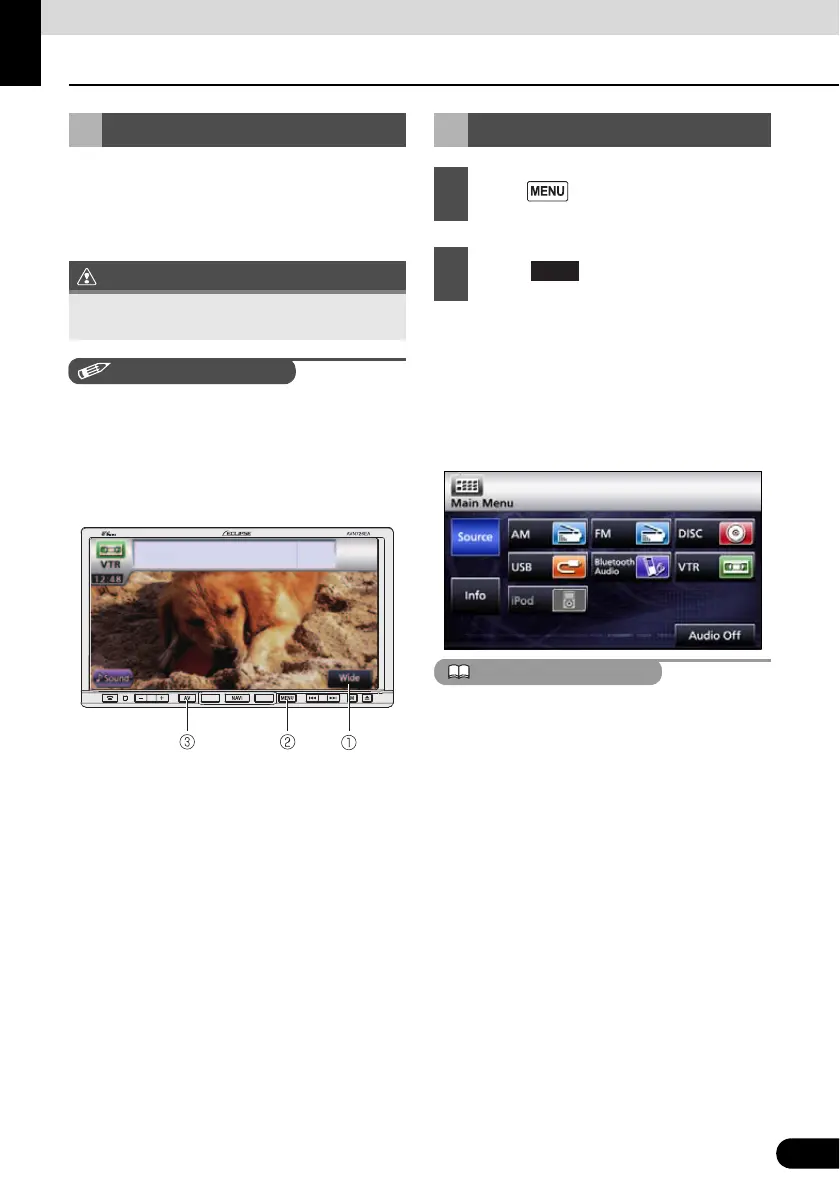
a Wide switch
b MENU button
c AV button
● The VTR screen appears.
● Touch the screen to change to the VTR
operation screen.
● Changing to the VTR operation screen
displays each touch switch for
approximately 6 seconds.
● Whether or not the video is displayed
correctly depends on the connected
equipment.
● VTR mode is not available when the iPod is
connected using the iPod cable (iPC-709).
(iPod mode and VTR mode are in exclusion
relationship) To use the VTR mode,
disconnect the iPod cable before using.
Using the VTR
To ensure driving safety, you cannot watch a
video while driving.
Playing the VTR
1
Press .
2
Touch .



 To Next Page