170
170
Using the DVD Player
Visual operations
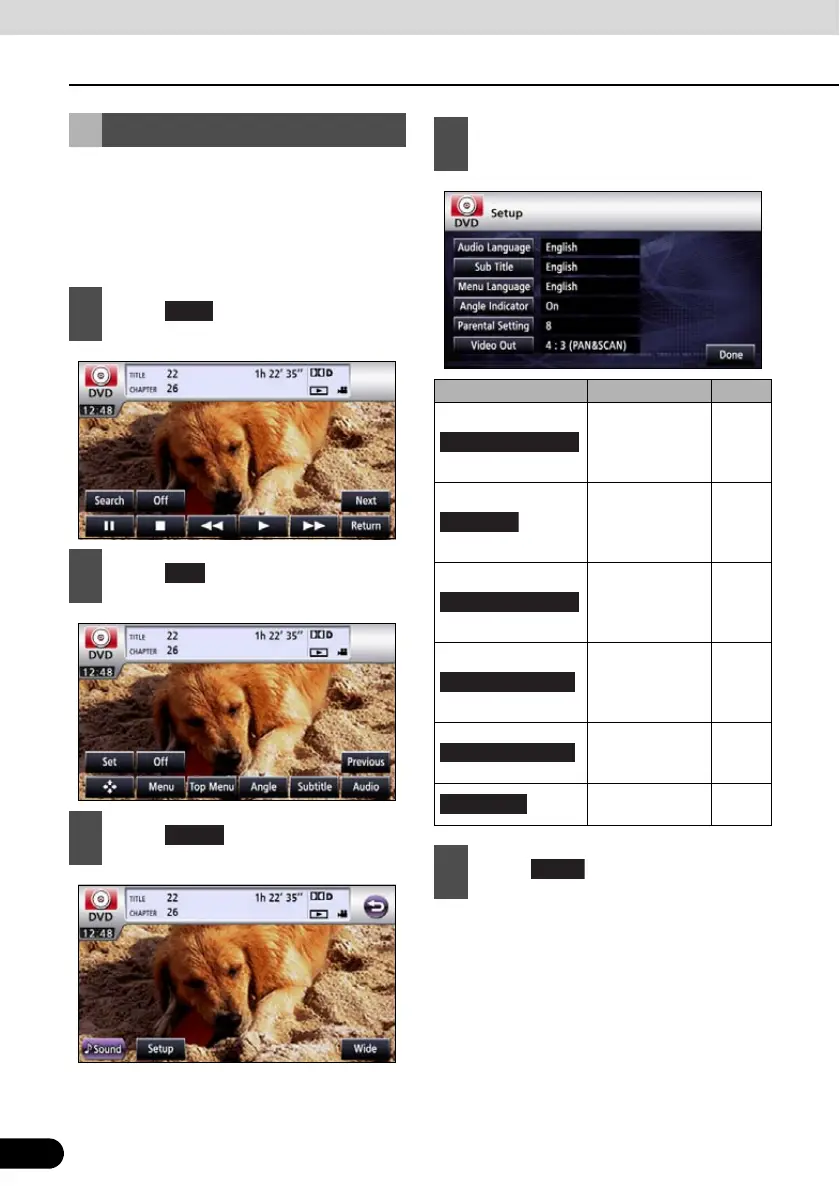
You can pre-specify the play-back audio
mode or the language used to display
subtitles or menus. You can also configure
settings to display or hide the multi-angle
mark or specify the parental screening level.
DVD Player Setting
1
Touch .
2
Touch .
3
Touch .
Next
Setup
4
If you touch each touch switch, you
can configure the following setting.
Touch switch Function Page
Specifies the
audio language
of a video to be
played.
171
Specifies the
subtitle language
of a video to be
played.
172
Specifies the
language used
to display the
menu.
173
Specifies the
display of the
multi-angle
mark.
174
Limits DVD
videos that can
be played.
174
Specifies the
screen size.
175
5
Touch .
Audio Language
Menu Language



 To Next Page