ECP2010 / ECP2010H
11 / 68
KEYBOARD BUTTONS AND THEIR FUNCTION
Entering unit menu, fast menu leaving.
Pump start/stop and other functions when working with gradient program
(viz. 6.3.2).
Direct setting of pump flowrate.
Confirms selected MENU item, confirms newly set parameter value,
evokes QUICK DIAGNOSTICS screen.
Returns one step back without saving changes.
Direction keys.
Using arrows up/down increases/decreases value of set parameter.
A, B, C, D – direct choice of mobile phase valve.
D – starts gradient program.
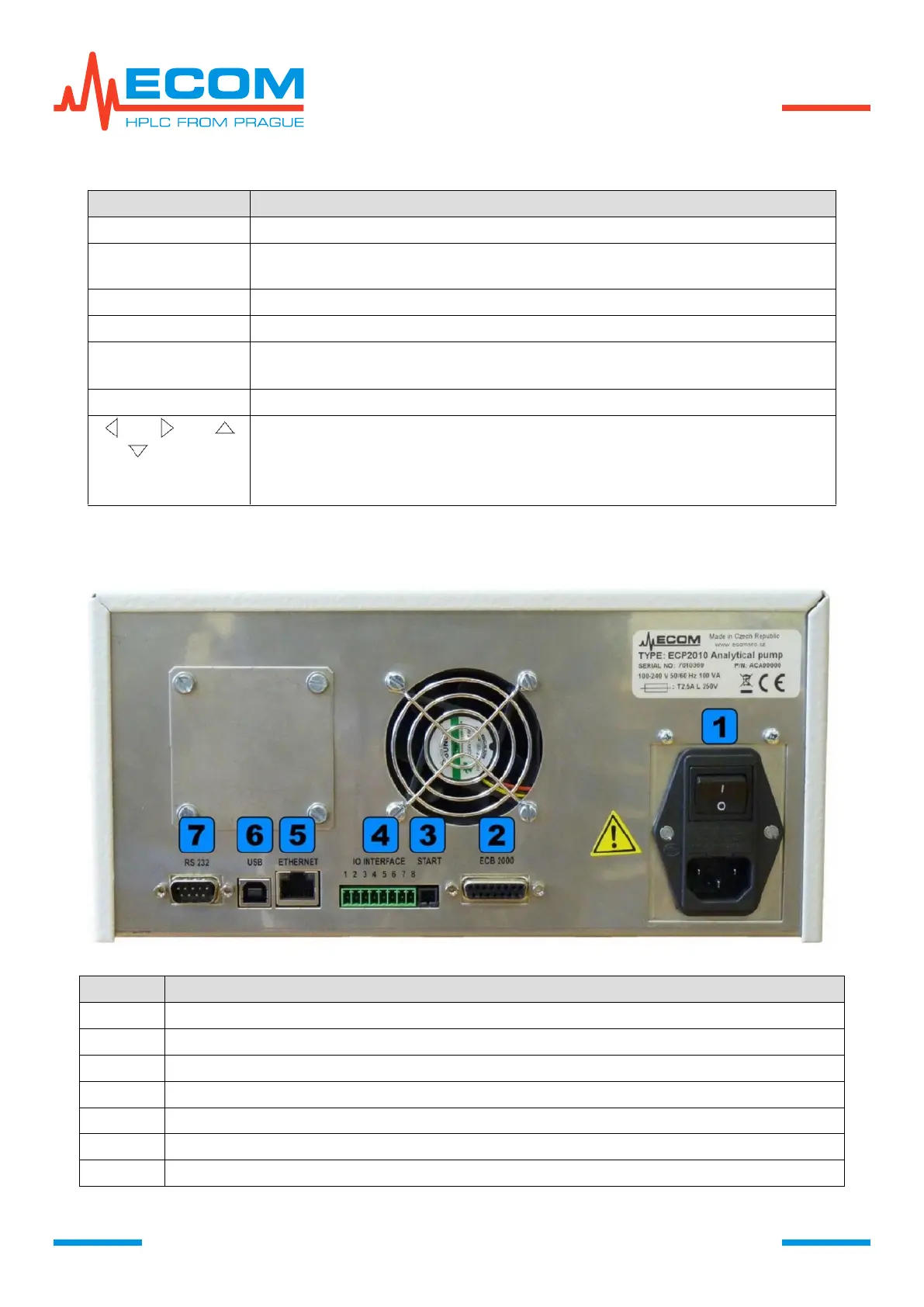
Combined power socket with main switch and main fuse.
Connector for adding box.
Connector for external start.


 To Next Page