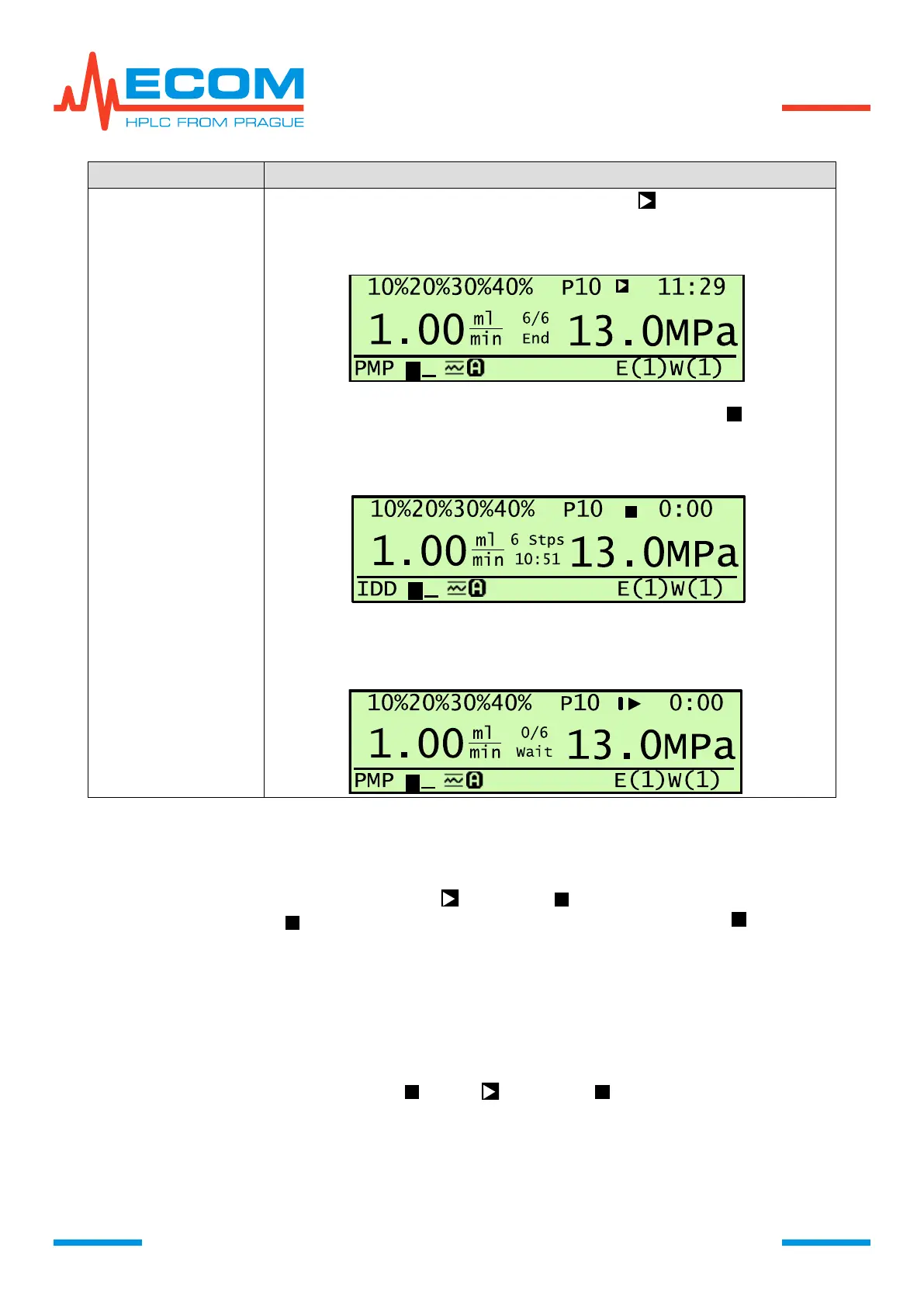
RUN – program tops, pump runs, ► changes to , total time is counting
up and step time changes to End. Pump keeps setting from last program
step.
STOP – program terminates, pump stops, ► changes to , total time
zeroizess, step time changes to time of entire program and shows total
number of steps. Pump keeps setting from last program step.
REPEAT – program ends and prepares for restart, ► changes to I►.
Initialization phase proceeds.
Accelerated Option of Program Initialization by Pressing PUMP
In case that the program has been terminated by END STEP (RUN, STOP), it is possible to
use the accelerated option of program initialization by pressing key PUMP for 3 s. For RUN at first
press PUMP shortly in order to stop pumping, ( changes to ) and then after pressing key pump
for 3 s program initiates ( changes to I►). For STOP press PUMP again longer ( changes to
I►).
Status after Unit Turning Off and On
If the unit is turned off during running program (e.g. due to power cut), then after unit
restart program sets to status of held program (see chart above) (► changes to II). Continue the
same way as after holding running program.
If the unit is turned off after program termination END STEP (RUN, STOP), then after
unit restart program sets to status STOP (RUN - changes to ). Continue the same way as
above. If END STEP (REPEAT), then after unit restart program sets to status of held program (I►
changes to II). Continue the same way as above.
6.3.3. Init/Stop/Reinit Program
For controlling initialization/stop/reinitialization of program.


 To Next Page