In item Menu/Control/Init program, press ENTER.
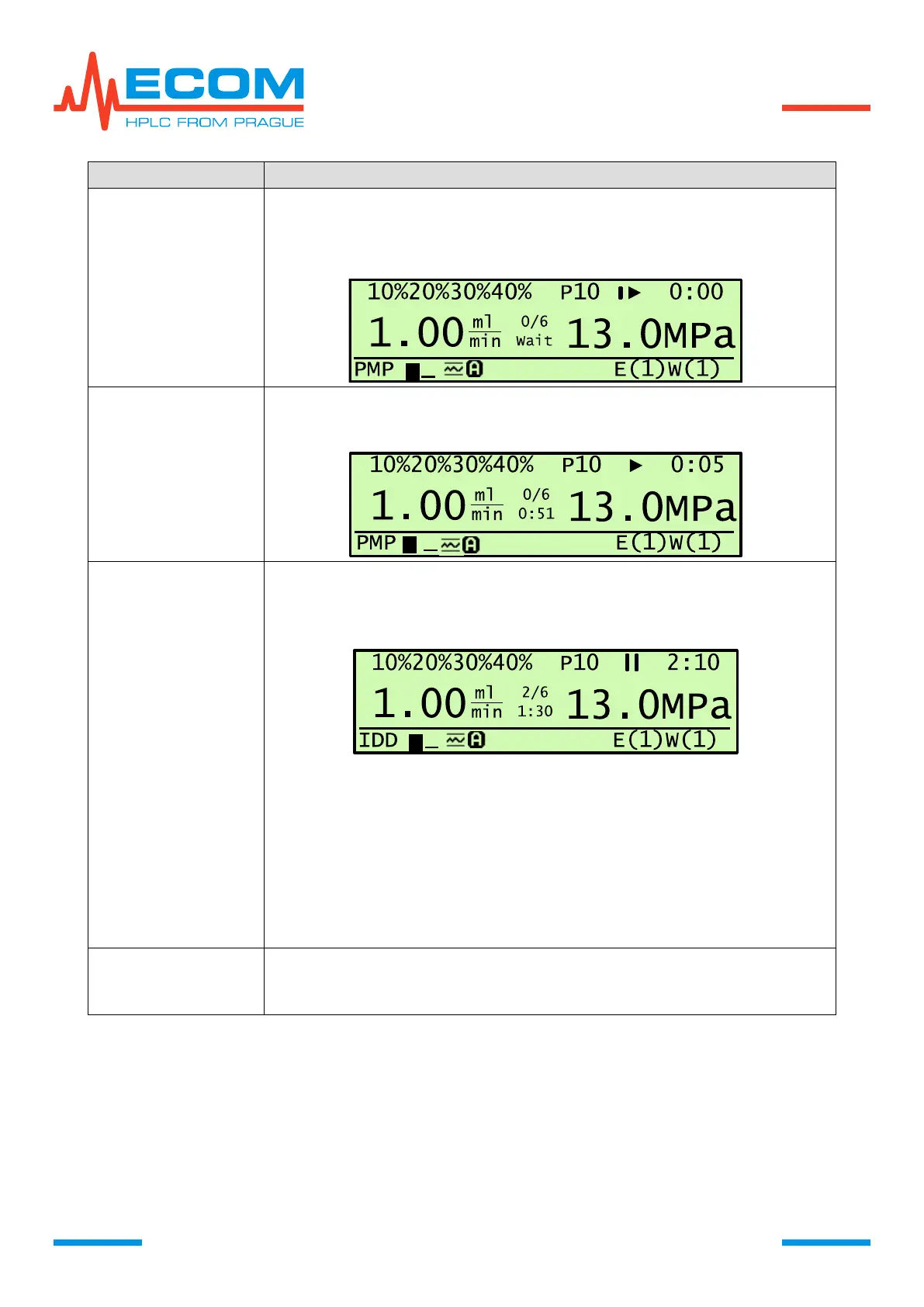
Parameter setting of initialization step 0. On main screen displays I►,
total time does not count up and flashes, pump runs.
On display is shown change from I► to ►, total time and step time
starts. The method of start is described above.
a) Pressing PUMP
On display is shown change from ► to II, total time stops and flashes,
step time stops, pump stops. Mobile phase concentration change stops.
After pressing key PUMP or D again, program restarts.
b) Pressing D
On display is shown change from ► to I►, total time stops and flashes,
step time stops, pump is running. Mobile phase concentration change
stops.
By pressing PUMP status changes to held, I► changes to II and follows
manipulation as in previous paragraph.
By pressing D status changes to running, I► changes to ►.
It is possible to proceed program reinitialization during program running
in Menu/Control/Reinit program. Prior to reinitialization it is possible to
hold the program by pressing key PUMP or D.


 To Next Page