ECP2010 / ECP2010H
57 / 68
Checking Flowrate
After check valve or seals replacement or after significant change of working conditions,
check real flowrate first without using menu item FLOW AUTO. Collect the mobile phase into
volumetric flask and measure time with stopwatch.
Calculation of real flowrate of the unit when measuring time of filling volumetric flask:
F(ml/min) pump flowrate
V(ml) volumetric flask volume
t(min) time for collecting the volume
6.7.2.3. Gradient
Gradient calibration is accessible only to a qualified person.
6.7.3. Factory Settings
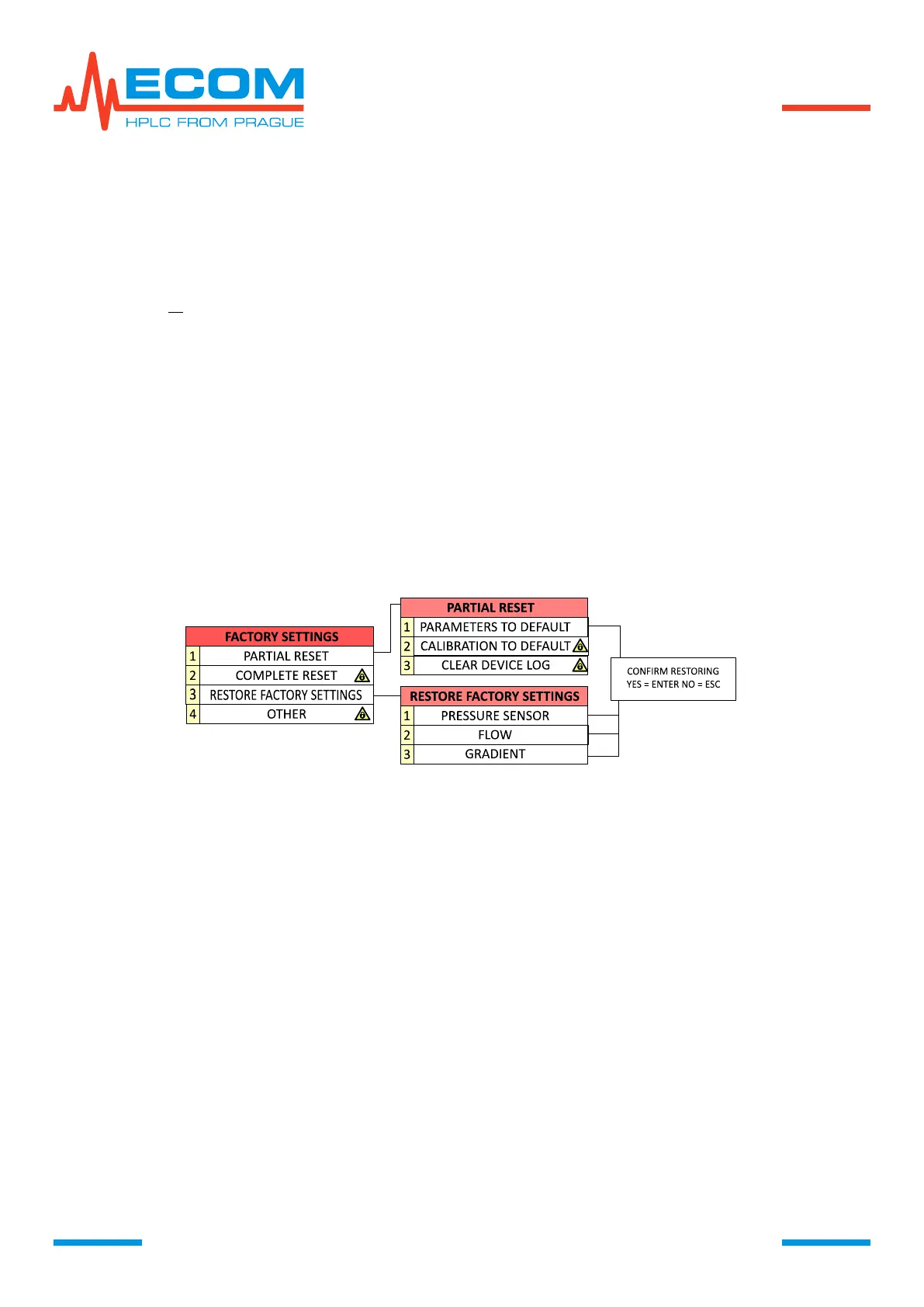
This menu item enables to partially or completely reset the system. Majority of the menu
items is blocked for user and is available only to a qualified person.
FACTORY SETTINGS FLOW CHART
6.7.3.1. Partial Reset
User can access menu item PARAMETERS TO DEFAULT, enabling setting unit default
parameters.
6.7.3.2. Complete Reset
System complete reset is accessible only to a qualified person.
6.7.3.3. Restore Factory Settings
This menu item enables restoring factory configuration of pressure sensor calibration,
flowrate and gradient. After entering menu items by pressing ENTER – PRESSURE SENSOR,
FLOW (flowrate), GRADIENT – is displayed menu for confirming the restoration.
6.7.3.4. Other
This menu item is accessible only to a qualified person.
6.7.4. Special
This menu item is empty for this unit.


 To Next Page