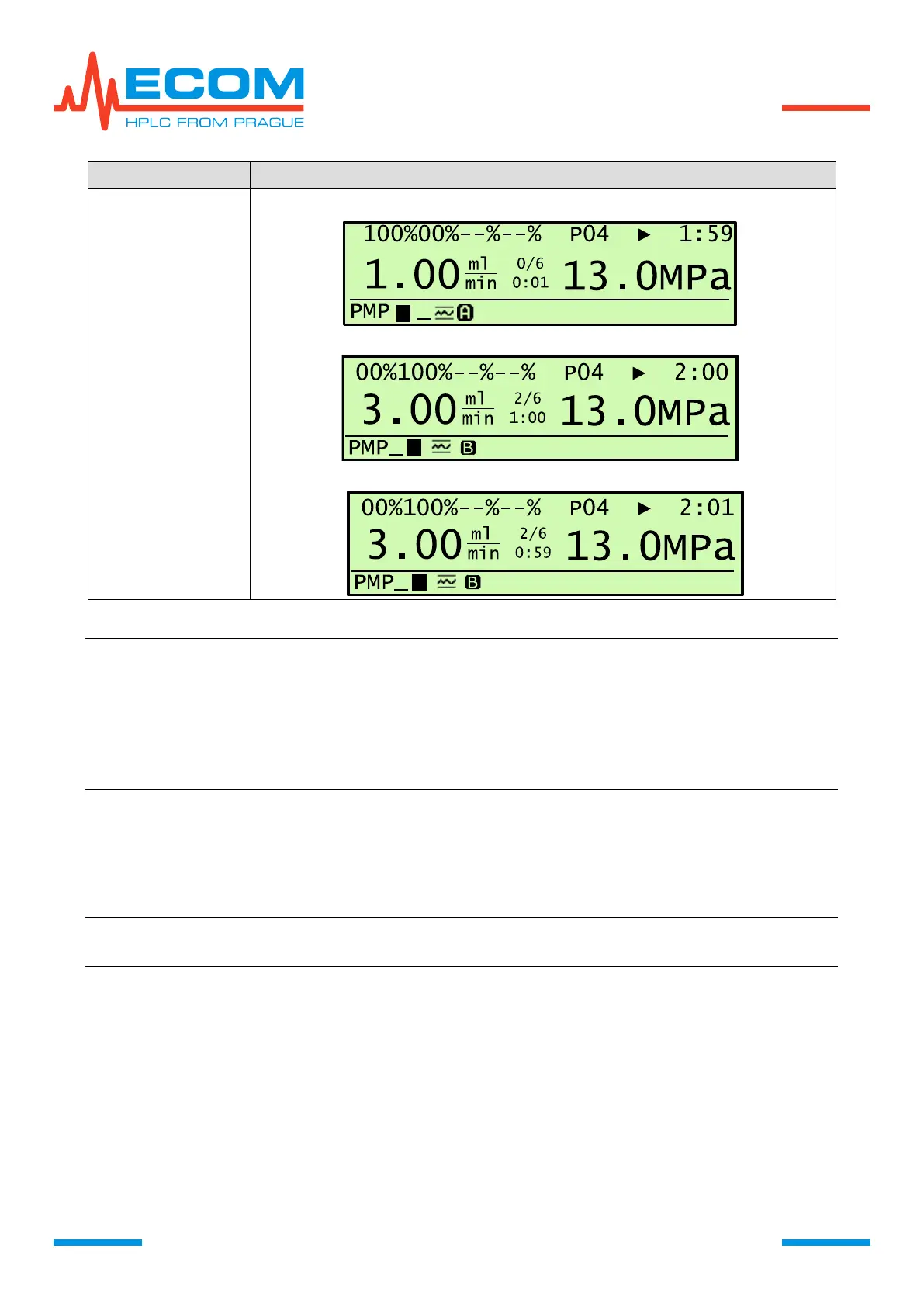
Example: Creating a step change of concentration in already created TIME TABLE, where
new step should be listed in prior to time of already created step, is achieved by
creating new step with start time 1 s lower then next step. Set desired
concentration and flowrate. Then exit TIME TABLE. After re-entering TIME
TABLE, new step is enlisted on its position in time axis of step beginnings.
Modificating start time of newly created step on the same time as the step below
creates step change of concentration.
Modifications of Existing Gradient Programs
Choose number of modified program X. S (xx), press ENTER to enter and work as during
first setting. When leaving modified program X. S(xx) you will always be asked whether to save
changes or not.
Note: If the modified program is also an uploaded program, it is not necessary to reload
it after saving changes.
Viewing Running Program
Running program can be viewed in menu item Menu/Control/Program setup/View program
with no influence on program course.
Modifications of Running Program
During running program, it is possible to modify items in TIME TABLE (mobile phase
gradient concentration, flowrate, step start time (tn), delete steps, move steps), termination
program by END STEP, FLOW CONTROL, PRESS LIM. (high/low pressure limit) and VALVE
USED. Some modifications of running step are described below including an example.


 To Next Page