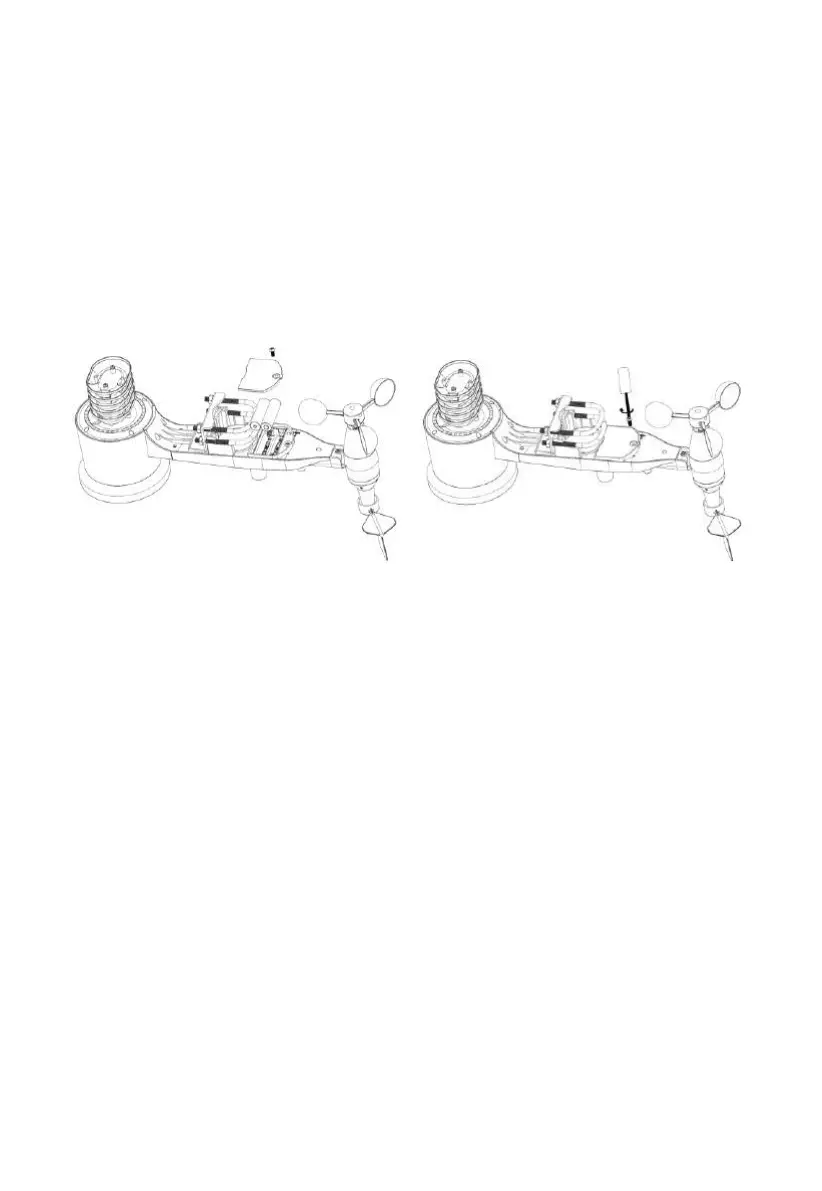
4.1.4 Install Batteries in sensor package
Open the battery compartment with a screwdriver and insert 2 AA batteries in
the battery compartment. The LED indicator on the back of the sensor
package (item 9) will turn on for four seconds and then flash once every 16
seconds indicating sensor data transmission. If you did not pay attention, you
may have missed the initial indication. You can always remove the batteries
and start over, but if you see the flash once every 16 seconds, everything
should be OK.
Figure 9: Battery installation diagram
Note: If LED does not light up or is on permanently, make sure the battery
is inserted the correct way and inserted fully, starting over if
necessary. Do not install the batteries backwards as it may
permanently damage the outdoor sensor.
Note: We recommend Lithium batteries for cold weather climates, but
alkaline batteries are sufficient for most climates. Rechargeable
batteries have lower voltages and should never be used.
4.1.5 Mount assembled outdoor sensor package
4.1.5.1 Before you mount
Before proceeding with the outdoor mounting detailed in this section, you
may want to skip to setup instructions in section 4.2 and onwards first, while
you keep the assembled outdoor sensor package nearby (although preferably
not closer than 5 ft. from the console). This will make any troubleshooting



 To Next Page