Any changes you make here will be reflected inside the console. Change the
value(s) in the respective input fields and use the checkbox(es) to enable or
disable specific alarms.
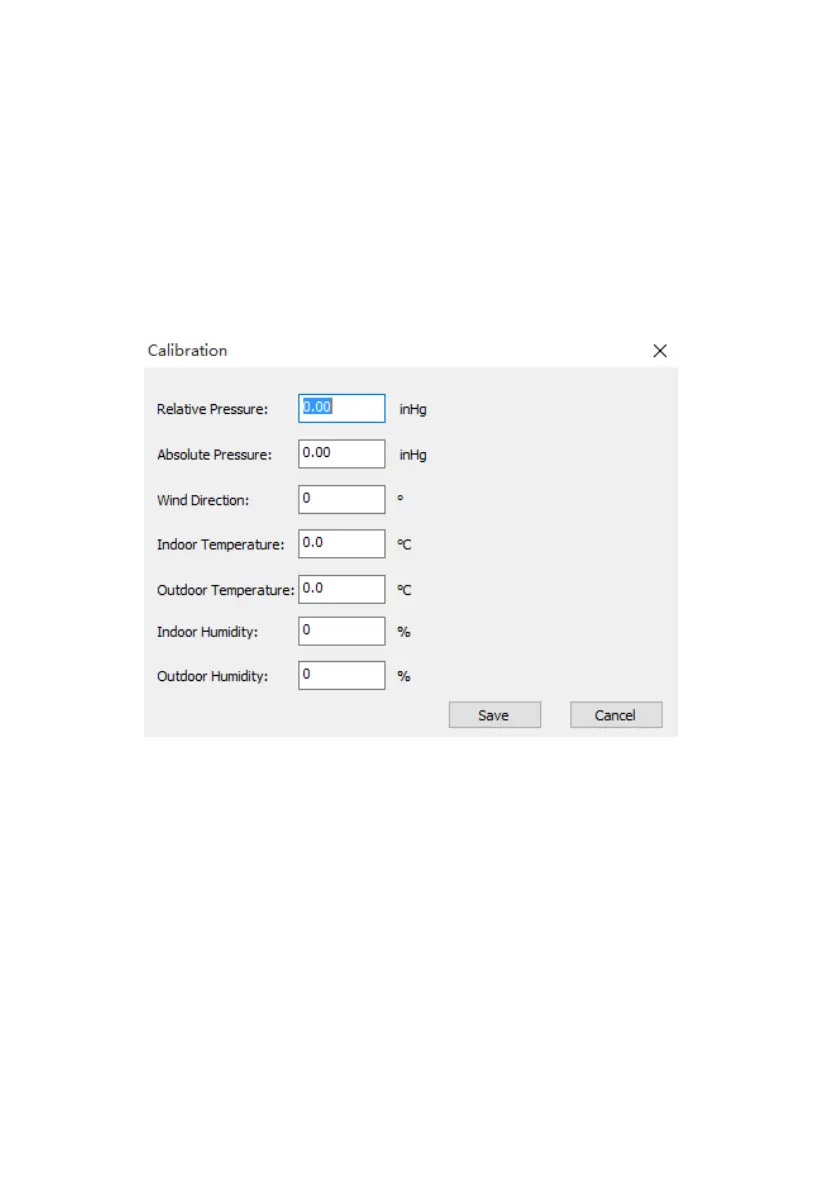
8.2.3 Calibration Settings
Calibration Settings allow you to change calibration settings for the sensors.
These are the same settings that you can also change in the console itself (see
section 5.2.3).
Figure: Calibration Settings screen
Any changes you make here will be reflected in the console. Note that when
using the console, you will generally change the value displayed using “+”, or
“-” buttons, but here you will instead edit the amount of change that you
“dialed in” on the console. For example, if you changed a displayed
temperature by pressing the “+” button three times, you effectively caused 0.3
to be added (3 times 0.1). So here, you will see a value of 0.3.
The Absolute Pressure offset will be added to the value of the pressure sensor
in the console to determine the absolute pressure (ABS) that will be displayed.
The Relative Pressure offset will be added to the displayed absolute pressure
(ABS) to determine the displayed relative pressure (REL). This offset



 To Next Page