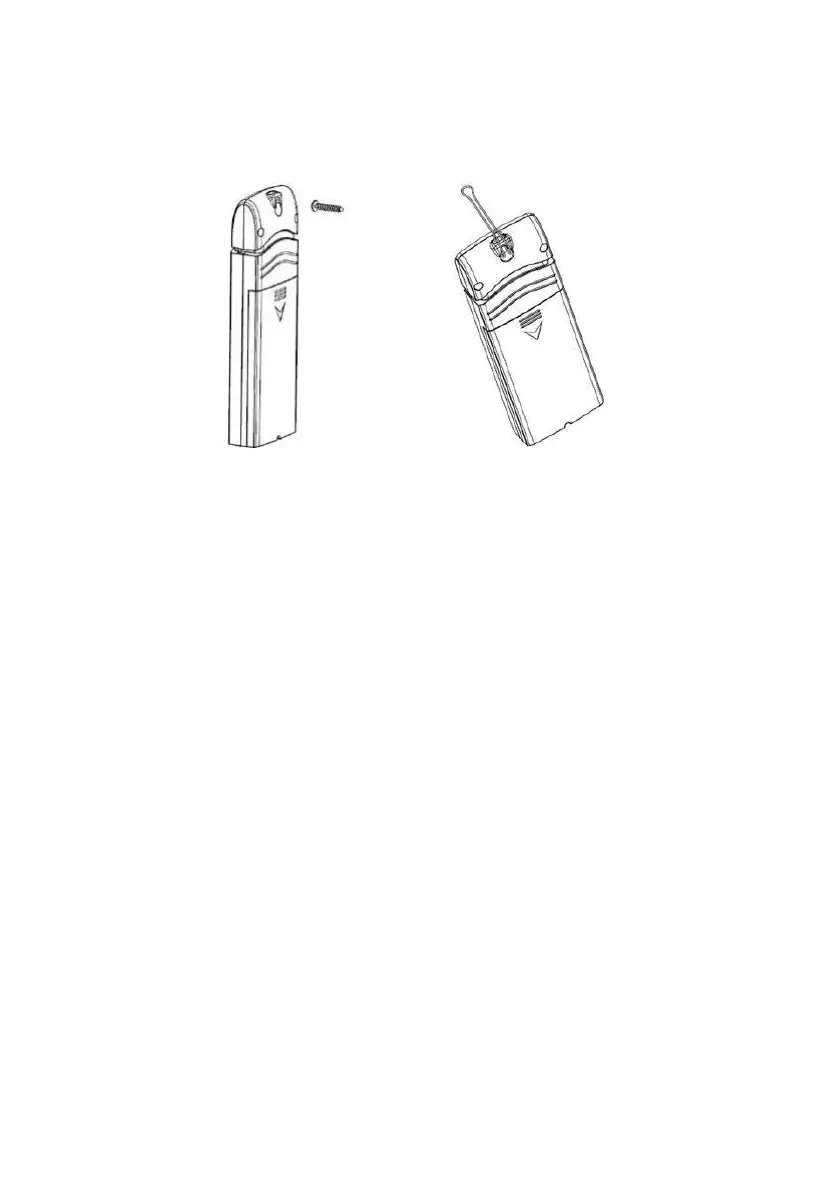
• Use a screw or nail to affix the remote sensor to the wall, as shown on the
left side of Figure 13, or
• Hang the remote sensor using a string, as shown in right side of Figure 13
Figure 13: Indoor sensor mounting
Note: Make sure the sensor is mounted vertically and not lying down on a
flat surface. This will insure optimum reception. Wireless signals are
impacted by distance, interference (other weather stations, wireless
phones, wireless routers, TVs and computer monitors), and
transmission barriers, such as walls. In general, wireless signals will
not penetrate solid metal and earth (down a hill, for example).
4.3 Best Practices for Wireless Communication
Wireless (RF) communication is susceptible to interference, distance, walls
and metal barriers. We recommend the following best practices for trouble
free wireless communication between both sensor packages and the console:
• Indoor sensor placement: The sensor will have the longest reach for its
signal when mounted or hung vertically. Avoid laying it down on a flat
surface.
• Electro-Magnetic Interference (EMI). Keep the console several feet
away from computer monitors and TVs.
• Radio Frequency Interference (RFI). If you have other devices
operating on the same frequency band as your indoor and/or outdoor



 To Next Page