4 - 8 AG45134 Rev. 3
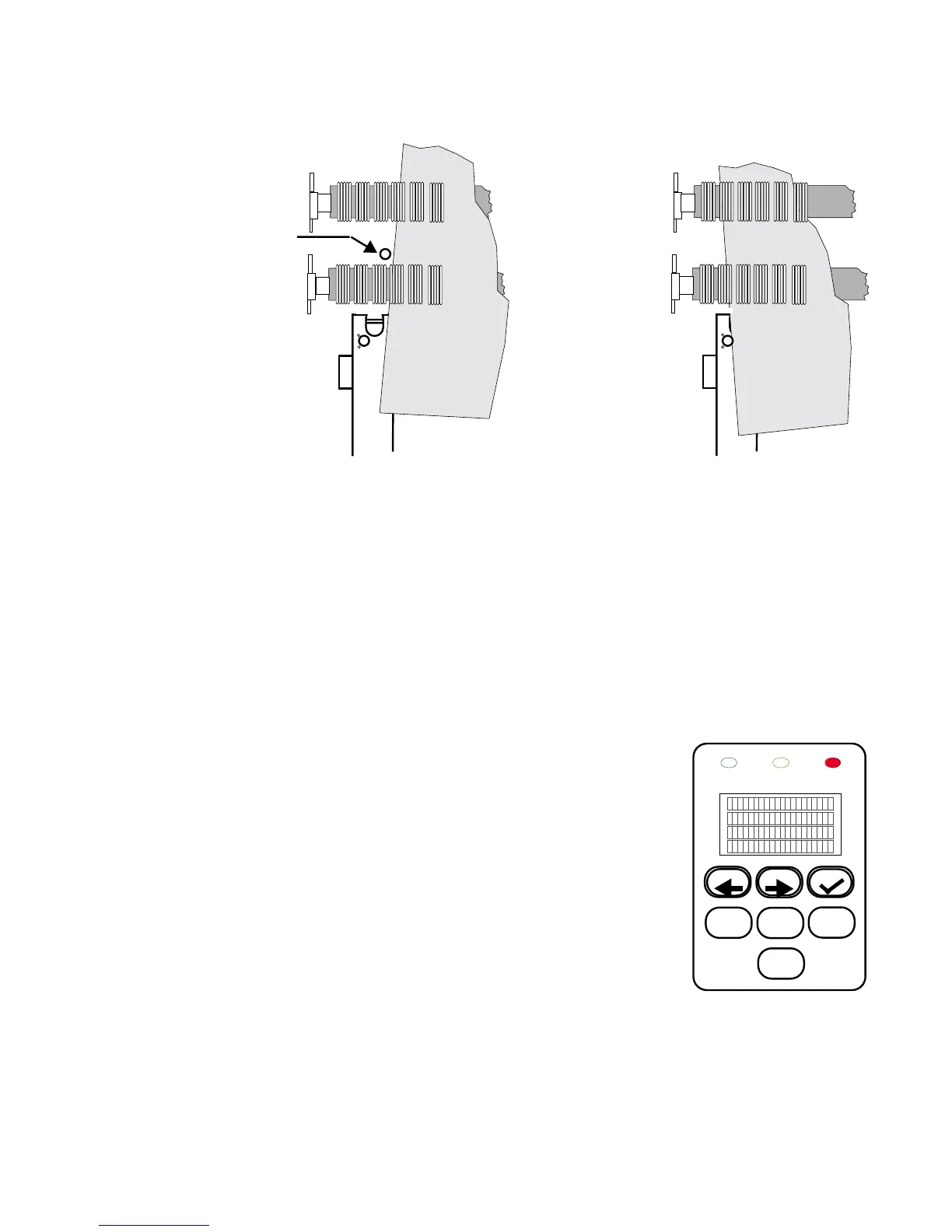
Figure 4-5 Plate Positions over the Registration Pin
To insure against this happening, use the following procedure to
remove the plate:
Step 1. Do not raise the pinch roller bar or power off the machine.
Step 2. Use the control panel PREV and NEXT
buttons as follows to extract the plate:
• Press the PREV button to effect a
movement of the plate toward the
front of the machine, and then press
the button again to stop the move-
ment.
• Press the NEXT button to effect a
movement of the plate toward the
back of the machine, and then press
the button again to stop the movement.
EGISTRATION
INTERNAL
PIN
PLATE
PLATE
VIEW A VIEW B
Plate not over the pin Plate over the pin



 To Next Page