Edimax Pro NMS
113
IV-4-2-2. Active WLAN Group
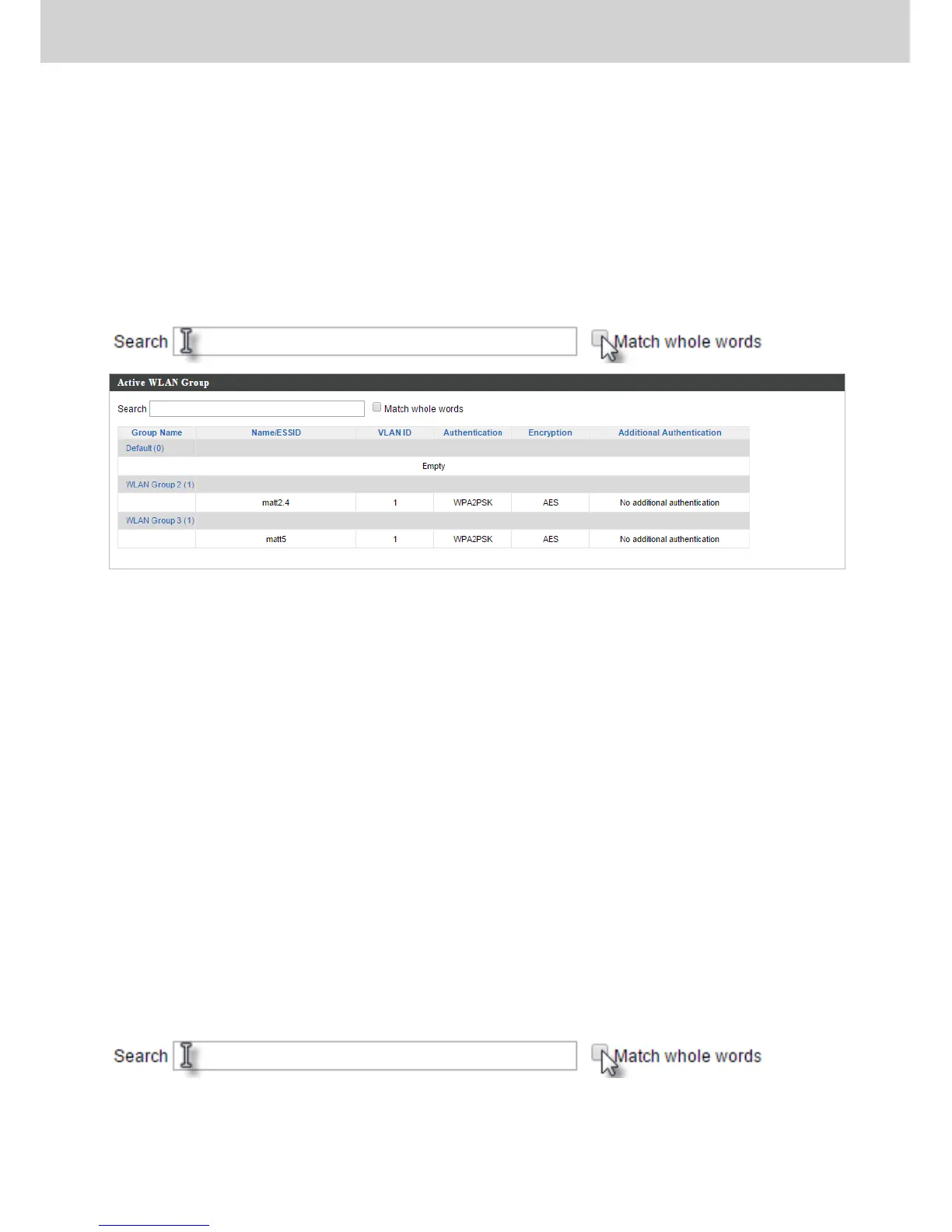
WLAN groups can be created according to your preference. Active WLAN
Group displays information about WLAN group: Group Name, Name/SSID,
VLAN ID, Authentication, Encryption, IP Address and Additional
Authentication.
The search function can be used to locate a specific Active WLAN Group. Type
in the search box and the list will update:
IV-4-3. Clients
IV-4-3-1. Active Clients
Displays information about clients currently connected to the AP Array: Index
(reference number), Client MAC Address, AP MAC Address, WLAN (SSID), Radio
(2.4GHz or 5GHz), Signal Strength received by Client, Connected Time, Idle
Time, Tx & Rx (Data transmitted and received by Client in KB), and the Vendor
of the client device.
You can set or disable the auto-refresh time for the client list or click
“Refresh” to manually refresh.
The search function can be used to locate a specific client. Type in the search
box and the list will update:



 To Next Page