AP Mode
57
IV-3-2-5. Schedule
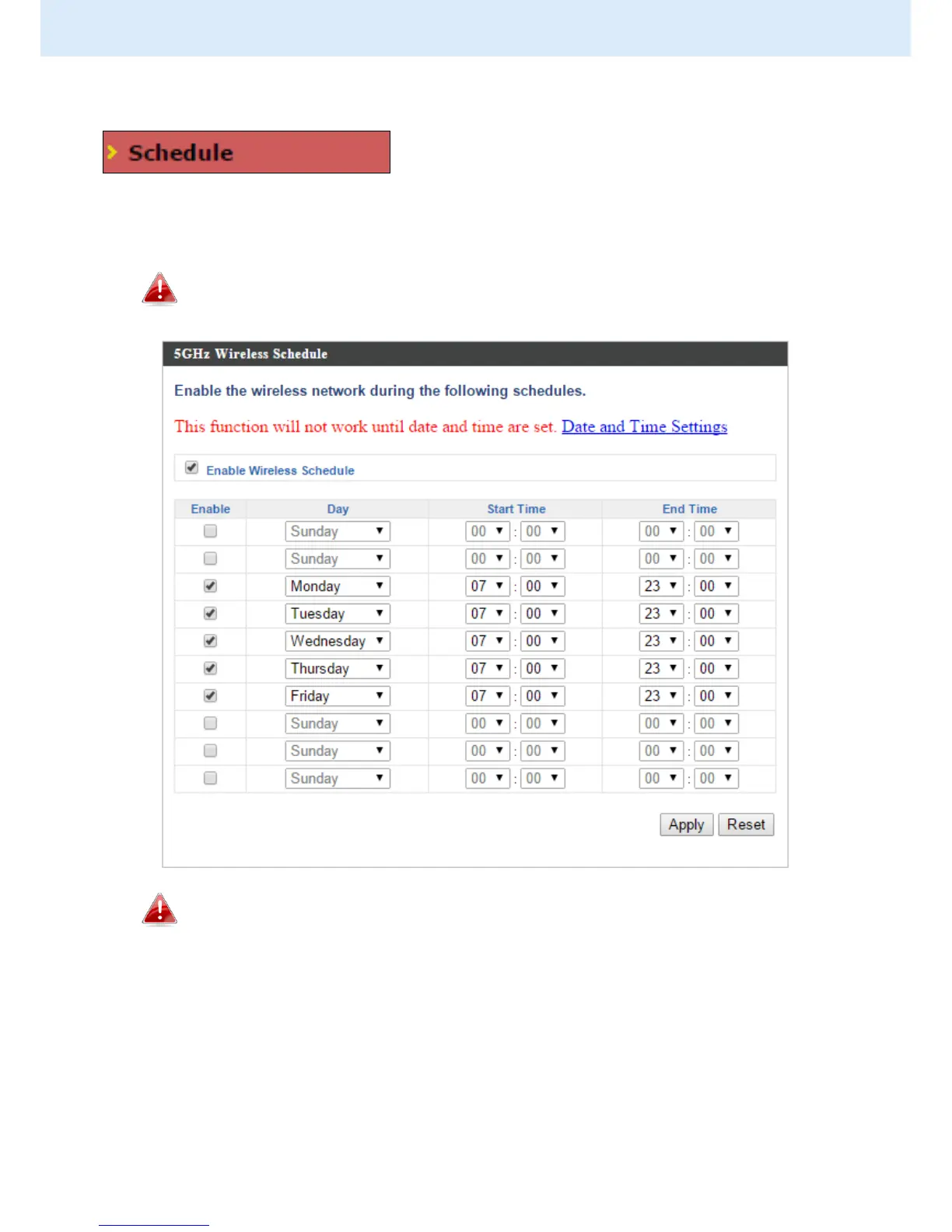
The schedule feature allows you to automate
the wireless network for specified times.
Check/uncheck the box “Enable Wireless Schedule” to enable/disable the
wireless scheduling function.
The access point’s time and date settings must be set in order to
use this function.
Wireless scheduling can save energy and increase the security of
your network.
4. Use the “Enable” checkboxes to select schedule(s).
5. Specify a day, start time and end time for the schedule using the
drop-down menus.
6. Click “Apply” to save the schedules or “Reset” to reset all values back to
default.



 To Next Page