216
V. Best Practice
VI-1. How to Create and Link WLAN & Access Point Groups
You can use NMS to create individual SSIDs and group multiple SSIDs together
into WLAN groups. You can then assign individual access points to use those
WLAN group settings and/or group multiple access points together into access
point groups, which you can also assign to use WLAN group settings.
Follow the example below to:
A. Create a WLAN group.
B. Create an access point group.
C. Assign the access point group to use the SSID group settings.
A.
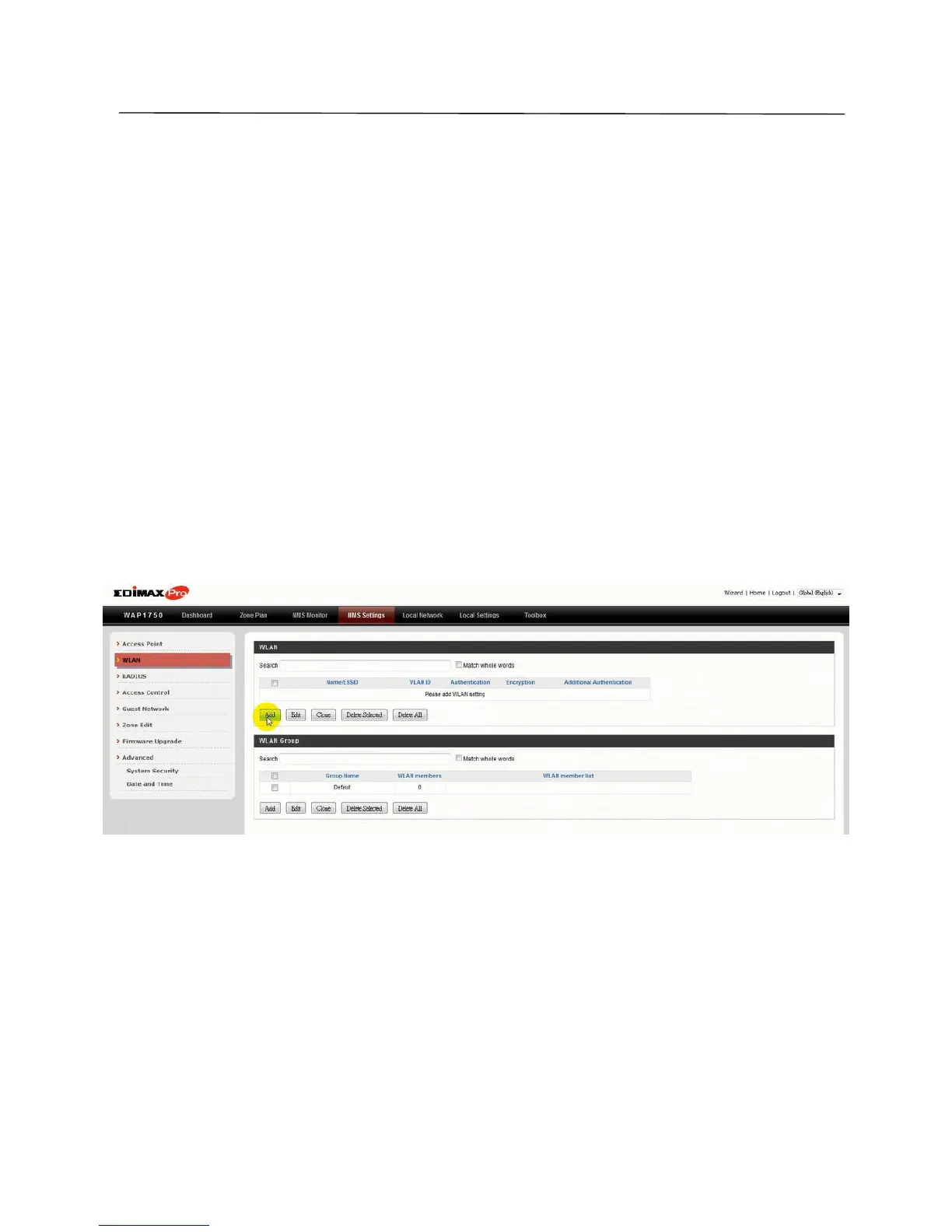
1. Go to NMS Settings WLAN and click “Add” in the WLAN panel:
2. Enter an SSID name and set authentication/encryption and click
“Apply”:



 To Next Page