7
II. Hardware Installation
When using the access point in AP mode it is recommended to
configure some basic settings as shown in III. Quick Setup before
hardware installation.
II-1. Connecting the access point to a router or PoE switch
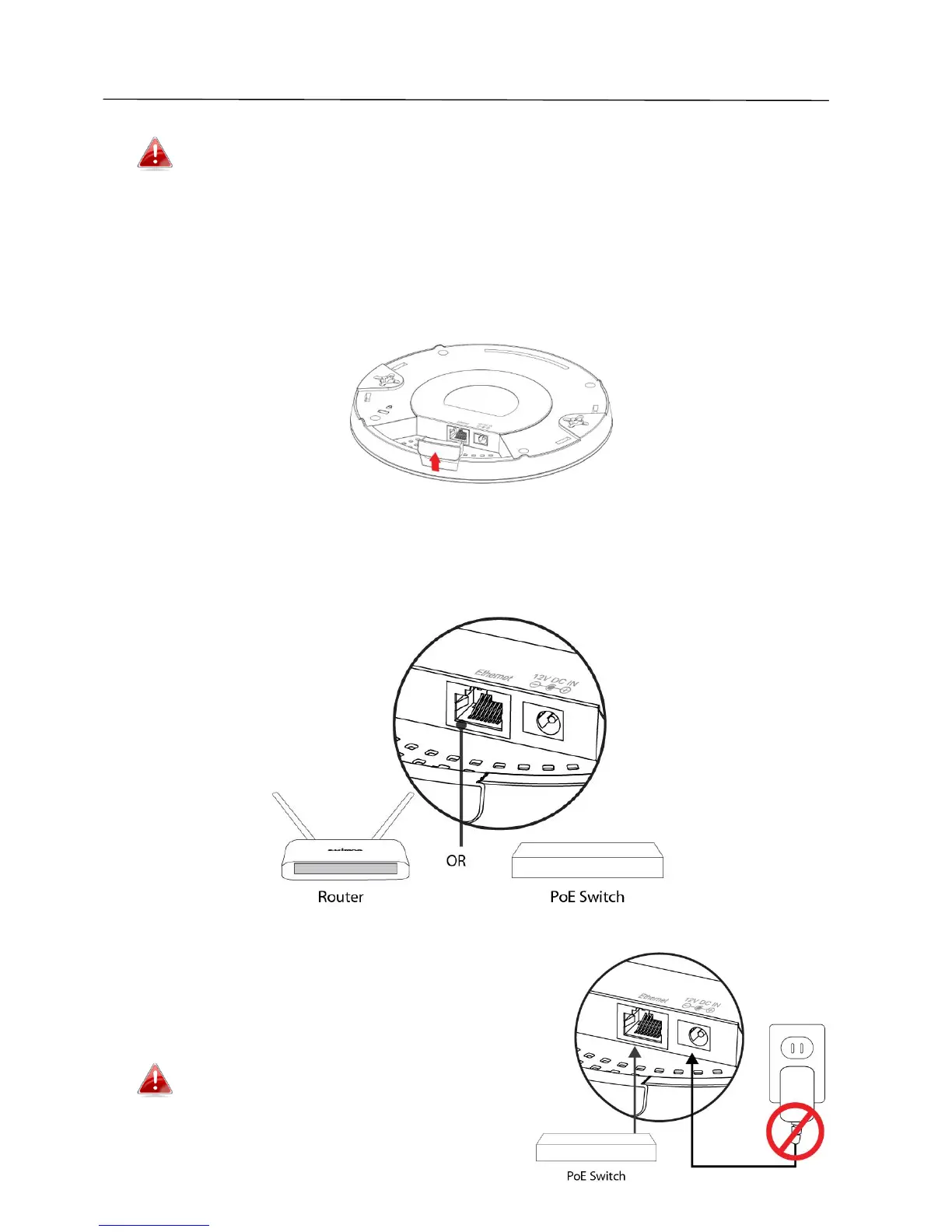
1. If you need to, remove the cap from the underside of the access point. This
creates extra space for your cables to pass through.
2. Connect a router or PoE switch to the access point’s LAN port using an
Ethernet cable.
3. If you are using a router, then connect
the power adapter to the access
point’s 12V DC port and plug the power
adapter into a power supply.
Do not use the power adapter if
you are using a PoE switch.



 To Next Page