EasyManua.ls Logo

Edimax CAP1200 - IV-5-8. Advanced; IV-5-8-1. System Security; IV-5-8-2. Date & Time

Edimax CAP1200
235 pages
Print Icon
To Next Page IconTo Next Page
To Previous Page IconTo Previous Page
Loading...
Edimax Pro NMS
148
IV-5-8. Advanced
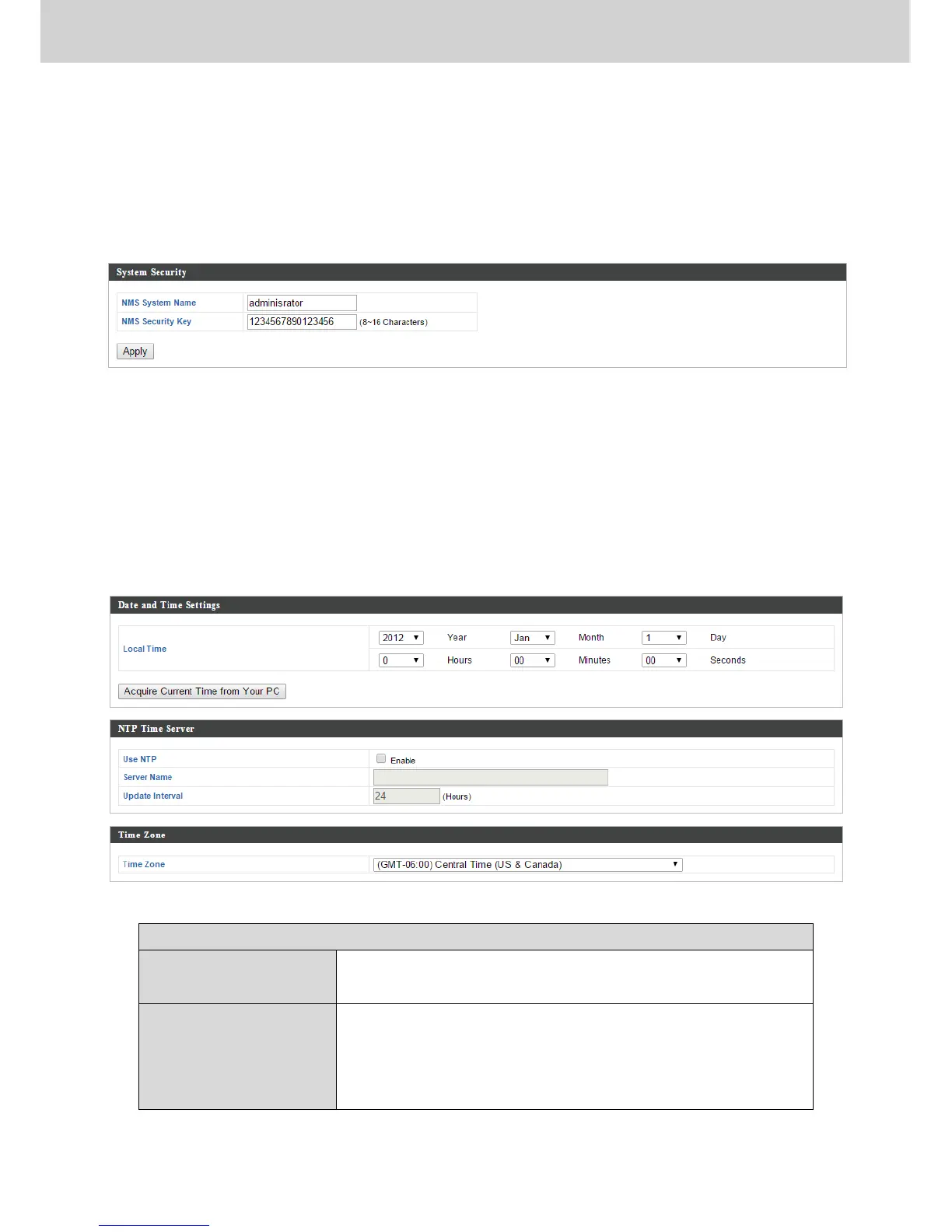
IV-5-8-1. System Security
Configure the NMS system login name and password.
IV-5-8-2. Date & Time
Configure the date & time settings of the AP Array. The date and time of the
access points can be configured manually or can be synchronized with a time
server.
Date and Time Settings
Local Time
Set the access point’s date and time manually
using the drop down menus.
Acquire Current
Time from your PC
Click “Acquire Current Time from Your PC” to
enter the required values automatically
according to your computer’s current time and
date.

Table of Contents

Related product manuals