AP Mode
14
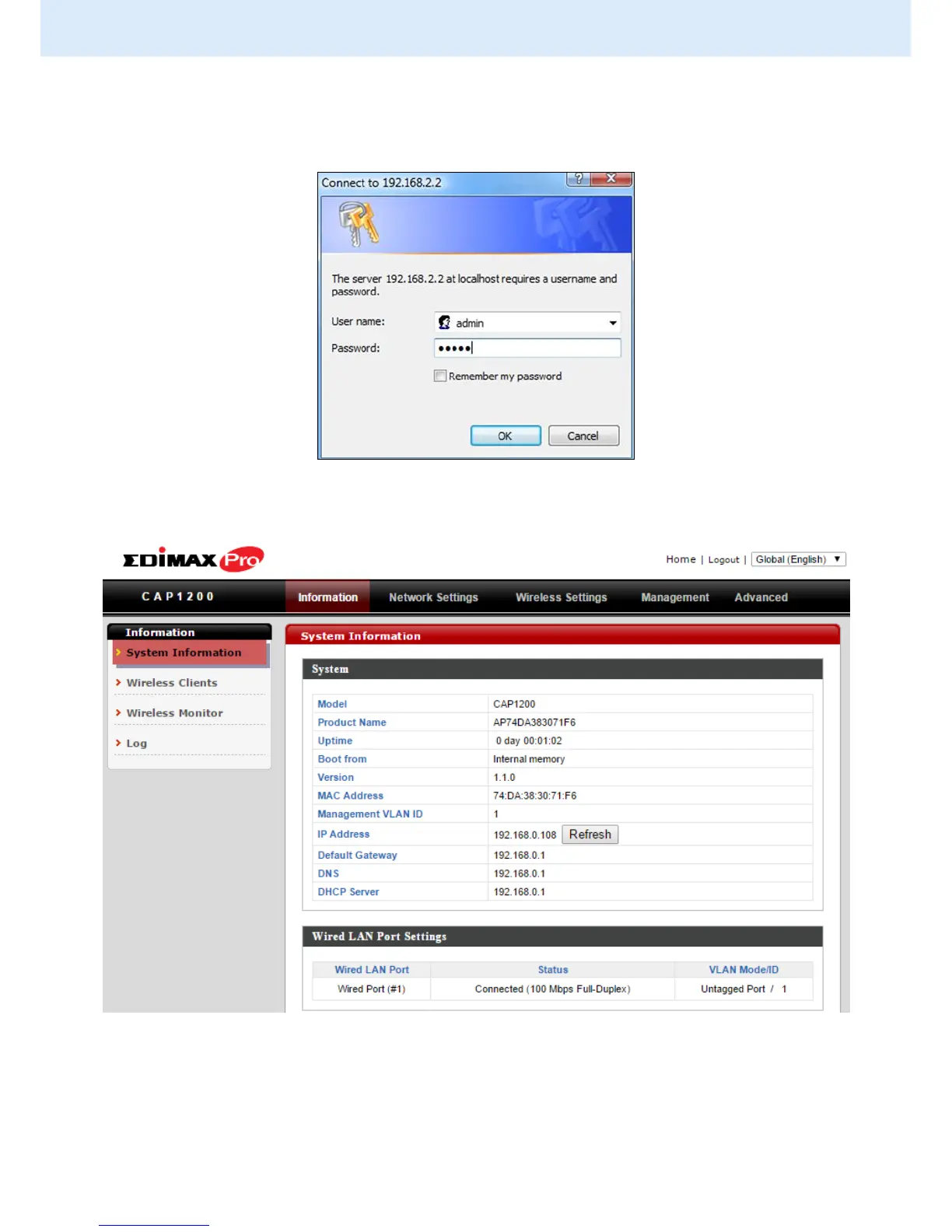
6. You will be prompted for a username and password. Enter the default
username “admin” and the default password “1234”.
7. You will arrive the “System Information” screen shown below.
8. Next, please follow the instructions below in II-2. Basic Settings to
configure the access point’s basic settings.



 To Next Page