9
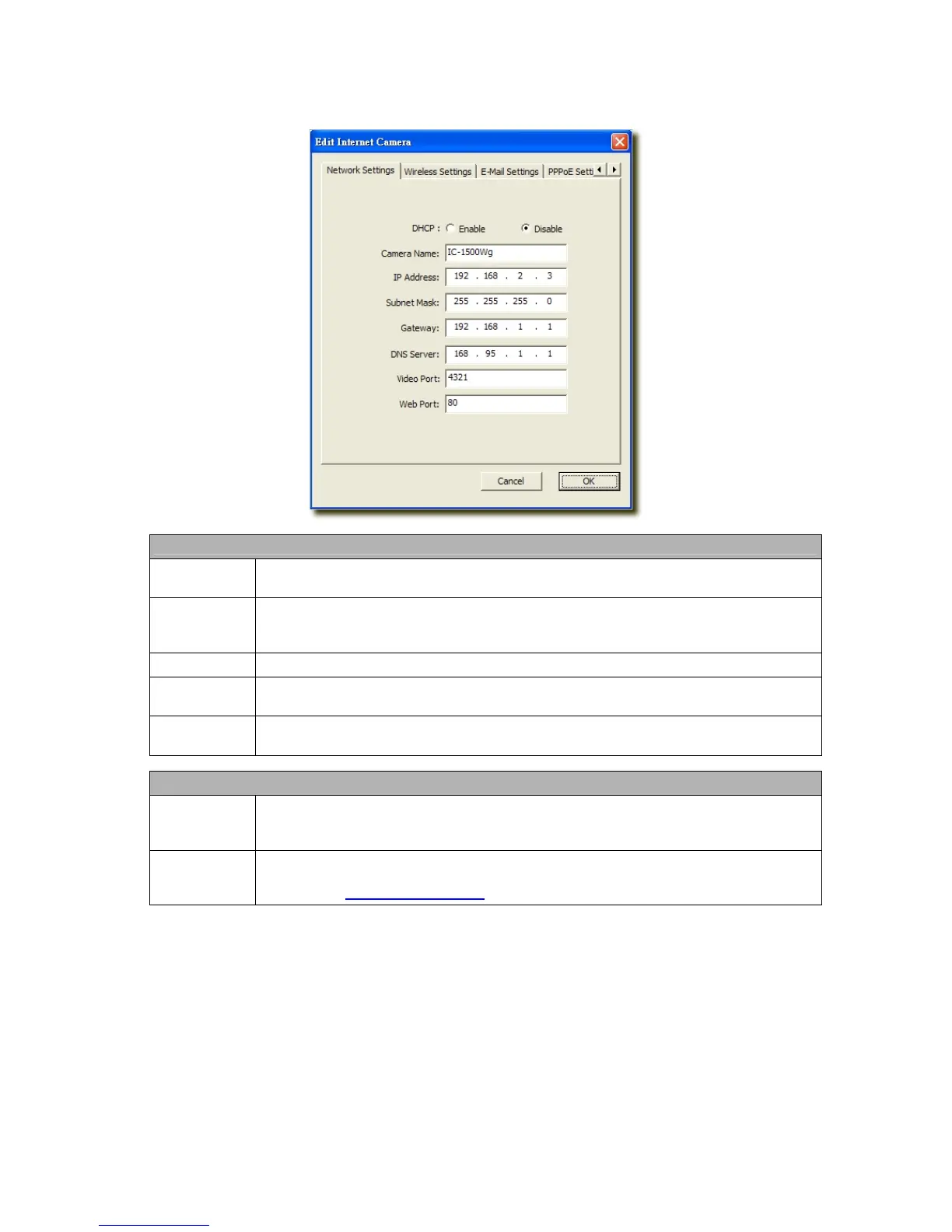
6.2.1 Network Setting
Network Setting
Internet
Camera Name
The default camera name is “IC1500WG”. It is recommended to name a meaningful name for
the camera.
IP Address
Enter an unused IP Address within the IP address range used on your LAN. If the IP Address of
your LAN is from the 192.168.2.1 to 192.168.2.254, you can set an unused IP Address from the
range for the camera, for example: 192.168.2.250.
Subnet Mask
The Subnet Mask field must match the subnet setting on your LAN. For example: 255.255.255.0.
Gateway
The Gateway is used to forward frames to destinations in a different subnet on the Internet. The
Gateway setting must be the same with the gateway used by the PCs on your LAN.
DNS Server
DNS Server (Domain Name Server) that translates names to IP addresses. Set the same DNS
Server as the PCs on your LAN.
Network Setting
Video Port
The Video Port is used to transmit or receive the video streaming in the network. The default port
setting is “4321”. If you want to view the video from the camera, the port setting should be
correct.
Web Port
This camera support web connection, the default web port is 80. Since the web server may use
port 80, you can use a different port for the camera. If you change the web port from 80 to 8080,
you must type http://192.168.2.3:8080
to connect the camera through the web browser.



 To Next Page