21
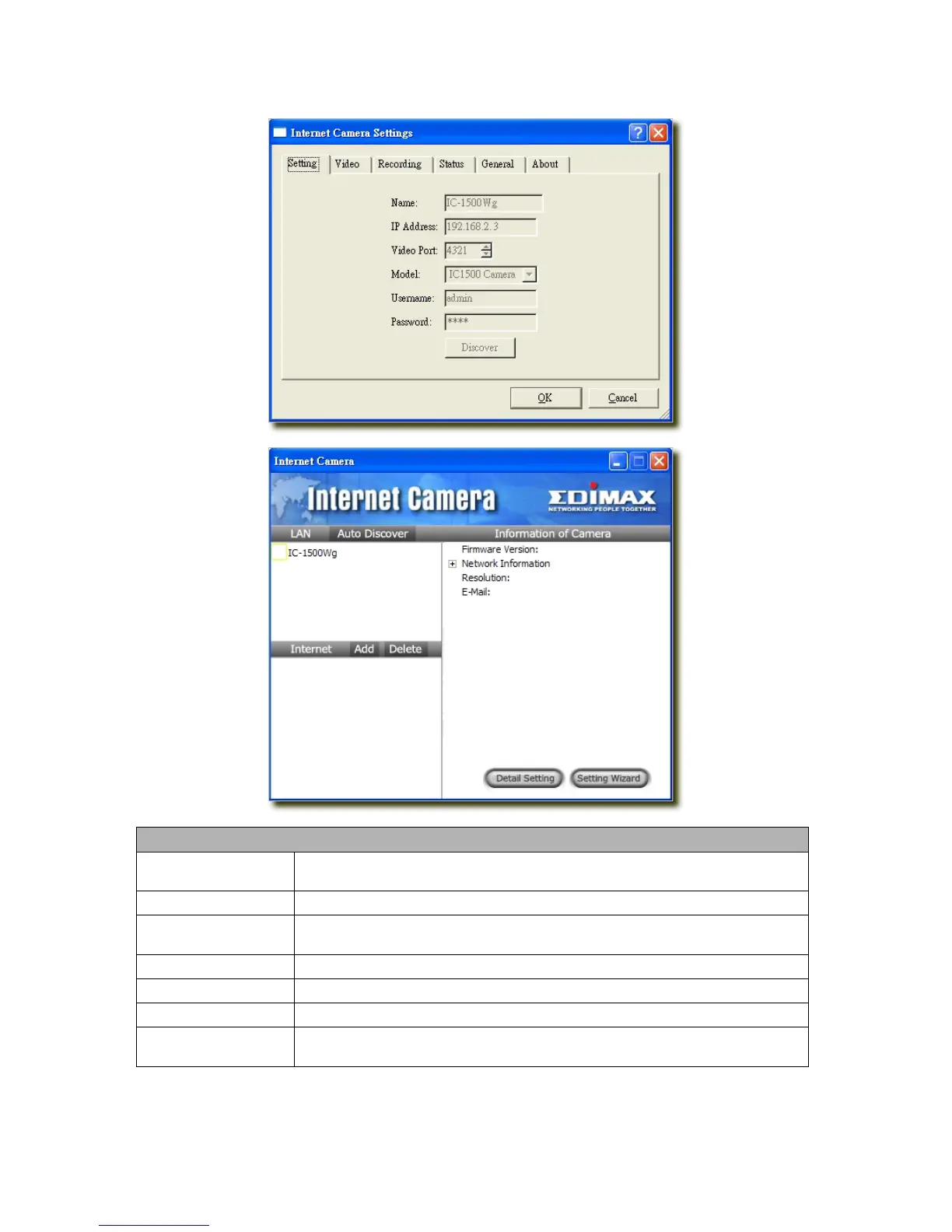
7.8.1 Setting
Setting
Name
It is not required to fill the camera name for connecting camera. It is for users to identify
the camera.
IP Address
IP address/Domain name of the Internet Camera.
Video Port
The number of service port used by the Internet Camera.
Model
Select “Internet Camera” (This camera only supports MJPEG).
Username
The user name for login into the Internet Camera. By default, the user name is “admin”.
Password
The password for login into the Internet Camera. By default, the password is “1234”.
Discover
Click “Discover”, then camera auto-discover windows will pop up. The window will show
all the discovered cameras on LAN environment for you to select.



 To Next Page