36
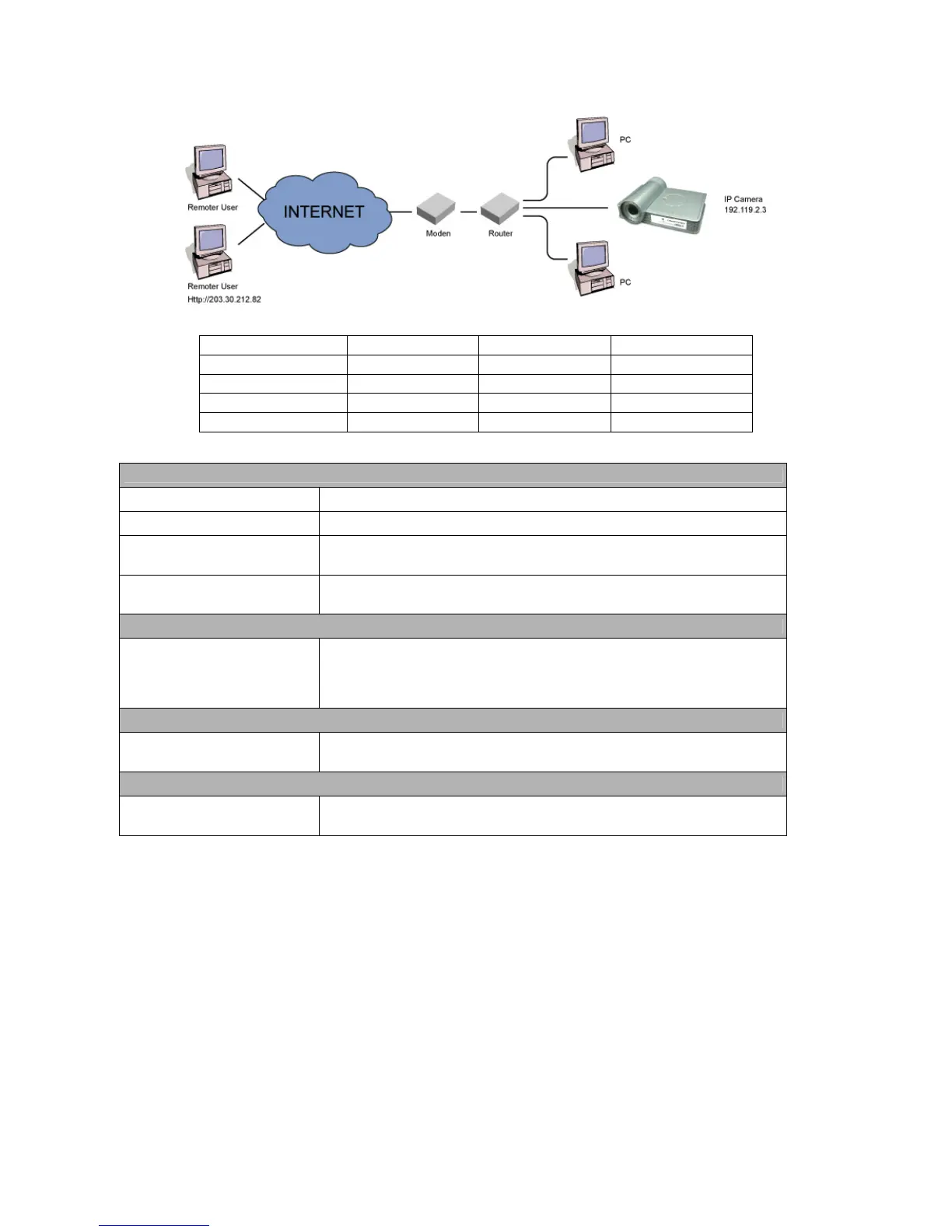
TCP/UDP connections from remote PC to the Internet Camera. The Router/Gateway should set port forwarding or virtual
server for the connections. Please see the illustration as below.
Router/Gateway Port Forwarding/Virtual Server Setup
Name Protocol Port LAN IP
Setup 1 TCP 80 192.168.2.3
Setup 2 TCP 4321 192.168.2.3
Setup 3 UDP 13364 192.168.2.3
Setup 4 UDP 4322 192.168.2.3
Port Definition
Setup 1
It is the port of Web port. You have to configure the protocol to “TCP”.
Setup 2
It is the port of Video port. You have to configure the protocol to “TCP”.
Setup 3
It is the port for Internet Camera and Administrator Utility communication. The
protocol setting should be “UDP”.
Setup 4
It is the port for Internet Camera and Camera Viewer Utility communication.
The protocol setting should be “UDP”.
Viewing Internet Camera via Web Browser
Setup 1/Setup 2
If you want to view the video via Web Browser, you have to ensure the
Router/Gateway has configured setup1 and setup 2. If the web port is not
default port “80”, but changed to 8080. The remote user has to enter
http://203.30.212.82:8080.
Viewing Internet Camera via Camera Viewer Utility
Setup 2/Setup 4
If you want to use Camera Viewer Utility to view the camera, please make sure
the Router/Gateway has configured setup2 and setup 4.
Setup Internet Camera via Administrator Utility
Setup 3
If you want to use Administrator Utility to configure the Internet Camera via
Internet, the Router/Gateway should configure setup 3.



 To Next Page