39
Chapter IV Start Using CamView
4-1 Install CamView Program
1. Please close other windows applications before proceeding.
2. Insert the installation CD into your CD-ROM drive and find the
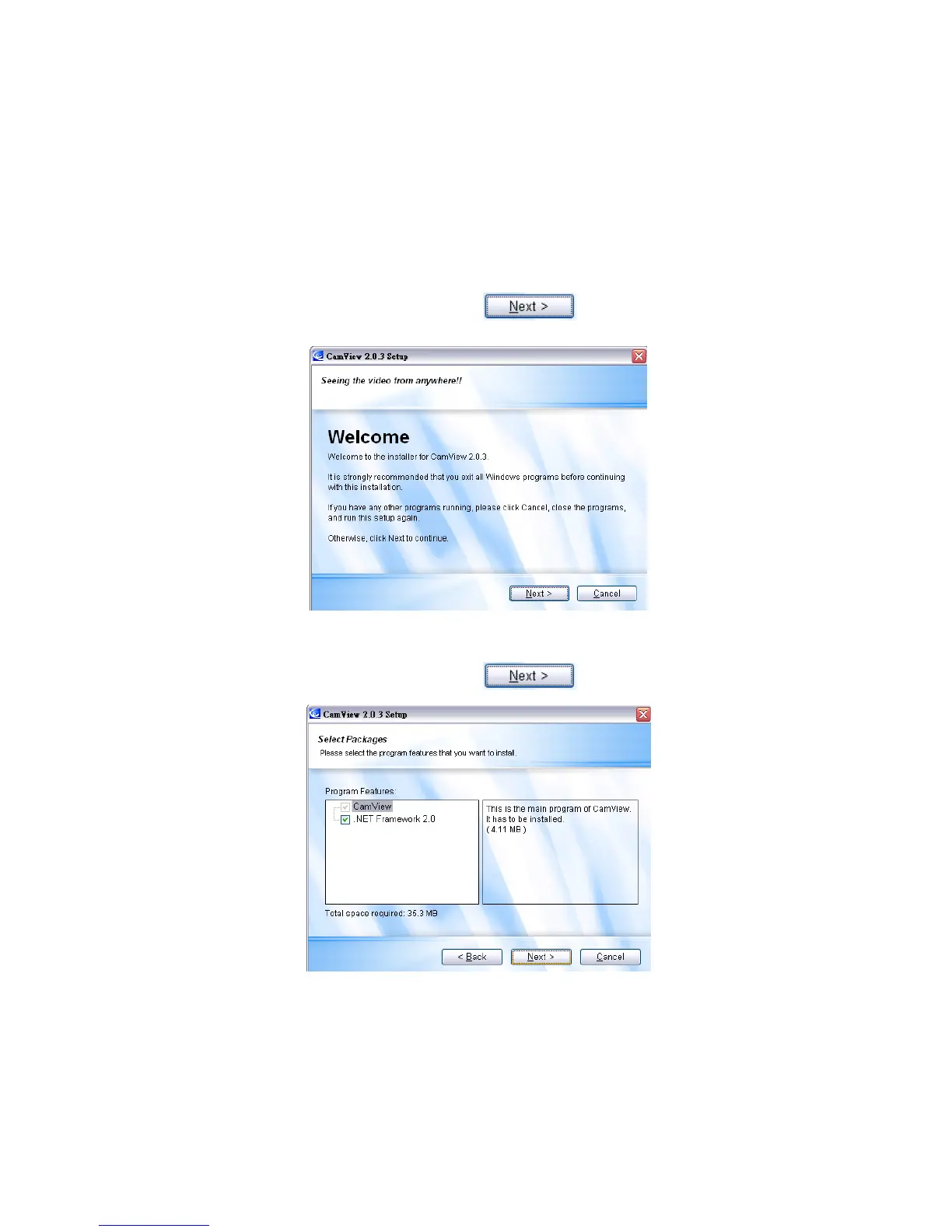
CamViewInstaller.exe. Double click it to start the installation process and you will see
the “Welcome” window. Click
3. If you are uncertain if the Framework 2.0 is already installed on your PC, please
check .NET Framework 2.0. Click to proceed installation.



 To Next Page