84
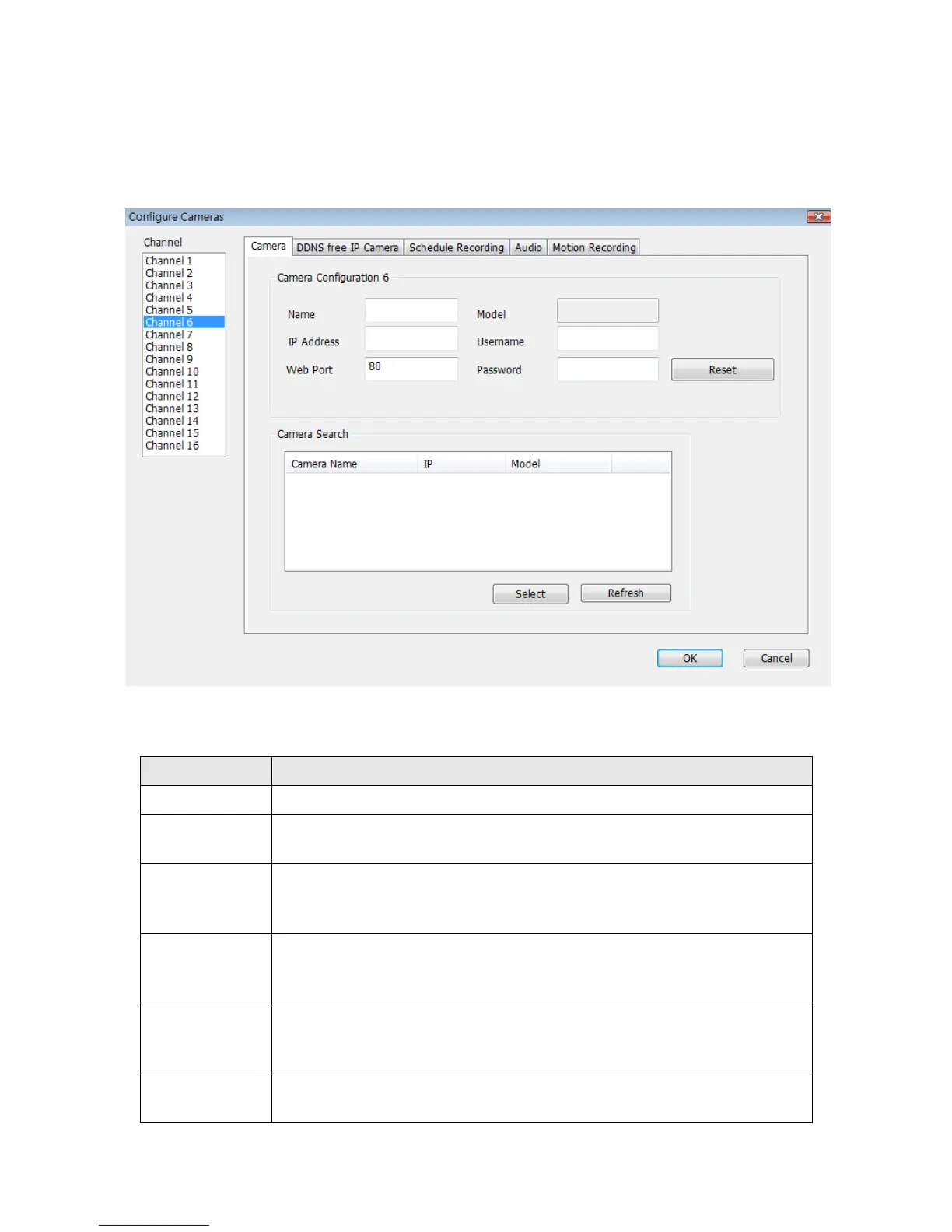
6-3-1-1 ‘Camera’ tab
In this tab you can configure all cameras you wish to connect. Up to 16 cameras can be
connected simultaneously:
Here are the descriptions of all setting items:
Select the channel number you wish to set.
All cameras found on your local network will be displayed in ‘Camera
Search’ box.
Select
Select a camera listed in ‘Camera Search’ box, and click ‘Select’
button to fill all parameters of selected camera in every camera
configuration fields.
Refresh
Rescan all cameras on your local network. If you didn’t see the
camera you expected in ‘Camera Search’ box, or new cameras has
been joined to your local network after last scan.
Name*
Input the name of camera here. Default value is the first 6 bytes of
camer
a’s MAC address, you can change the name of camera so you
can remember the camera’s location of purpose easily.
Model
Displays the model of selected camera, this field can not be
changed.



 To Next Page