94
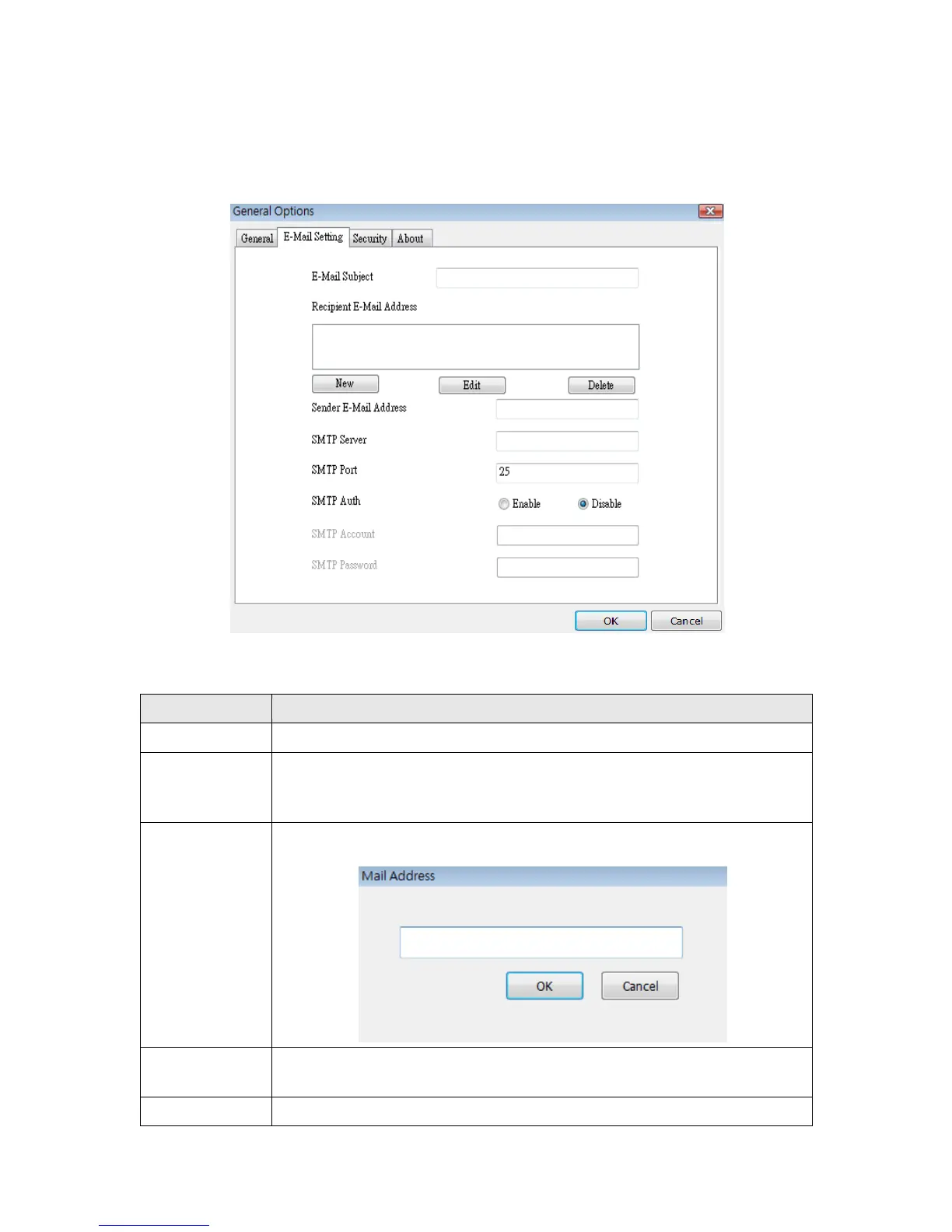
6-3-2-2 ‘E-Mail Setting’ tab
If you want to use motion detection function and wish to get an email that contains the
image captured by the camera, please setup your email related parameters here first.
Here are the descriptions of all setting items:
Specify the subject of sending email.
E-Mail
Address
Here lists all email addresses you set.
New
Click this button and you’ll be prompted to input the email address.
Click ‘OK’ to save changes.
Edit
Select an email address from ‘Recipient E-Mail Address’ box, and
click ‘Edit’ to edit the email address.
Delete selected email address.



 To Next Page