59
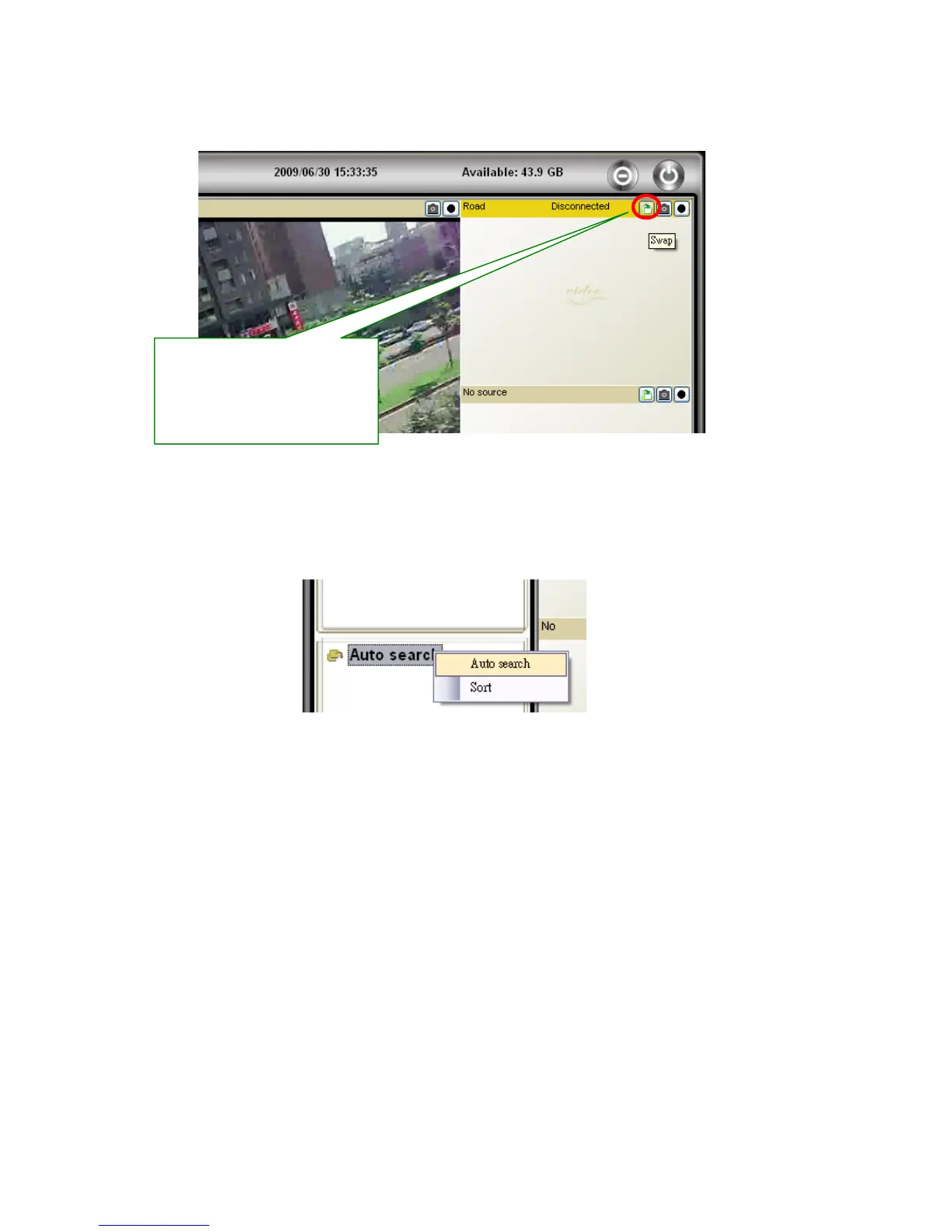
Swap Function: This function is available only in 6, 13, 21 window display modes. Press
swap button to move the minor window video to/from main window.
Auto Search: Auto search is a function that searches for all IP Cameras on your LAN
(Local Area Network). At the very beginning of CamView startups, CamView automatically
does the auto search.
To do auto search manually, double click on the “Auto Search” folder. CamView searches
all available IP cams in the LAN and lists all IDs under the folder. Right click on the find
Cam ID and select “Web Configuration” to access the IP cam’s web page for configuration.
Move the mouse cursor over the Cam ID under Auto Search, you can see the IP address of
that Camera.
Press Swap button to move
minor window display video to
or from main window display
video.



 To Next Page