61
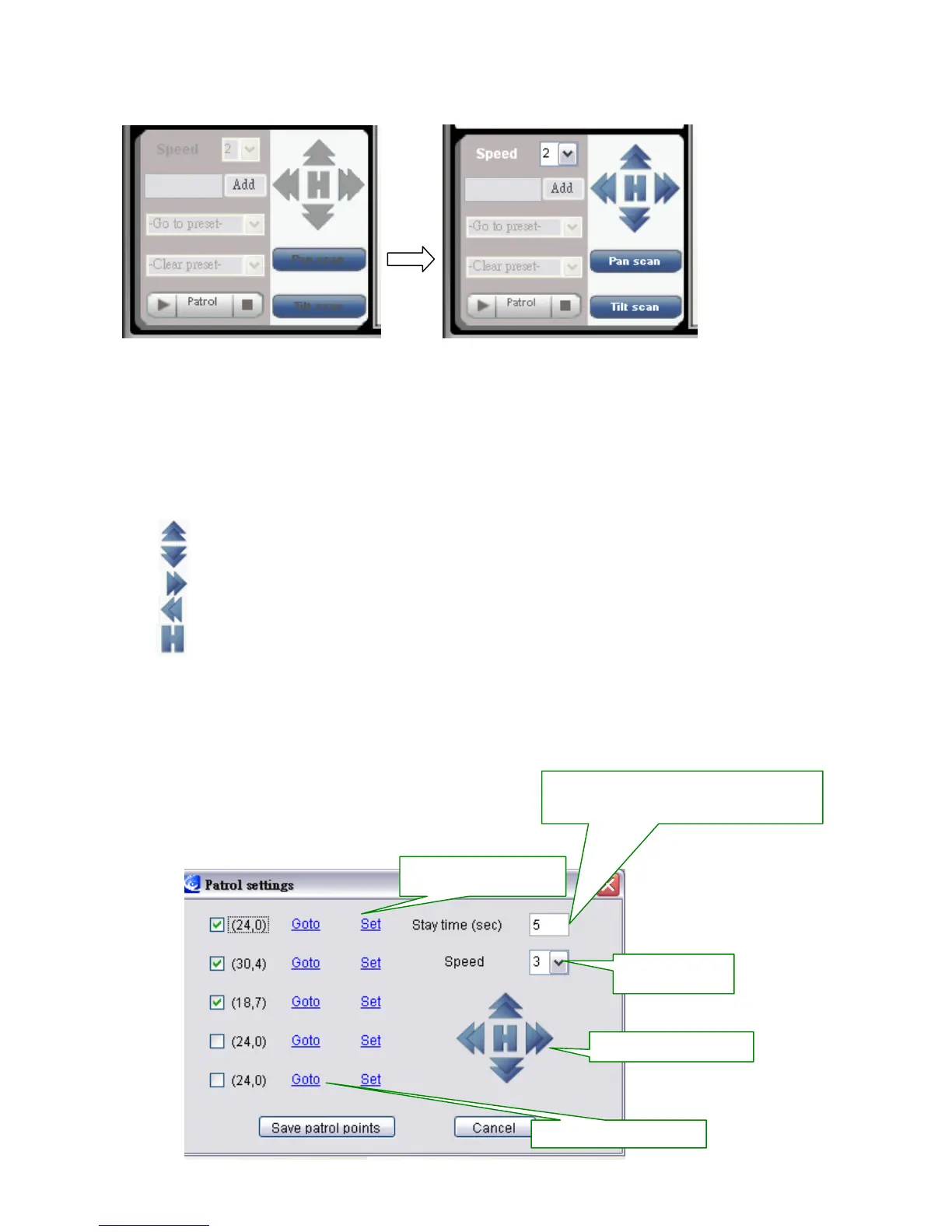
Panel will be activated as below:
Pan Scan: make the Pan Tilt Dome move left and right
Tilt Scan: make the Pan Tilt dome up and down
Speed: the speed of Pan Tilt Dome has 3 level of speed (3 is the fastest, 1 is the slowest)
: Move Up
: Move Down
: Move Right
: Move Left
: Move back to home
Patrol: User can have 1 set of Patrol and 5 points for each Patrol. To set each point for the
patrol, User can use the direction arrow in blue to set each point the user want to stop in a
patrol. After set each point, click “set” to save each point
Motor control panel
Set the preset point.
How long the camera stays for each preset
point during patrol.



 To Next Page