DCP 350 User Manual
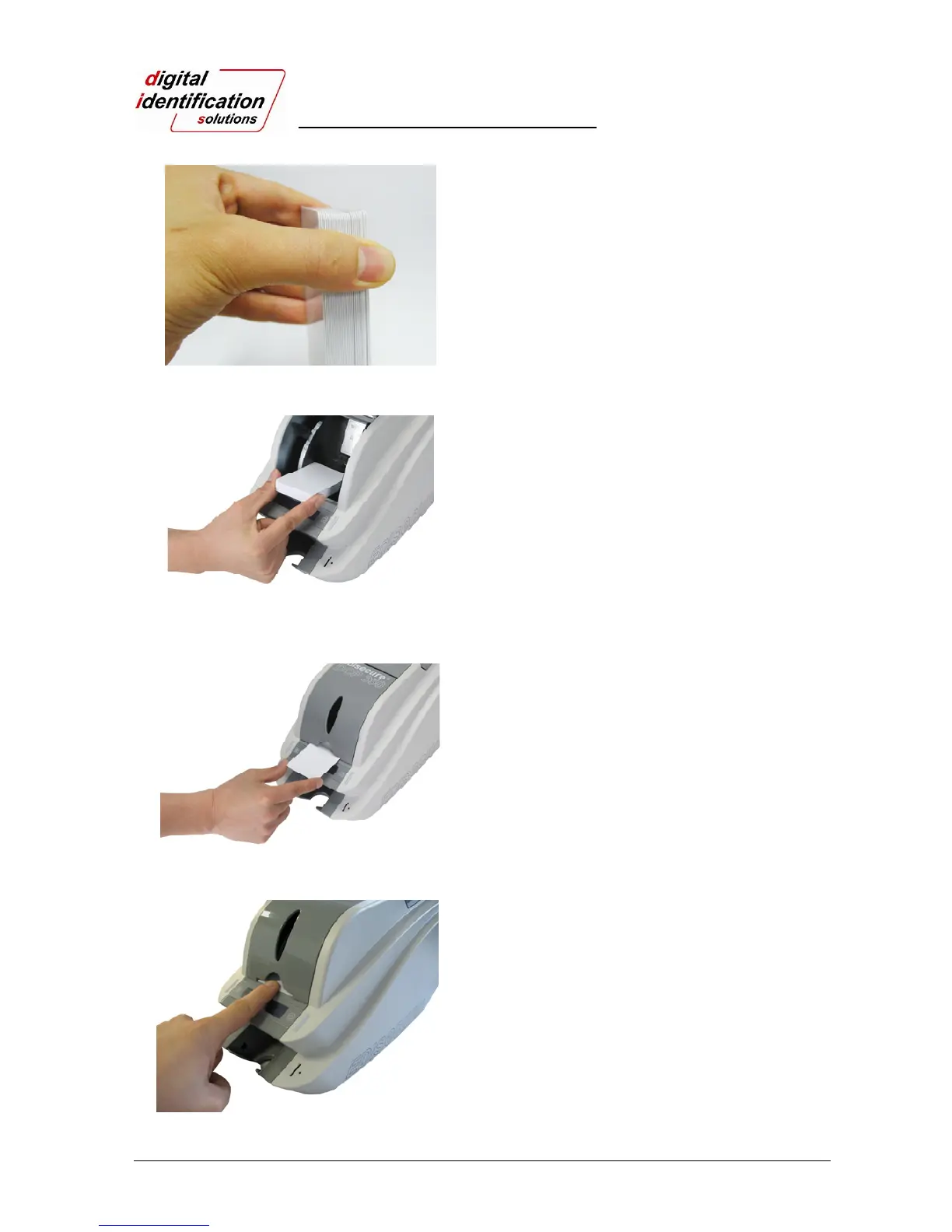
Pic.17 Loading the cards 1
2.2.5.
Stand the stack of cards vertically after separating.
Pic.18 Loading the cards 2
2.2.6.
Load the cards on the input hopper properly and
close the hopper cover.
Pic.19 Loading the cards 3
2.2.7.
When insert each one card, insert the card to the
end as shown on Pic. 19 and 20.
Pic.20 Loading the cards 4



 To Next Page