DCP 350
4.3 Firmware upgrade
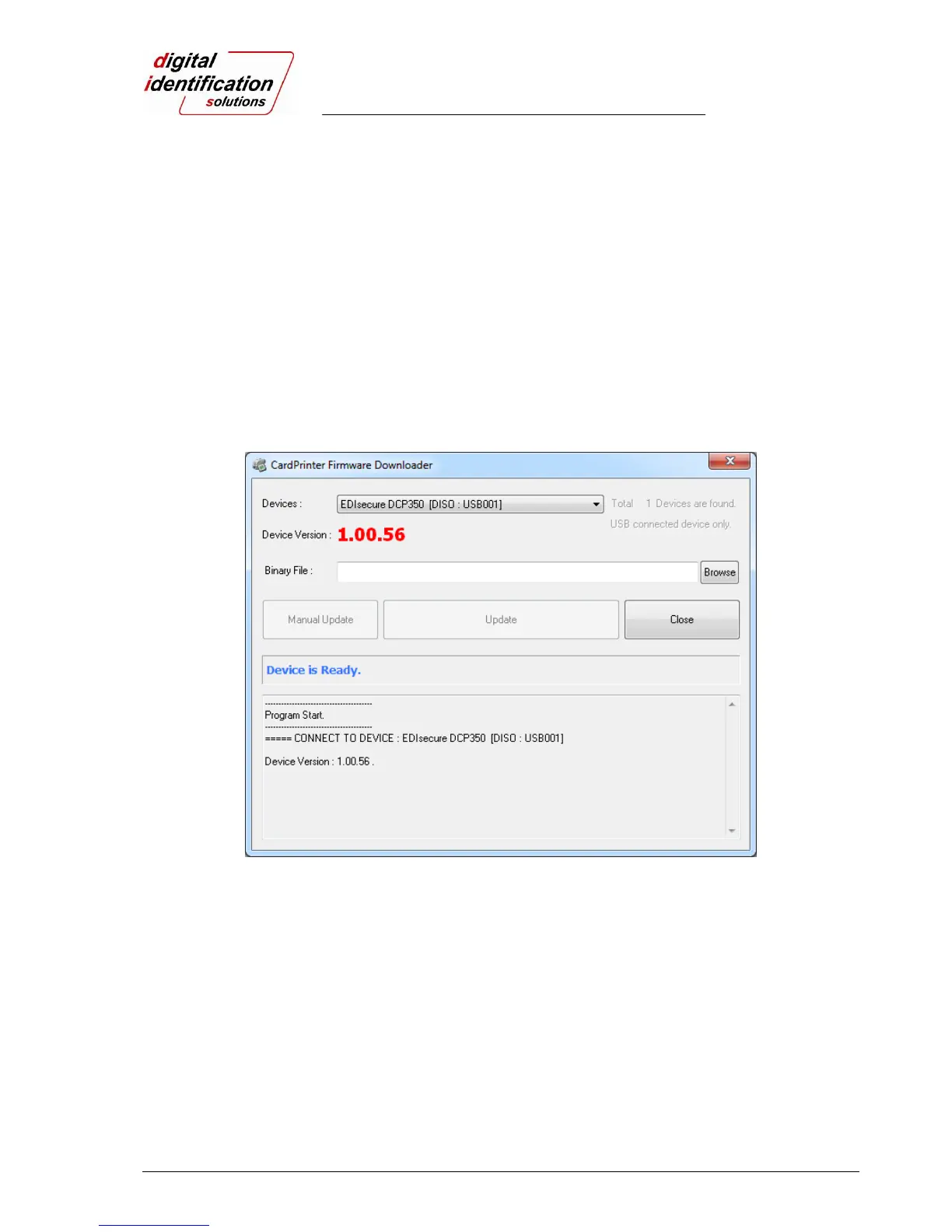
When you run the CardPrinterFirmware, you can see the pop-up window as shown in Pic.85.
Device: To select the printer that you want to upgrade.
Device Version: To display the current firmware version of selected printer.
Binary File: “Browse” is to find and select the new firmware file to update.
Manual Update: It is used when you want to upgrade manually.
Update: To upgrade automatically. In generally, we recommend upgrading automatically.
Close: To quit this utility.
Message : To display messages when the firmware is being upgraded.
Pic.85 Upgrading the printer firmware 1
When you click “Browse” and select the new firmware, “Manual Update” and ”Update” are activated. At this
time, please click “Update” to upgrade automatically, then the printer is upgraded after rebooting.
(Caution: Please do not close upgrade dialog box until it is completed successfully and do not turn off the
PC and the printer.)



 To Next Page