DCP 350
4.2 Card Printer Test
Basically the Card Printer uses a standard printer device, so it can be used in the same way as a general
paper printer. In the case of magnetic stripe, contact, contactless encoder option, you will need to install
appropriate driver and operate individually. You can test all feature of printer by Card printer Test. Card
Printer Test program is developed by using EDIsecure
®
DCP 350.
4.2.1 Card Printer Test
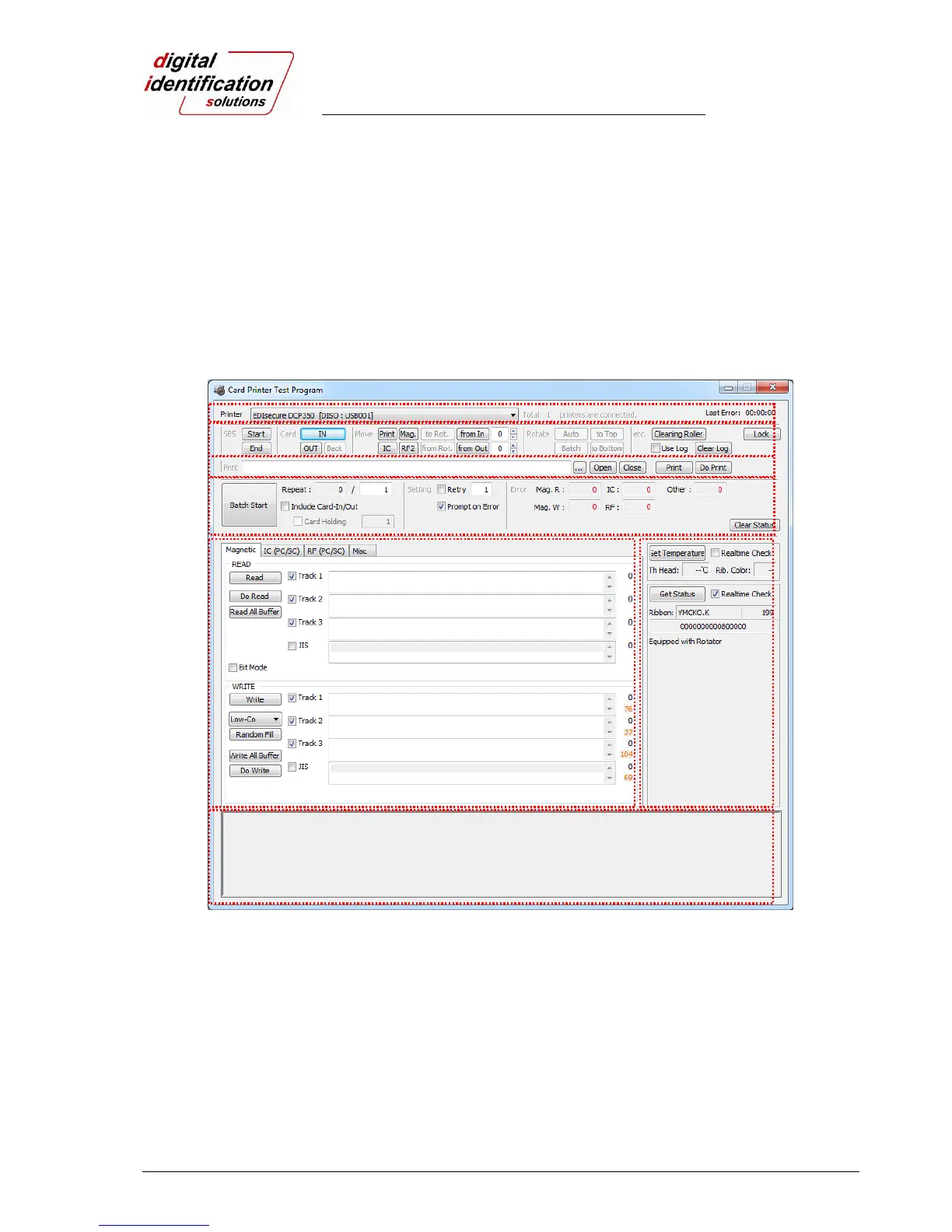
When the Card Printer Test is run, all functions can be tested individually.
Pic.81 CardPrinterTest
① Select Printer: select printer to test. In the Pic.107, “EDIsecure
®
DCP 350” is the Printer
Name, DCP350228 is the Printer ID, and USB001 is the connected port.
② Control : To execute each step to test
③ Print: Print test file
④ Batch Start: Repeat selected encoding test by “⑤ Encoding”
⑤ Encoding: Encode Magnetic Stripe, Contact Card, Contactless Card
⑥ Printer Status: Check printer status.
⑦ Message: Description of status by log.
①
②
③
④
⑤
⑥
⑦



 To Next Page